8.4 IRA Plan Details
User can inquire the details of IRA plan using the IRA Plan Details screen.
Note:
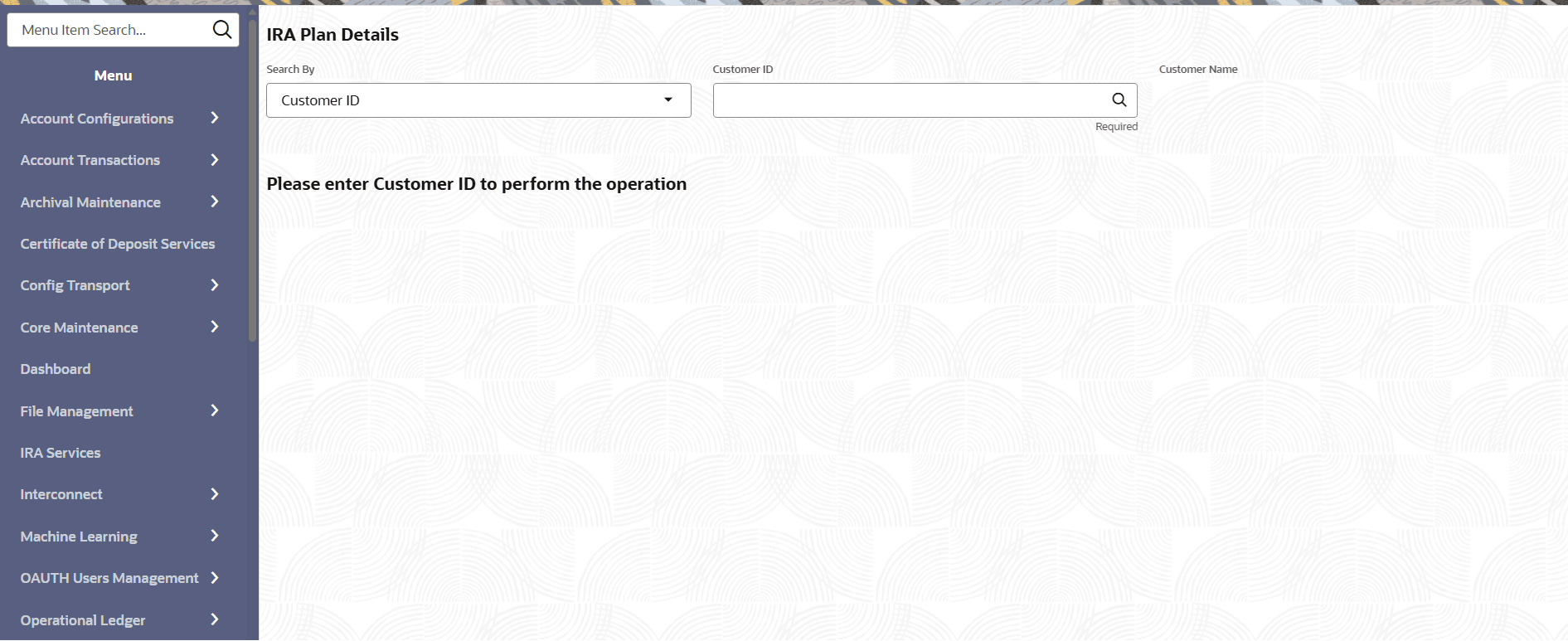
This screen is applicable for IRA Accounts and IRA Deposits.- On the Home screen, from IRA Services, under Inquiry click IRA Plan Details, or specify the IRA Plan Details in the Search icon bar.The IRA Plan Details virtual screen is displayed.
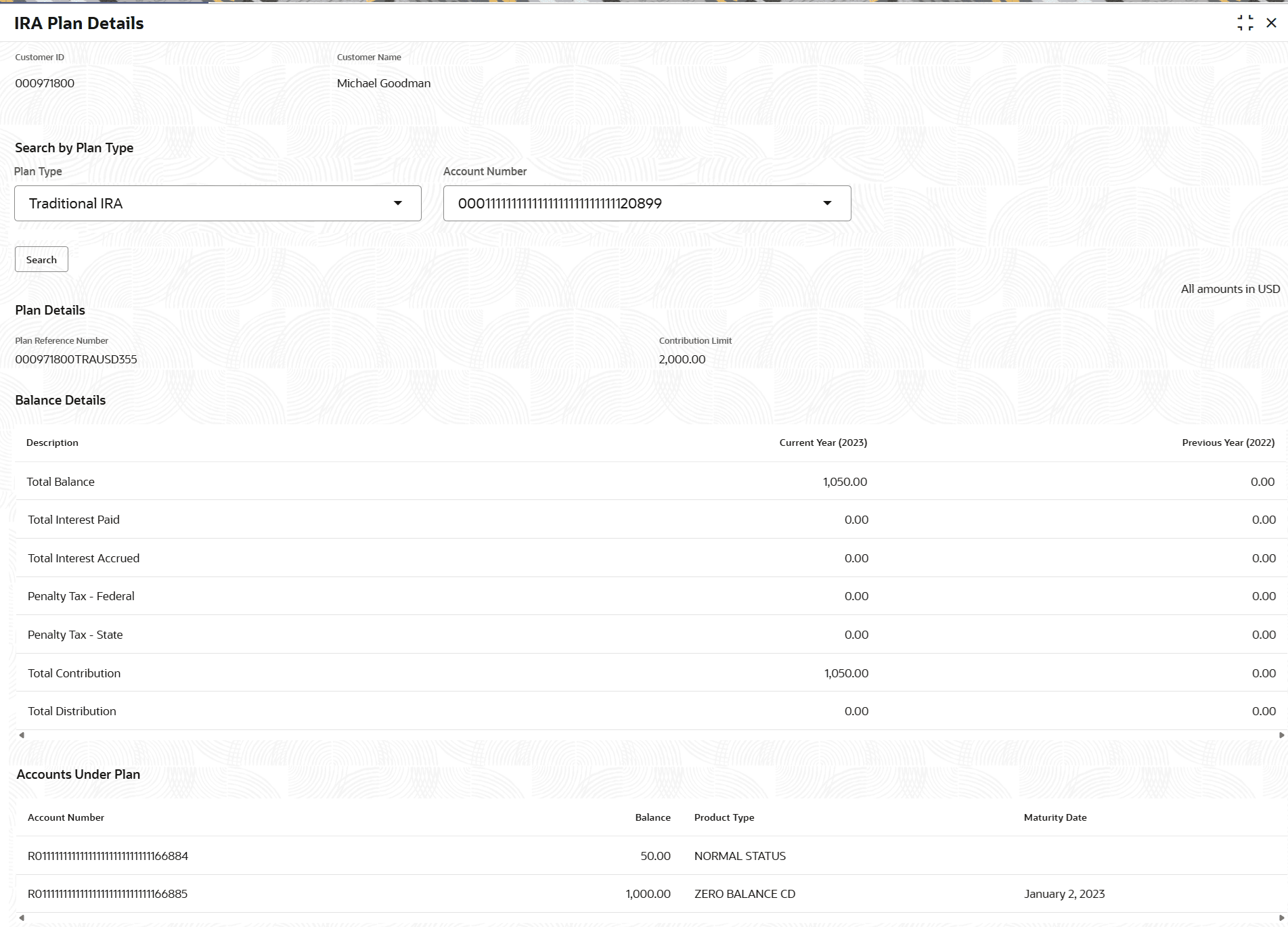
- On the IRA Plan Details screen, specify and view the details.The existing IRA plan details are displayed.For more information on fields, refer to field description table below:
Table 8-4 IRA Plan Details – Field Description
Field Description Customer ID Customer ID is the default option shown when the screen is launched. A Customer ID can be directly entered into the adjacent field or it can searched using the search option. Mobile Number, Email, and Tax Identification Number are the other options available to filter a Customer ID. If Mobile Number, Email, and Tax Identification Number are used to find a customer ID, the respective IDs have to be input entirely in the adjacent filed for the system to display the customer number. For a given search criteria, multiple customer numbers may be linked.
For example, two or more customer number may be linked to a single Mobile Number. In such cases, system displays all the matches and the user can select the relevant option on which to perform the transaction.
Search by Plan Type
Select the plan type to initiate the search. The options are: - Traditional IRA
- Roth IRA
- Simplified Employee Pension IRA
Account Number Select the account number to view account specific plan details. To view plan details of all accounts linked to the customer ID, select ALL from the drop-down list.
When the screen is launched from the main menu, this field defaults to ALL and the IRA plan details are displayed at the customer plan level. User can also select individual accounts or CDs present under the plan and inquire the details separately.
Plan Details This section displays the IRA plan details. Plan Reference Number Displays the reference number of the IRA plan. Contribution Limit Displays the contribution limit amount. Balance Details This section displays the balance details. Description Displays the description for the balance details. Current Year (<current year>) Displays the balance amount as of current year. Previous Year (<previous year>) Displays the balance amount as of previous year. Account Under Plan This section displays the account details under IRA plan. Account Number Displays the account number linked to IRA plan. Balance Displays the balance amount. Product Type Displays the product type of the account. Maturity Date Displays the date of maturity.
Parent topic: Inquiry