7.1 Create Task

This topic provides the systematic instructions to create a task.

  1. On Home page, click Task Management. Under Task Management, click Create Task.
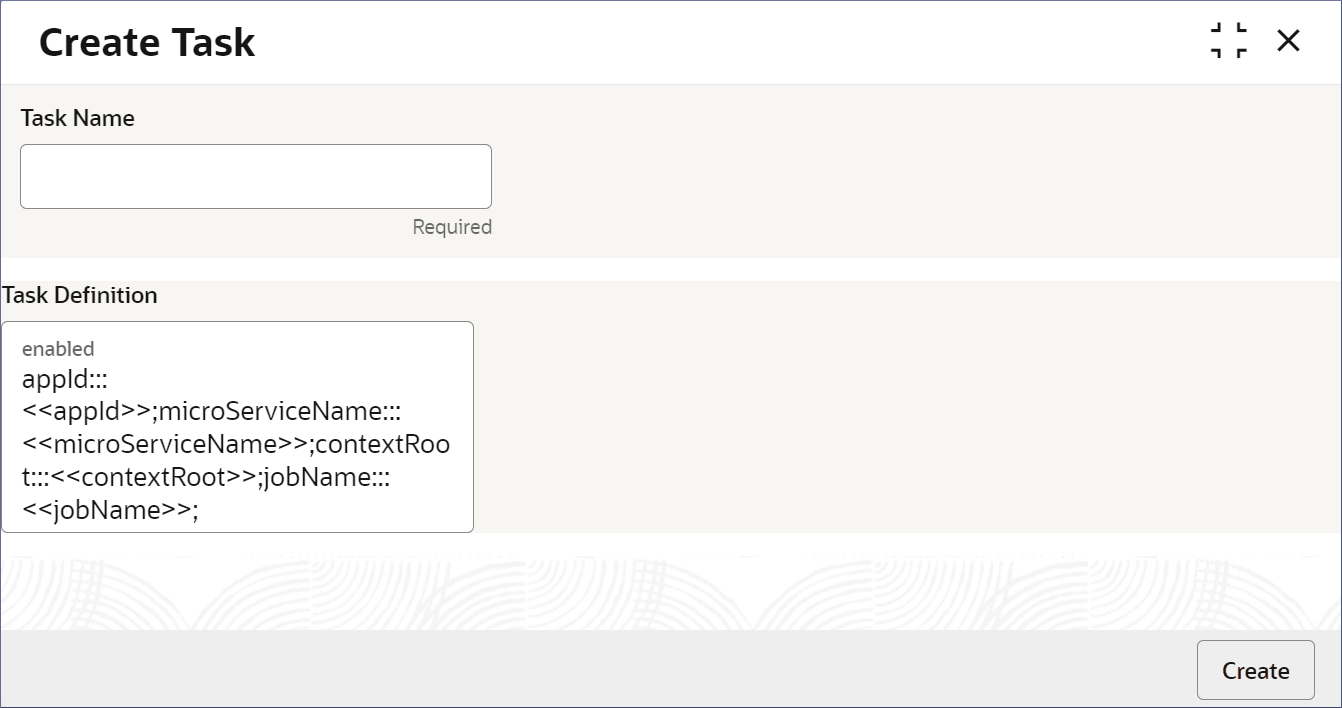
    The Create Task page displays.
  2. In the Create Task screen, specify the fields. For more information on fields, refer to field description table.

    Table 7-1 Create Task - Field Description

    Field Description
    Task Name Specify a name for the task.
    Task Definition Specify the task definition in the following format:
    appId:::<<appId>>;microServiceName:::<<microServiceName>>;contextRoot:::<<contextRoot>>;jobName:::<<jobName>>;
    • <<appId>> - Specify the ID of the Application that processes the task.
    • <<microServiceName>>: Specify the Id of the application that processes the task.
    • <<contextRoot>>: Specify the context root (location of the application) where the micro-service can be accessed.
    • <<jobName>>: Specify the job performing the required task.

    Note:

    To see the list of task definitions available, see Link to Appendix: Task Definitions.
  3. Click Create.
    A pop-up message confirms that the status of the record creation.