1.8.1 Create IRA Parameters
This topic explains the systematic instructions to create IRA parameters.
Note:
The fields marked as Required are mandatory.- On Home screen, under Menu, click Retail Account Configurations. Under Retail Account Configurations, click IRA Parameters Configuration.
- Under IRA Parameters Configuration, click
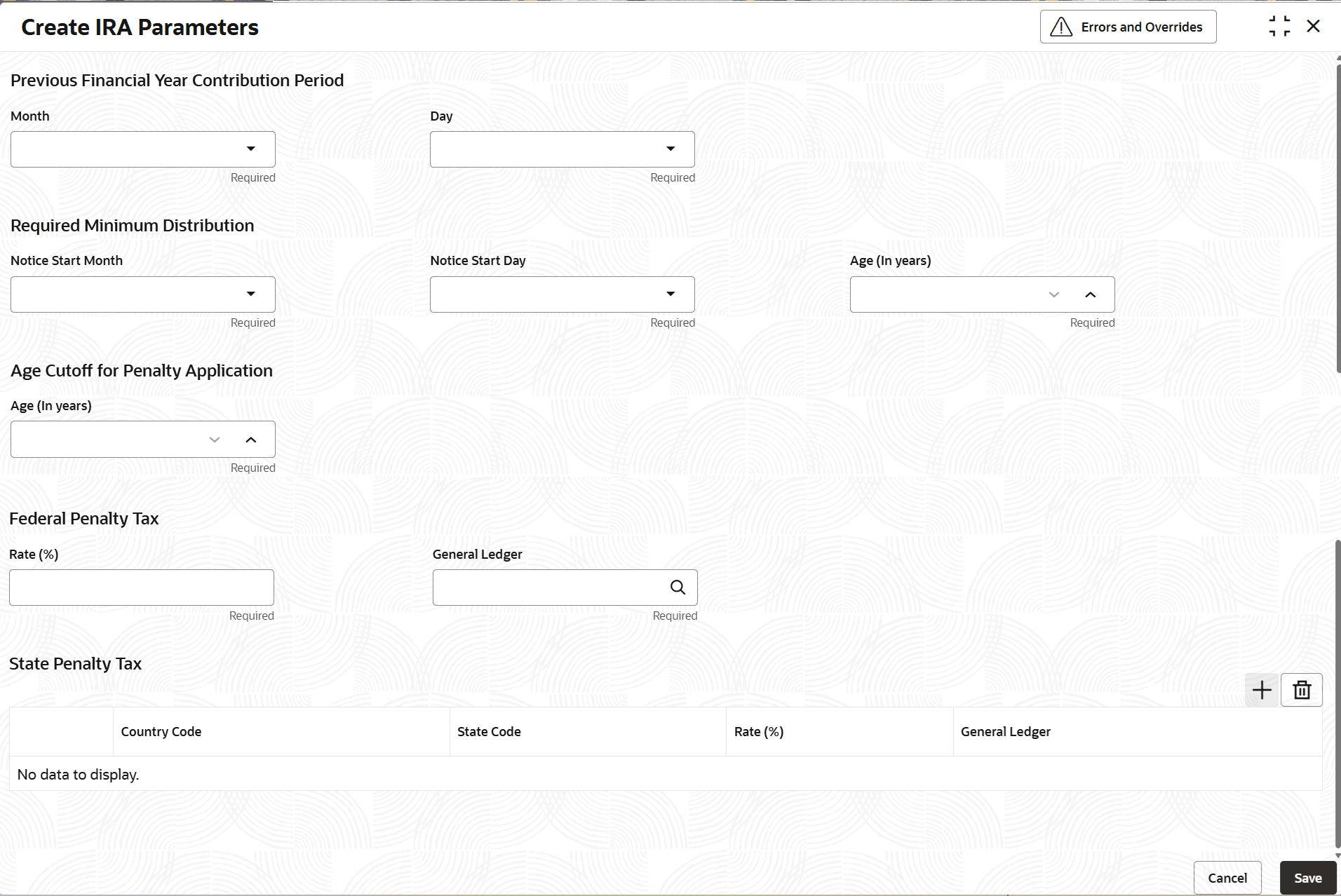
Create IRA Parameters.The Create IRA Parameters screen displays.
Figure 1-28 Create IRA Parameters
- Specify the fields on Create IRA Parameters
screen.
For more information on fields, refer to the field description table below.
Table 1-28 Create IRA Parameters - Field Description
Field Description Month and Day This is the date by which tax returns need to be filed for the previous year. Contributions for prior year are possible to be done only till this date of this current year. For example, if this value is set to April 15th, then it implies that the customer can do a contribution that can be considered for the previous financial year until the April 15th of the current financial year.
Note: The customer has an option to choose if the contribution being done to the IRA plan is for the current/previous financial year and accordingly the same can be defined and the right contribution code will be attached during the processing of the contribution transaction.
Required Minimum Distribution Required Minimum Distribution Age (in years): “RMD Age” is the age in years, after which the customer must take a required minimum distribution from their IRA. This field “RMD Age” cannot be decreased but can be modified to be increased to a greater value than the existing age configured.
Required Minimum Distribution Notice Start Day: This field is captured for sending the “Outstanding RMD Notification”. This field will determine the date for sending the “Outstanding RMD Notification” if the IRA owner has not taken the complete RMD amount calculated for the year. Please note that, in this case OBA will publish an event with the relevant data to Event Delivery Platform (EDP) and any subscribing system to EDP can consume that event to generate the notification to the customer. This field can be modified, but any modification will take effect for the next year notice generation only.
Required Minimum Distribution Notice Start Month: This field is captured for sending the “Outstanding RMD Notification”. This field will determine the month for sending the “Outstanding RMD Notification” if the IRA owner has not taken the complete RMD amount calculated for the year. Please note that, in this case OBA will publish an event with the relevant data to Event Delivery Platform (EDP) and any subscribing system to EDP can consume that event to generate the notification to the customer. This field can be modified, but any modification will take effect for the next year notice generation only.
Age Cutoff for Penalty Application This is the customer age before which if any distribution is done in an IRA account it would be deemed as a premature distribution and federal and state penalty tax will apply. Note: It is to be noted that distributions will stop being deemed premature in the year after the year in which the customer reaches the cutoff age for penalty application.
Federal Penalty Tax Rate (%) This field captures the Federal penalty tax rate to be applied as penalty tax on in case of a premature distribution. Federal Penalty Tax GL This field captures the GL account to which the federal penalty tax amount is to be accounted. Country Code Specify the applicable country code from the list of values. State Code Specify the applicable state code from the list of values. State Penalty Rate (%) This field defines the state penalty percentage to apply on early distribution from an IRA account over and above the federal penalty rate if any, if the customer withdraws from the IRA before customer reaches the configured age threshold for penalty. The system considers the Customer's residential address state code to determine the corresponding state penalty rate to apply on early distribution. State Penalty GL Select from the list of GL account numbers, the GL account to which the state penalty amount needs to be accounted. - After specifying all the details, click Save to complete the steps. Or, click Cancel to exit without saving.
Parent topic: IRA Parameters Configuration