3.5.1 Oracle Banking Routing Hub Configuration
User can manage the routing setup for OBBRN-OBPM transactions in the Oracle Banking Routing Hub to handle integrated payment transactions.
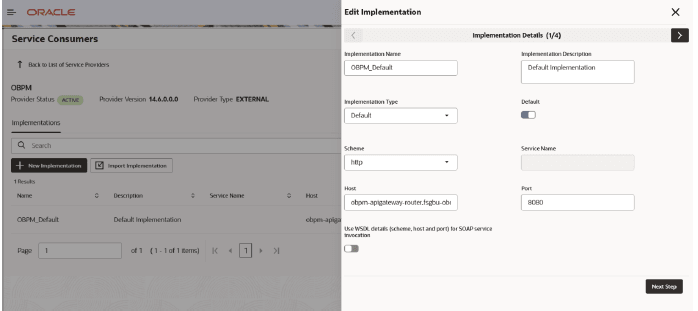
The user should construct the host name according to the template below:
Host Name: obpm-apigateway-router.fsgbu-obcbcs-<environment>—obfc-<account name>
Port: 8080
The app-shell URL provides the values for the environment and account name as set up as follow:
https://<account name>.obcs.ocs.oc-test.com/<environment>/app-shell/.
The environment value mapping from URL to OBRH Integration configuration is as follows:
Table 3-1 Environment Value Mapping
| Environment | URL Value | OBRH Configuration Value |
|---|---|---|
| Premium Non Production | non-prod | nonprod |
| Premium Pre-Production | pre-prod | preprod |
| Premium Production | prod | prod |
| Partner | partner | partner |
| Standard Non Production | non-prod-std | nonprod-std |
| Standard Pre-Production | pre-prod-std | preprod-std |
| Standard Production | prod-std | prod-std |
Table 3-2 Example - Integration Configuration
| Account Name | Environment Provisioned | OBRH Integration Host Name |
|---|---|---|
| demobank1 | Standard - Non Production | obpm-apigateway-router.fsgbu-obcbcs-nonprod-std— obfc-demobank1 |
| demobank1 | Standard - Production | obpm-apigateway-router.fsgbu-obcbcs-prod-std—obfcdemobank1 |
| demopartner | Partner | obpm-apigateway-router.fsgbu-obcbcs-partner—obfcdemopartner |
Note: Port will be 8080, that is common for all the environment.
Follow the steps below, for editing the implementations:
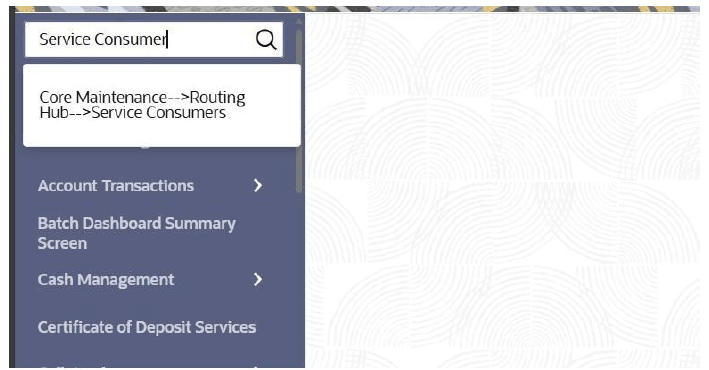
- From the Menu screen, under Core
Maintenance, search Service Consumers.
The Service Consumers screen is displayed.
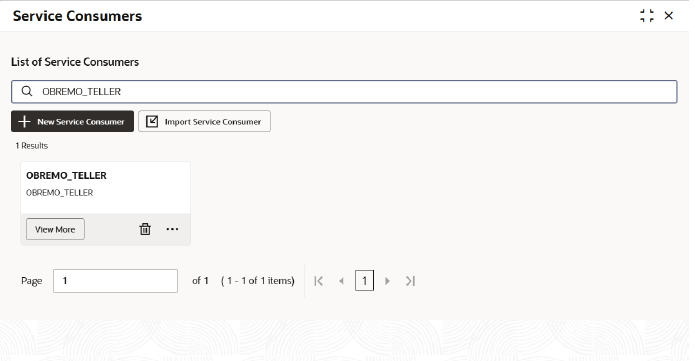
- From the List of Service Consumers field, search
OBREMO_TELLER and click View
More.The search result is displayed.
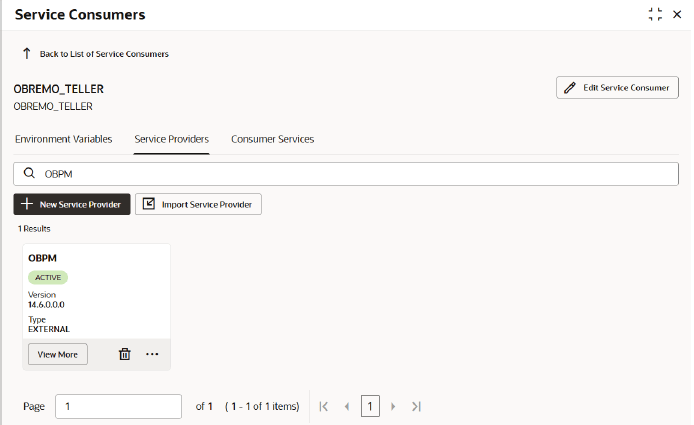
- Navigate to the Service Provides tab, search for
OBPM, and click View
More.The details are displayed.
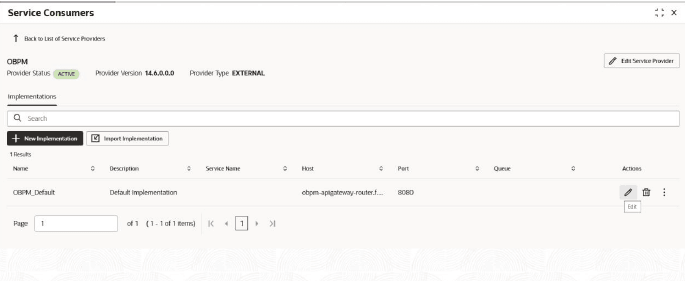
- From the Actions field, click the
Edit icon.
- Include the host and port for the OBPM service as per the template shared below
and update the formed host and port in the respective fields.
Note:
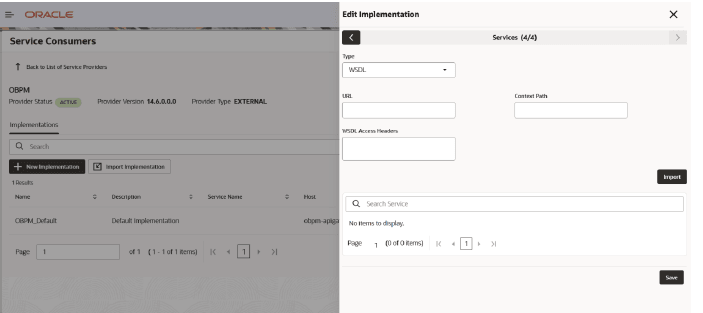
Template: obpm-apigateway-router.fsgbu-obcbcs-<environment>—obfc-<account name> Port: 8080 - Click Next Step, until the user sees the Save button.The Edit Implementation section is displayed.
Parent topic: Integration of Oracle Banking Payments