3.3.1 Add Payment Details for Domestic Transfer
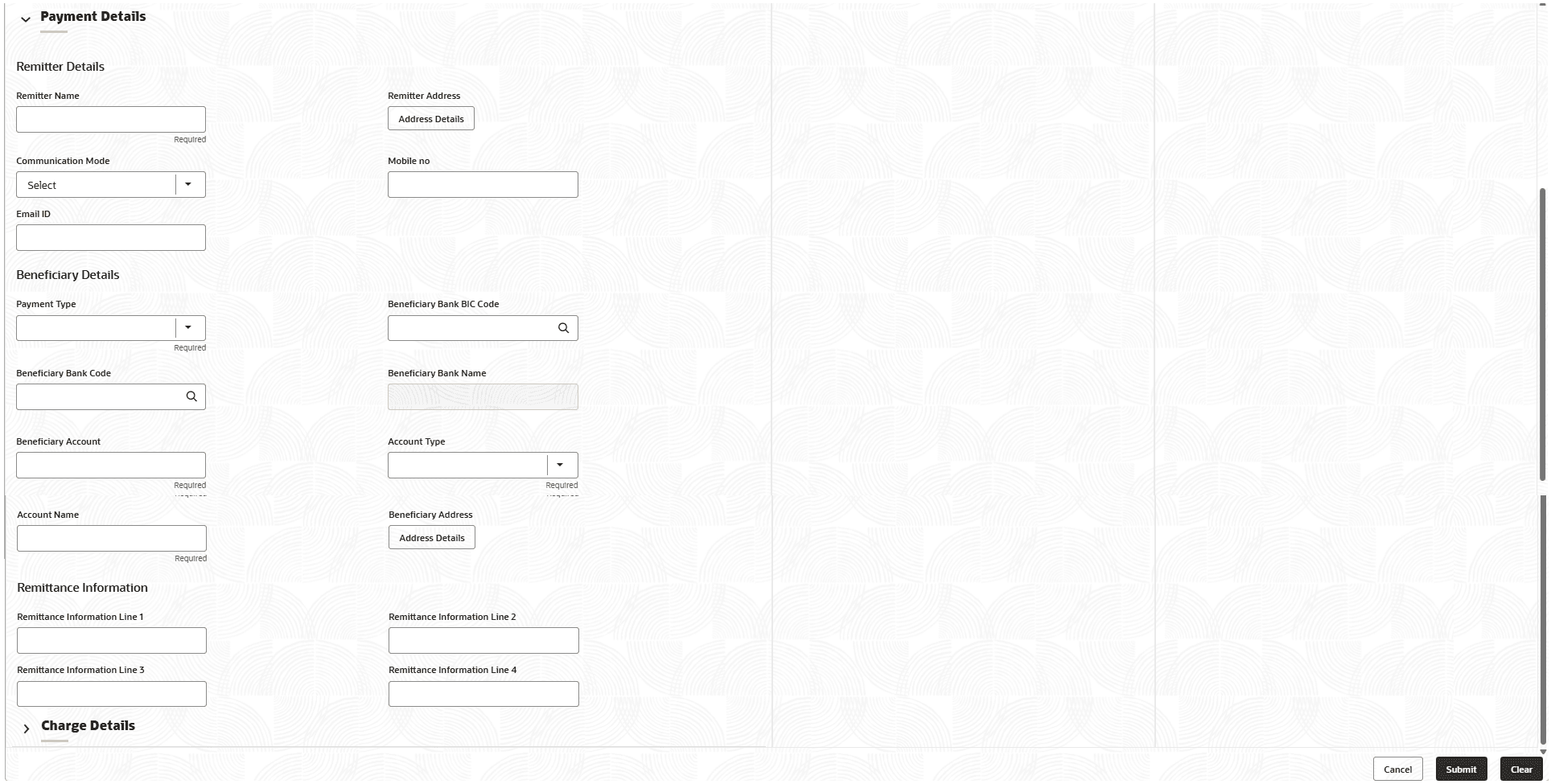
User can add the payment details for the domestic transfer in the Payment Details data segment.
To add the payment details follow the steps below:
- Make sure that the transaction details are added to the screen and click on payment details.The Payment Details section displays.
- On the Payment Details data segment, specify the fields. For more information on fields, refer to the field description
table.
Note:
The fields marked as Required are mandatory.Table 3-4 Payment Details - Field Description
Field Description Remitter Details
Specify the fields.
Remitter Name
Displays the remitter description based on the remitter account number specified.
Remitter Address
Click Address Details button to view the customer address details. Note:
For the field-level description of the customer address, see Address Details.Communication Mode
Specify the mode of communication for the transaction. The drop-down values are E-Mail and Phone.
Mobile No
Specify the mobile number if the mode of communication is selected as Phone.
Email ID
Specify the email address if the mode of communication is selected as E-Mail.
Beneficiary Details
Specify the fields.
Payment Type
Select the payment type from the drop-down values.
Beneficiary Bank Code
Select the beneficiary bank code from the list of values.Note:
The LOV display all valid clearing bank codes maintained in the system.Beneficiary Bank Name
Specify the name of the beneficiary bank. If the beneficiary bank code is selected, the system displays the description.
Beneficiary Account
Specify the account number of the beneficiary.
Account Type
Select the account type of the beneficiary from the drop-down list.
Account Name
Specify the account name of the beneficiary.
Beneficiary Address
Click Address Details button to view the customer address details.
Note:
For the field-level description of the customer address, see Address DetailsRemittance Information
Specify the fields.
Remittance Information Line 1 to Remittance Information Line 4
Specify the remittance information in free text format.
Parent topic: Domestic Transfer Against Account