5.1.4 BC Print and Reprint
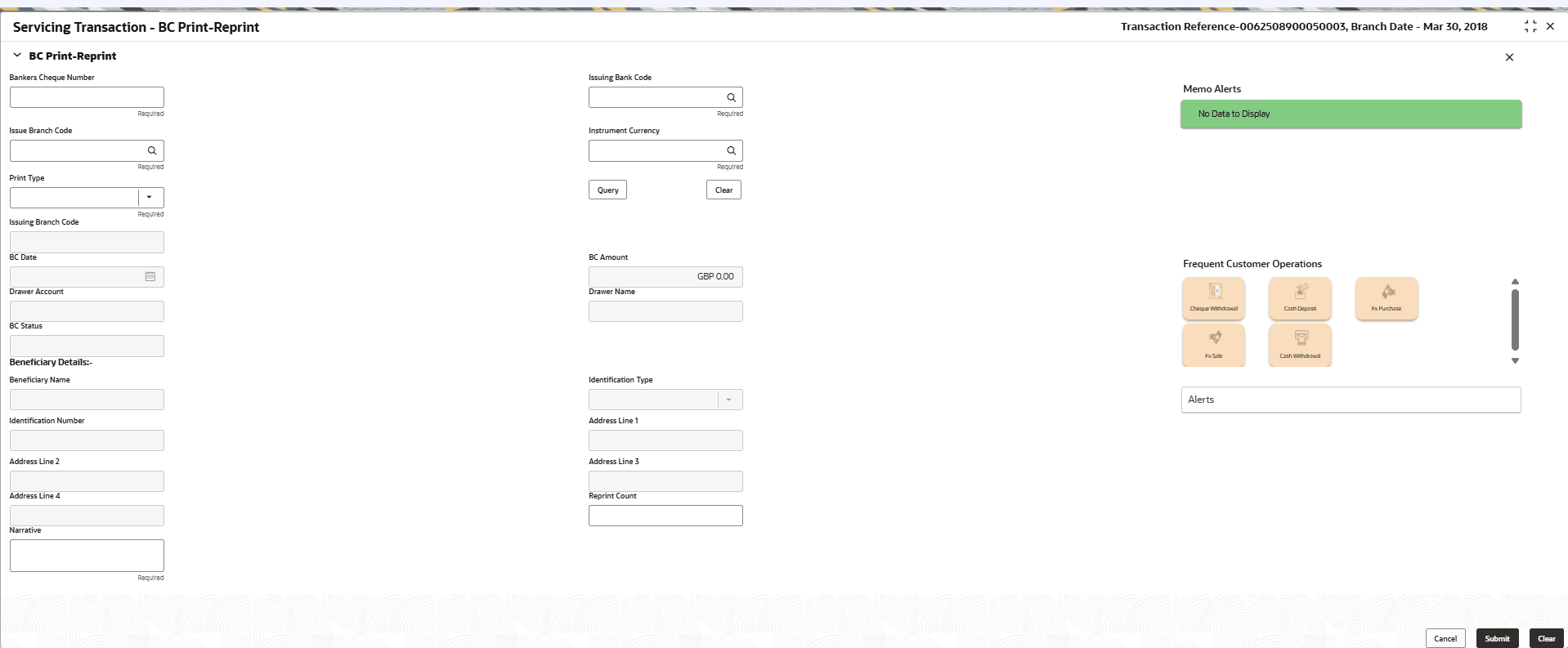
The Teller can use the BC Print-Reprint screen to print a BC. It is also used to re-print the BC if it is not properly printed or to issue duplicate instruments.
The system keeps a track of such reprints so that the bank officials or auditors can determine the reasons and validity of multiple instrument printing.
To print or reprint a BC:
- On the Home page, from Teller mega menu, under Remittances, click BC Print-Reprint or specify BC Print-Reprint in the search bar and select the screen.The BC Print-Reprint screen is displayed.
- On the BC Print-Reprint screen, specify the fields. For more information on fields, refer to the field description
table.
Note:
The fields marked as Required are mandatory.Table 5-7 BC Print-Reprint - Field Description
Field Description Bankers Check No
Specify the BC number of the instrument that user need to print or re-print.
Issuing Bank Code
Specify the code of the issuing bank.
Issue Branch Code
Select the branch code where the instrument is issued from the LOV.
Instrument Currency
Specify the instrument currency.
Print Type
Select the type Print or Reprint from the drop-down list.
Query
Click Query to fetch details of the BC transaction.
Issuing Branch Code
Displays the logged-in branch code.
BC Date
Displays the date mentioned in the BC.
BC Amount
Displays the BC currency and the BC amount.
Drawer Name
Displays the name of the drawer.
BC Status
Displays the status of the BC.
Beneficiary Details
Specify the fields.
Beneficiary Name
Displays the beneficiary's name.
Identification Details
Displays the identification details of the beneficiary.
Beneficiary Address
Click Address Details button to view the customer address details.Note:
For the field-level description of the customer address, see Address Details.Reprint Count
Specify the count of the current reprint operation.
Note: This is applicable only for the reprint option.
Narrative
Displays the default narrative as Print/Reprint, and it can be modified.
- Click Submit.
A teller sequence number is generated, and the Transaction Completed Successfully information message is displayed.
Note:
The transaction is moved to authorization in case of any warning raised when the transaction saves.
Parent topic: Banker's Check