3.2 Process to View Product Processor
This topic describes the information about View a List of Product Processors.
- Under Maintenance, click Product
Processor. Under Product Processor, click
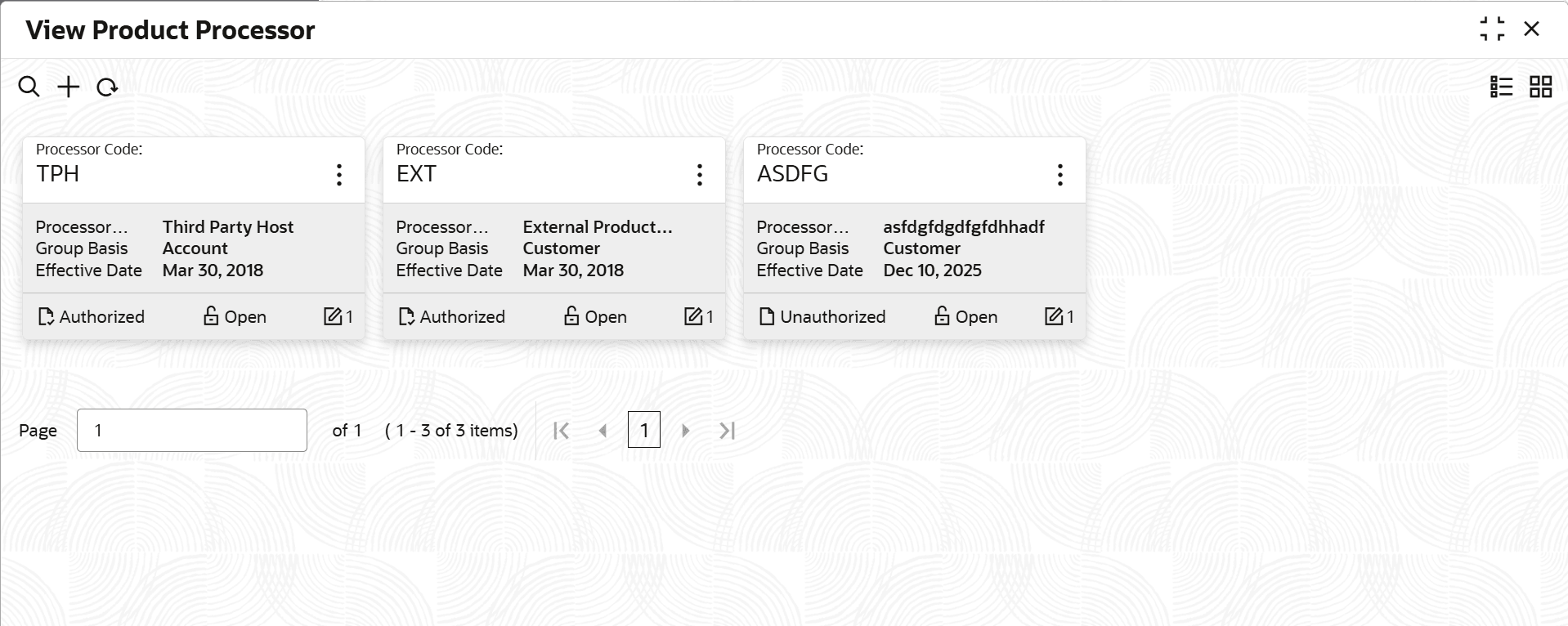
View Product Processor.The View Product Processor screen is displayed. For more information on fields, refer to the field description table.
Table 3-2 View Product Processor - Field Description
Field Description Product Processor Code Displays the product processor code. Product Processor Description Displays the description of the product processor. Authorization Status Displays the authorization status of the record. The options are:- Authorized
- Rejected
- Unauthorized
Record Status Displays the status of the record. The options are:- Open
- Closed
Modification Number Displays the number of modification performed on the record. - On the View Product Processor screen, click

icon.The View Product Processor - Search screen is displayed.Figure 3-3 View Product Processor - Search
- Click Unlock to modify the created Product
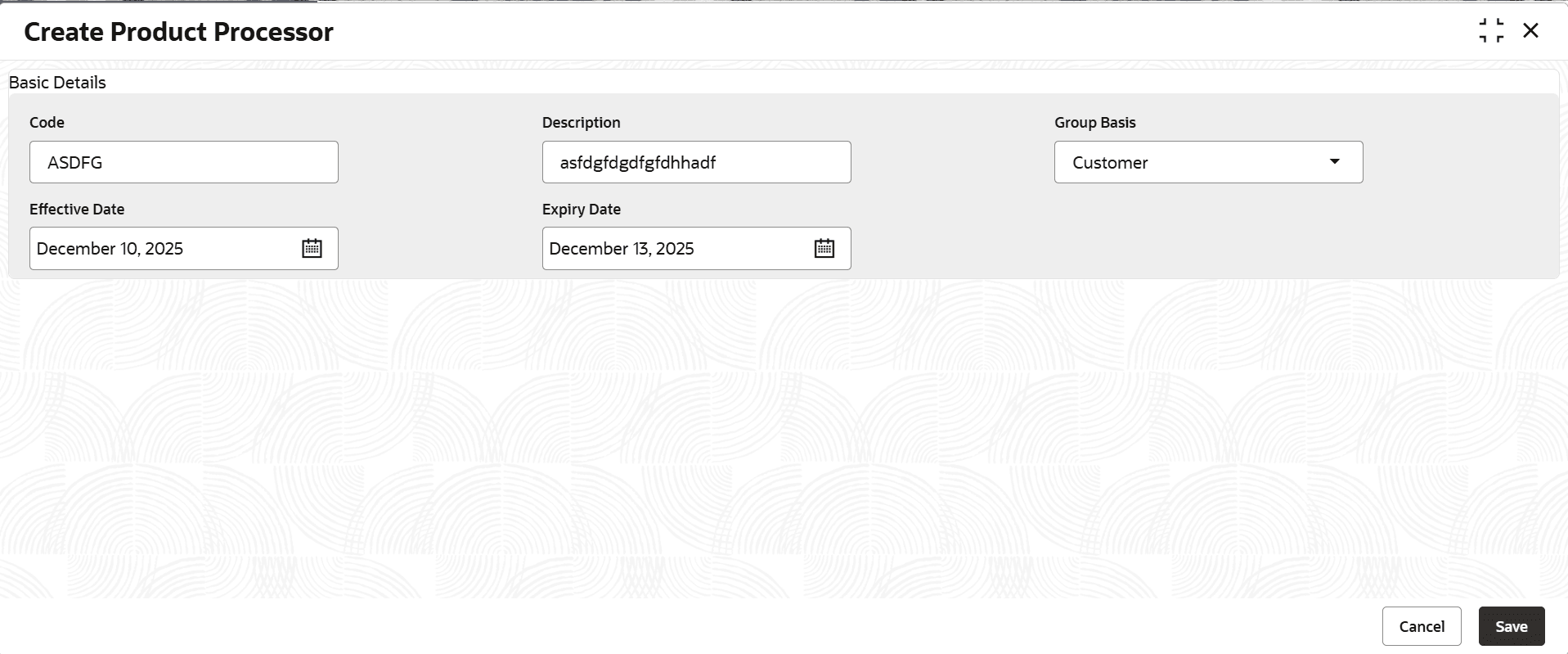
Processor.The Create Product Processor - Modify screen is displayed.
Figure 3-4 Create Product Processor - Modify
For more information on fields, refer to the field description table.
Table 3-4 Create Product Processor - Modify - Field Description
Field Description Product Processor Code Displays the product processor code. Product Processor Description Displays the product processor description. This field is editable.
Effective Date Displays the effective date of the created product processor. User can modify the same before authorization if it is future dated.
Expiry Date Displays the expiry date of the created product processor. This field is editable.
- Click View to view the created product processor
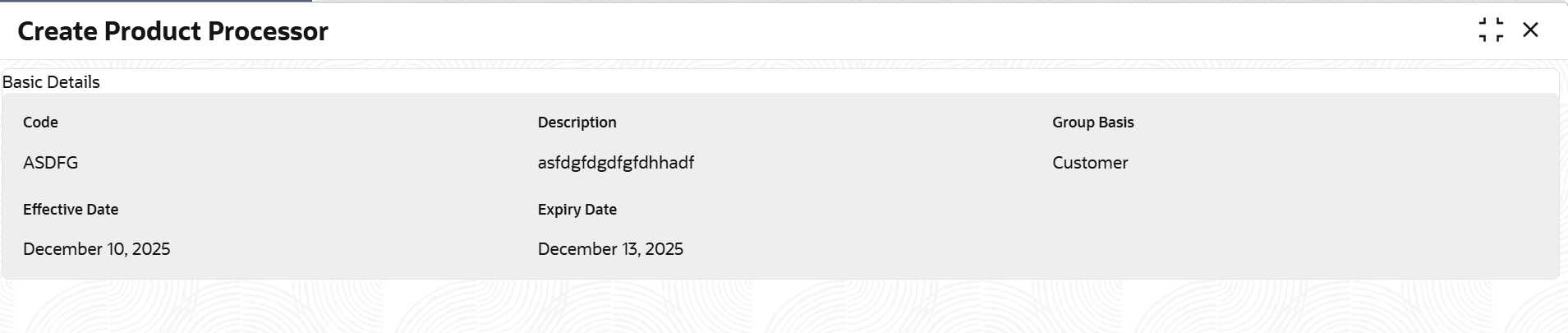
code.The Create Product Processor - View screen is displayed.
Figure 3-5 Create Product Processor - View
For more information on fields, refer to the field description table.
Table 3-5 Create Product Processor - View - Field Description
Field Description Product Processor Code Displays the product processor code. Product Processor Description Displays the product processor description. Effective Date Displays the effective date of the created product processor. Expiry Date Displays the expiry date of the created product processor.

Parent topic: Product Processor