13.1 Process to Create Promise Type

This topic describes the information about Create a Promise Type.

For creating a promise type, user need to specify details, such as code, description, and grace days.
To create a promise type:
  1. From Homescreen, click Collections. Under Collections, click Maintenance.
  2. Under Maintenance, click Promise Type. Under Promise Type, click Create Promise Type.
    The Create Promise Type screen is displayed.
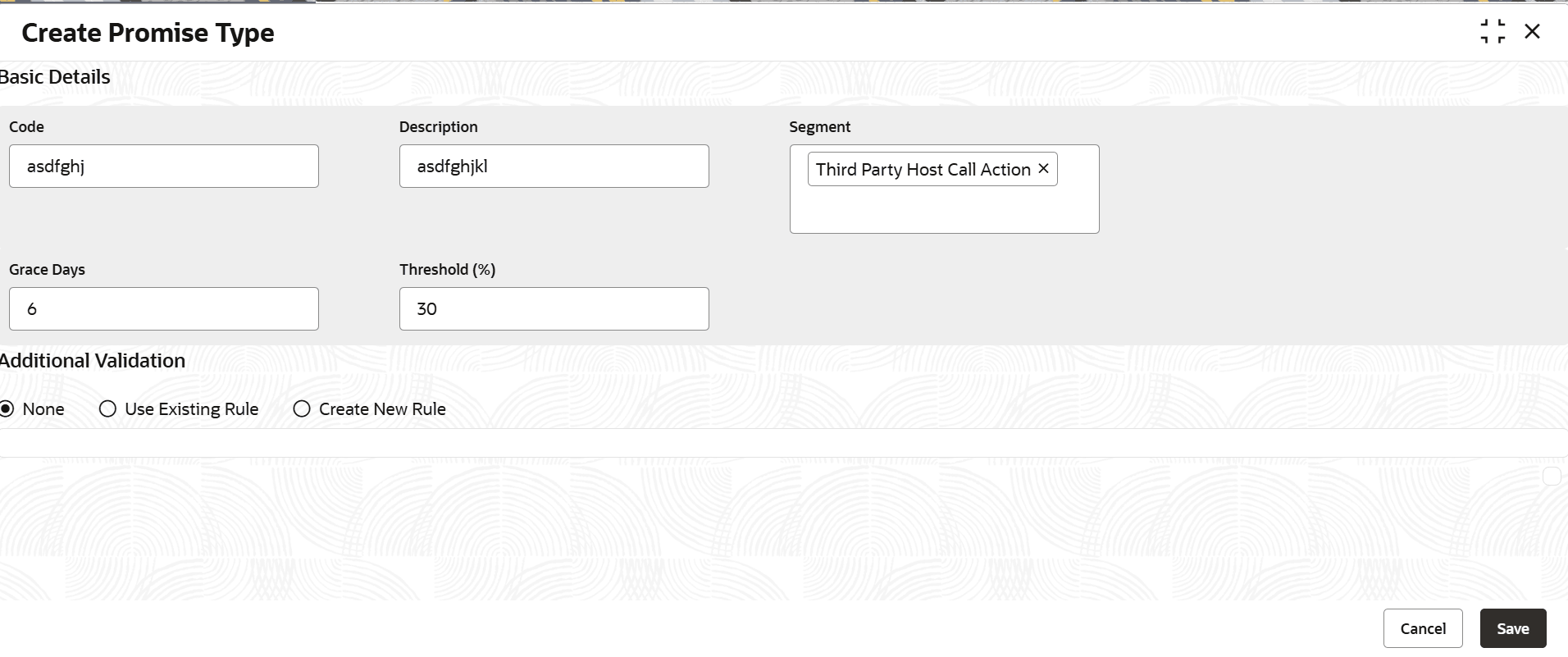
    Figure 13-1 Create Promise Type


  3. Specify the fields on the Create Promise Type screen.

    Note:

    The fields marked as Required are mandatory.
    For more information on fields, refer to the field description table.

    Table 13-1 Field Description: Create Promise Type

    Field Name Description
    Basic Details This section is used to provide basic information of the promise type.
    Code Indicates the unique identification code of the promise type.
    Description Indicates the description of the promise type.
    Segment Indicates the segment to which the promise type is associated.

    User can select multiple segments. If user do not select any segment, the promise type is applicable for all segments by default.

    Grace Days Indicates the number of grace days allowed to the customer for payment of the promised amount against the promise to pay. It is the additional number of days allowed to make payment if the customer fails to pay on the promised date.
    Threshold (%) Indicates the threshold limit in percentage of the promised amount.

    Note: The limit should not be greater than 100%.

    Additional Validation This tab is used to configure rules for additional validations for the promise type. For more information on how to configure rules, refer Oracle Banking Common Core User Guide.
  4. Perform one of the following action:
    1. Click Save to save the details.
      The Promise Type is successfully created and can be viewed using the View Promise Type screen.
    2. Click Cancel to discard the changes and close the screen.
Once the promise type is created, user can view the same using the View Promise Type page. Upon creation, the authorization status of the promise type is Unauthorized and the record status is Open. After a promise type is created, it must be authorized to be effective in the system.