1.2.4 Configure Covenant
This topic provides the systematic instructions to configure covenant.
The Covenant is an event or a condition which needs to be complied or monitored during the life of a Loan Contract at desired frequency. The frequency can be weeks, months or years. Covenant have an expected completion date for every frequency. User can capture the respective Covenant in a Loan Agreement along with the target date of completion. Upon completion of one Covenant for a particular frequency, the status can be captured accordingly and a new pending Covenant is created for the next frequency. User can capture the remainder days to trigger the notification to the respective RM regarding the upcoming Covenant prior to the completion date.
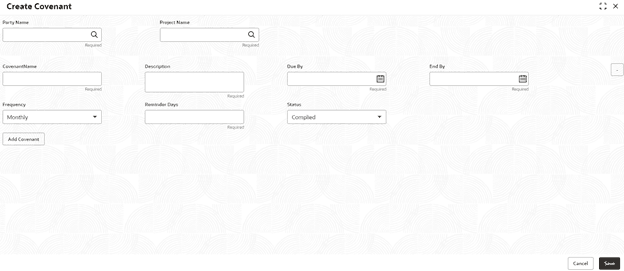
- On the Homepage, from Corporate Lending, under Maintenance, click Covenant.The Create Covenant screen displays.
Parent topic: Maintenance Screens