1.2.6 Configure Service Level Agreement Maintenance
This topic provides the systematic instructions to configure service level agreement maintenance.
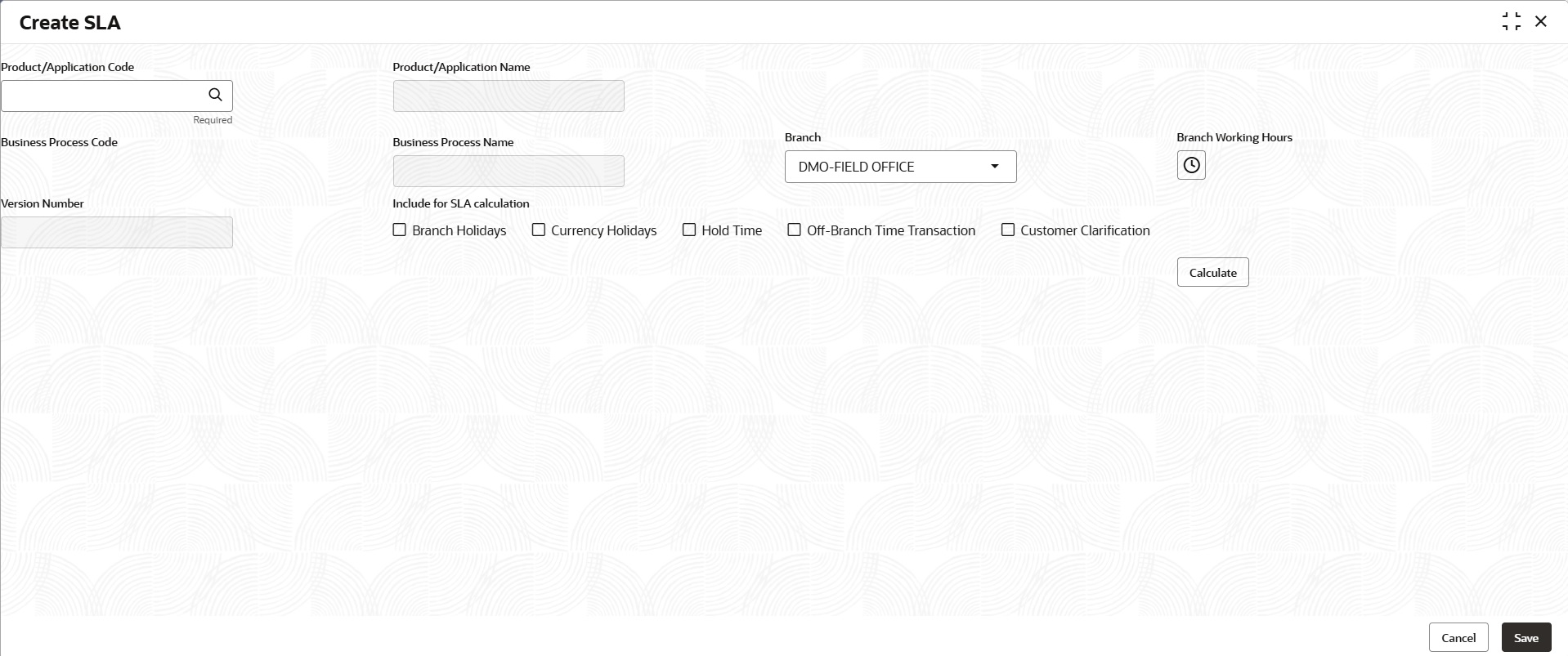
The Banks can have a Service Level Agreement (SLA) with its customers or as an internal policy of the bank. This maintenance helps the bank user to define the SLA at the Process- Stage Priority level. SLA Maintenance have two screens, one screen for defining the SLA and another for Authorization/ Edit/ Delete. User can define SLA for every business process by selecting appropriate Product Application Code and Business Process Code. User can apply SLA at each stage level as well. The overall SLA of the process is the sum of SLA at each stage of the Business Process. User can also configure the SLA for different Branch and Branch Time and exclude the Off Branch time transactions from the SLA Calculation. Similarly, user can exclude Branch Holidays and Currency Holidays from SLA calculation. This maintenance also supports to define different SLA for different priority of the applications.
- On the Homepage, from Corporate
Lending, under Core Maintenance, click
SLA Maintenance.The SLA Maintenance screen displays.
Parent topic: Maintenance Screens