2.10.3 Override Handling
This topic describes about override handling. Use override handling feature to perform override action.
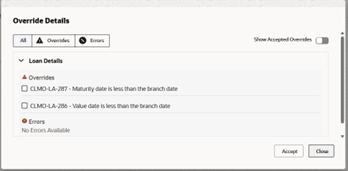
Overrides are now presented in a dedicated popup window that lists all overrides
associated with a particular data segment, clearly indicating
whether each override has been accepted or remains unaccepted.
The popup will display the status of overrides across all
relevant data segments, ensuring users have full visibility
before proceeding. Progression to the next stage is strictly
controlled-users are not permitted to advance unless all
overrides have been accepted.
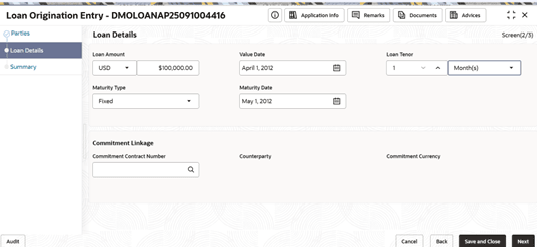
Figure 2-71 Override - Loan Origination Entry
Upon submission of a stage, users will be able to view the relevant
checklist and outcome, and all overrides will be removed from
the section view to maintain clarity and prevent further
modification.

Parent topic: Cash Flow