9.2.12.4 Authorizing Value Dated Amendments

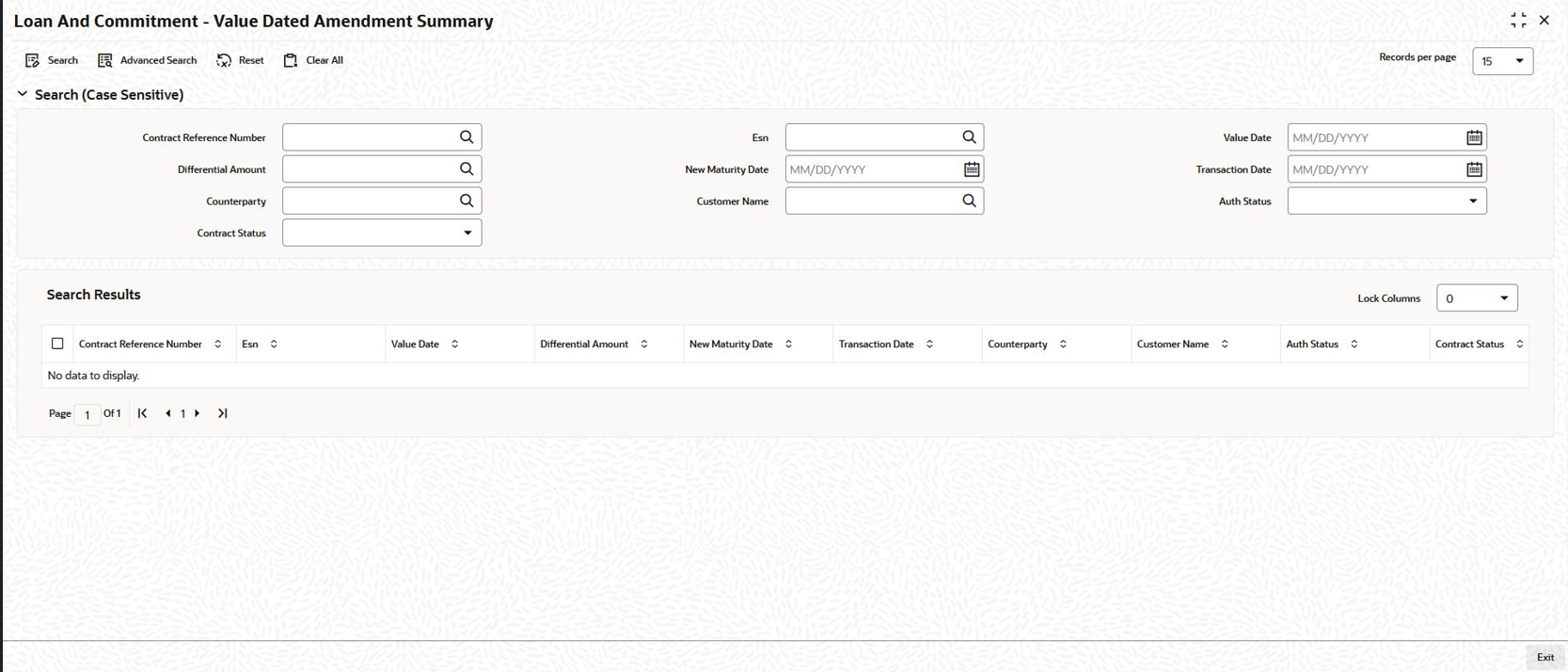
In Oracle Lending, you can authorize the value-dated amendments made on Loan contracts through the Loans and Commitment - Value Dated Amendment Summary screen.
Specify the User ID and Password, and login to Homepage.
  1. On the homepage, type OLSVAMND and click next arrow.
    The Loans and Commitment - Value Dated Amendment Summary screen is displayed.

    Figure 9-7 Loans and Commitment - Value Dated Amendment Summary


  2. The authorization status of all unauthorized contracts is marked as U. The following stages of the contracts might be unauthorized:
    • Contract Input
    • Value dated amendments
    • Payments made towards the contracts
    To authorize the unauthorized contracts, double-click on the contract in the Loans and Deposits Contract Summary screen. The screen that is displayed depends on the stage of the contract that is unauthorized.
    • If booking or initiation is unauthorized, the Contract Online screen is displayed.
    • If a value dated amendment is unauthorized, the Loan and Commitment --Value Dated Amendments screen is displayed.
    • If the payment of a contract is unauthorized, the Loan and Commitment - Schedule Payment screen is displayed.
    In the screen that is displayed (based on the unauthorized stage) click Authorize to authorize the contract.

    If you double click on a contract for which the authorization status is marked as A, the Contract Online screen is displayed.