3.4 Maintaining Slab/Tier Based Spread on Loan Outstanding

Oracle Lending facilitates maintaining spread for a given client, branch, product, and currency combination. You are allowed to define spread for a product by choosing the spread type either Flat or Slab/Tier based spread type.

To capture details of spread mainetenance screen

Specify the User ID and Password, and login to Homepage.
  1. On the homepage, type OLDSPMNT and click next arrow.
    The Spread Maintenance screen is displayed.

    Note:

    The fields which are marked in asterisk red are mandatory fields.
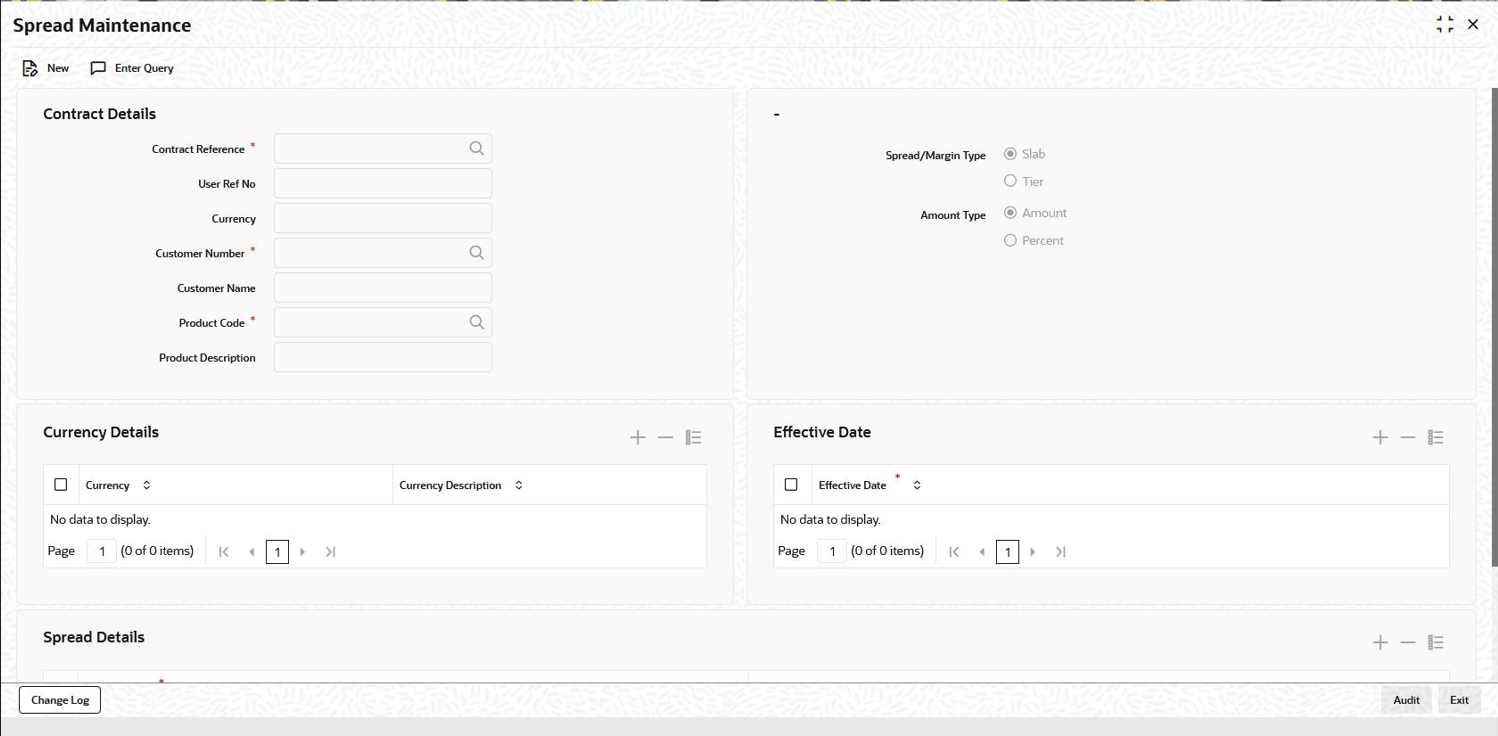
  2. You can specify below details in this screen. For information on fields, refer to the field description table.

    Table 3-19 Spread Maintenance Details

    Field Description
    Contract Reference Number Select the contract reference number from the adjoining option list. This field is applicable only for a contract. It is not applicable for maintenance at the Product/ Customer Number/ Currency level.
    Customer Number Select the customer number from the adjoining option list. The system populates the customer name when you select the customer number.
    Product Select the product from the adjoining option list. The system displays only those products with spread type as Slab / Tier. The system populates the product description when you select the product.
    Spread/Margin Type Indicate the type of spread maintained for the product. You can select one of the following options:
    • Slab
    • Tier
    Amount Type Indicate the amount type maintained for the product. You can select one of the following options:
    • Amount
    • Percent
    Currency Select the appropriate currency for the contract from the adjoining option list.
    Currency Description The system defaults the currency description according to the currency selected.
    Effective Date Specify the effective date of the spread rate maintenance for the given combination of customer, product, branch, and currency.
    To Basis Amount Specify the To Amount for the slab/tier based spread
    Spread/Margin Rate Specify the effective spread rate for the slab/tier based spread

3.4 Spread Details

You can also view the above details in the Loans and Commitment - Contract Input screen for the combination of customer, product, and branch.

Specify the User ID and Password, and login to Homepage.

From the Homepage, navigate to Loans and Commitment - Contract Input screen.

From the Loans and Commitment - Contract Input screen, click ICCF.

  1. From the ICCF Details screen, click Spread Maintenance tab.
    The Spread Maintenance screen is displayed.
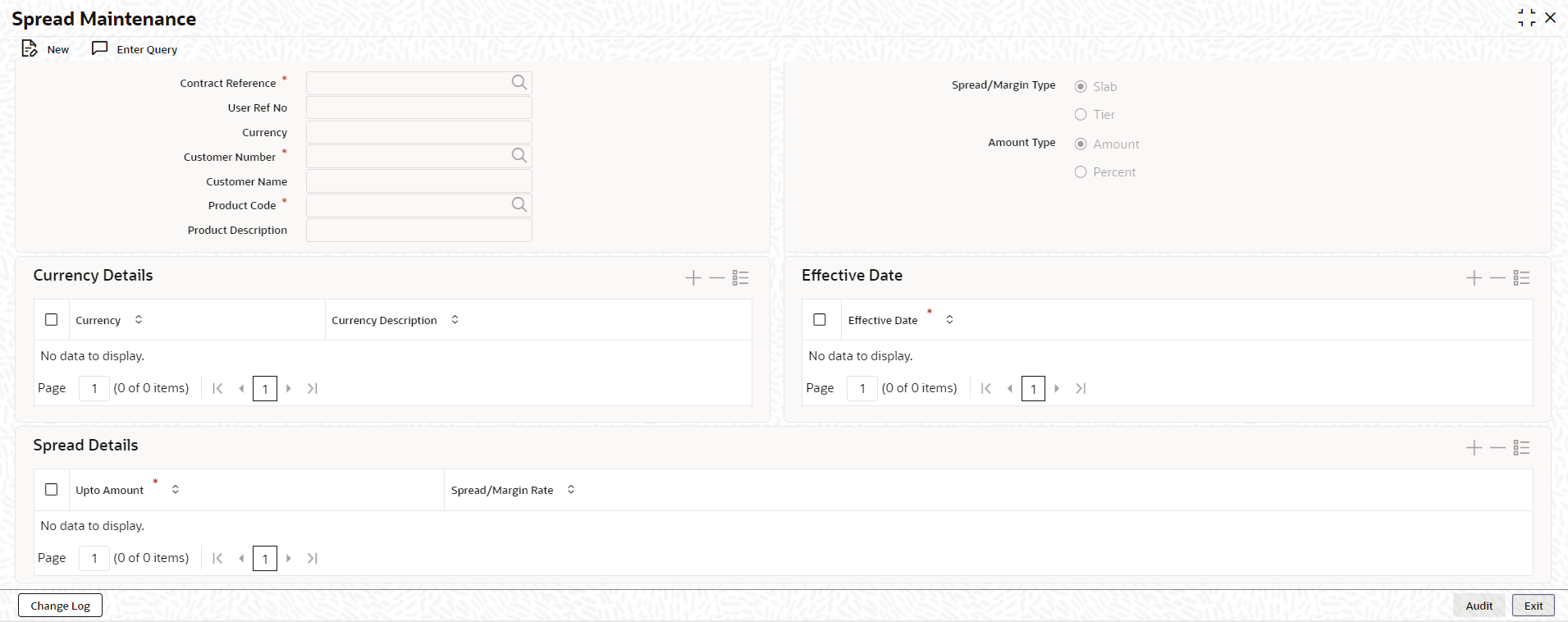
  2. For details on defining interest components, refer to the Interest User Manual.
    Here the spread is defaulted based on the maintenance done for the specific combination. You are allowed to modify the spread rate and the amount slab. This spread is considered for building the schedules for the contract.

    You can use the spread maintenance screen to amend the spread maintenance after the first authorization of the contract. You cannot amend it through contract amendment. The system triggers an event called SPFX, if the spread for a contract is changed due to new rate maintenance or change in the rate maintenance.

    Note:

    The system does not trigger the event SPFX, when the spread of the contract changes due to an activity performed on the loan which impacts the loan balance and there by changing the spread.
    This topic contains following sub-topics: