5.2.14.6 Risk Participation
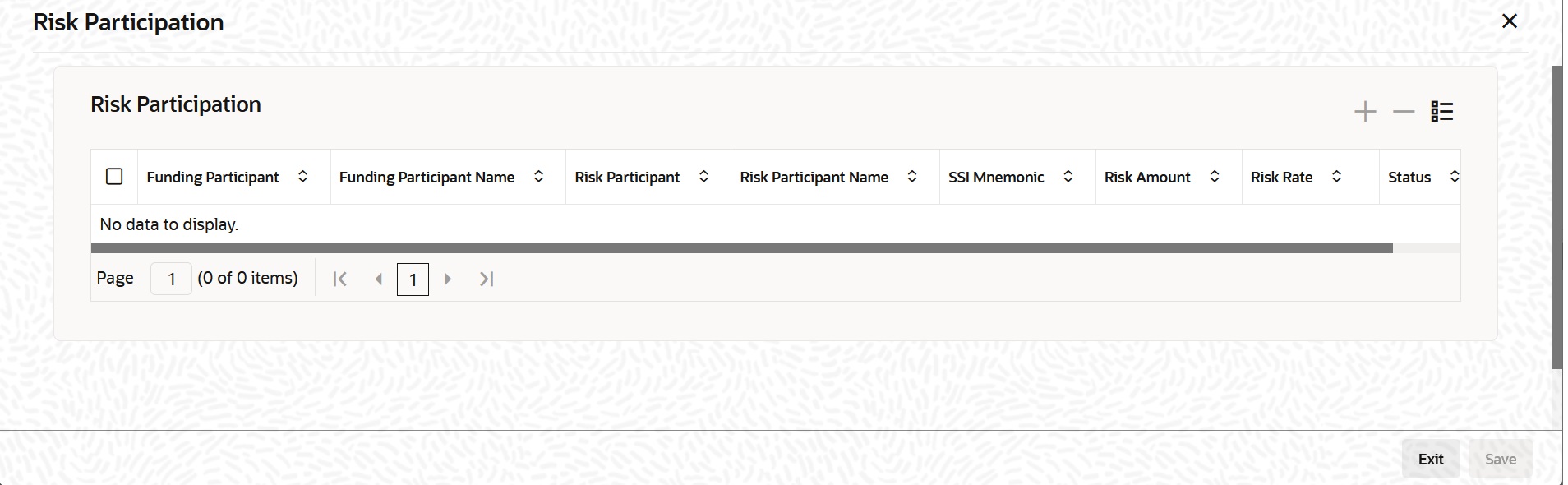
- From the ICCF Details screen, click Risk Participation sub tab.The Risk Participation screen is displayed.
Table 5-14 Risk Participation
Fields Description Funding Participant Select the funding participant from the LOV. Funding Participant Name Based on the funding participant selected, the name automatically appears. Risk Participant Select the risk participant from the LOV. Risk Participant Name Based on the risk participant selected, the name automatically appears. SSI Mnemonic It is the settlement account for the risk participant. Risk Amount You can provide the risk compensation amount as agreed between the funding and risk participant banks. Risk Rate You can provide the risk rate as agreed between the funding and risk participant banks. The risk pay-outs are computed on this rate. The risk compensation pay-outs are defined in the form of schedules.
Status It indicates the risk participation status. It can be either Active or Cancelled (Active till cancelled)'. You can change the status from active to cancelled. Note:
Accrual computations and accounting for risk component for the self-participant portions are defined in the bilateral module.
Parent topic: Specifying Drawdown Interest Details