3.10.2.1 1098 Override Interest Paid Screen

You can override the amount paid by the borrower for a particular contract using, 1098 Override Interest Paid screen.
Specify the User ID and Password, and login to Homepage.
  1. On the homepage, type OLDOSTMT and click next arrow.
    The 1098 Override Interest Paid screen is displayed.
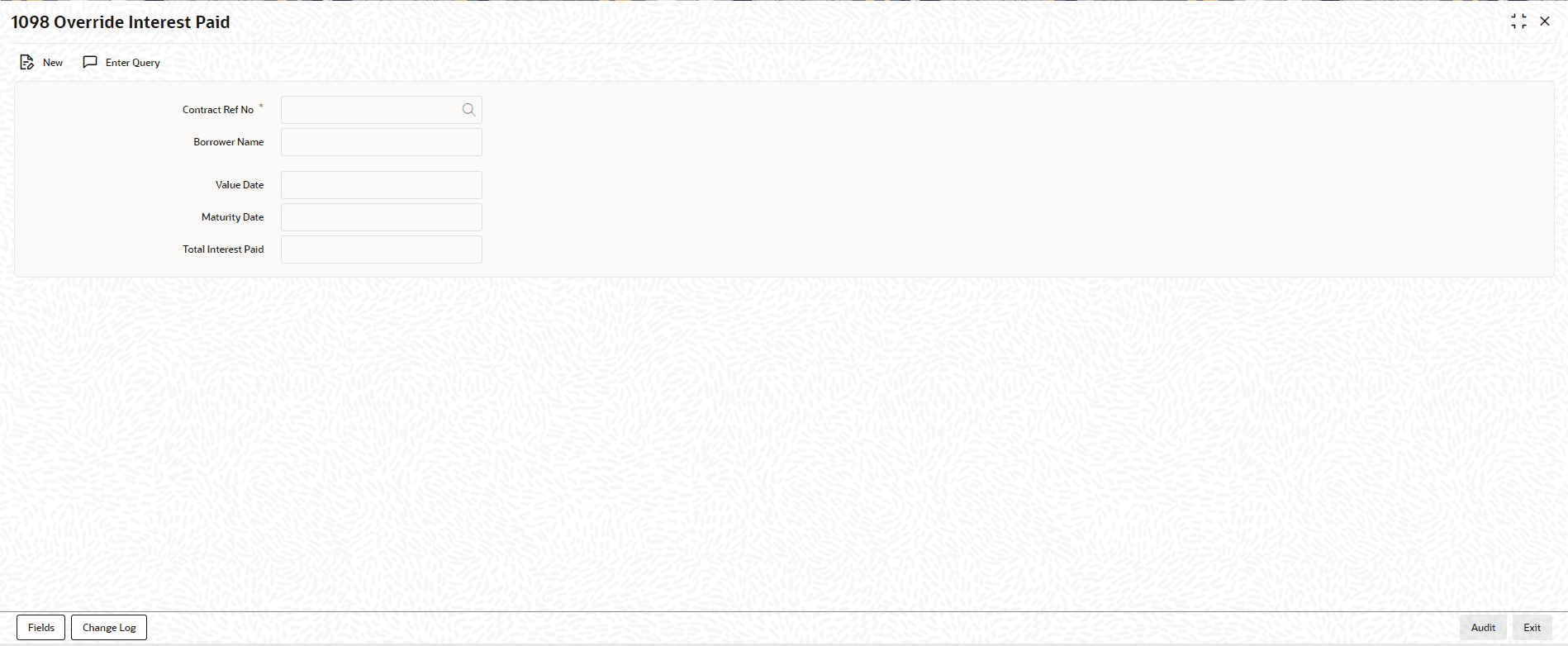
    Figure 3-23 1098 Override Interest Paid


  2. You can specify below details in this screen.
    • Contract Reference No - Specify the reference number of the contract whose amount you want to override. You can choose the appropriate contract reference number from the option list as well.
    • Total Interest Payment - The system displays the total interest paid for the previous year. However, you can modify this amount.

    Note:

    The interest displayed is based on the book date of the payment (Transaction Date) and not on the schedule due date of the payment. The total amount is for all the interest components.
    The following fields are displayed in this screen:
    • Borrower Name
    • Value date
    • Maturity Date