5.2.1 Associating the Component with the Product
After defining a fee component, you need to link the fee component to a
product in Oracle Lending. Consequently, you can collect and accrue fees on all
contracts associated with that product.
Specify the User ID and Password, and login to Homepage.
From the Homepage, navigate to Bilateral Loans Product Definition screen is displayed.
- On Bilateral Loans Product Definition screen, click
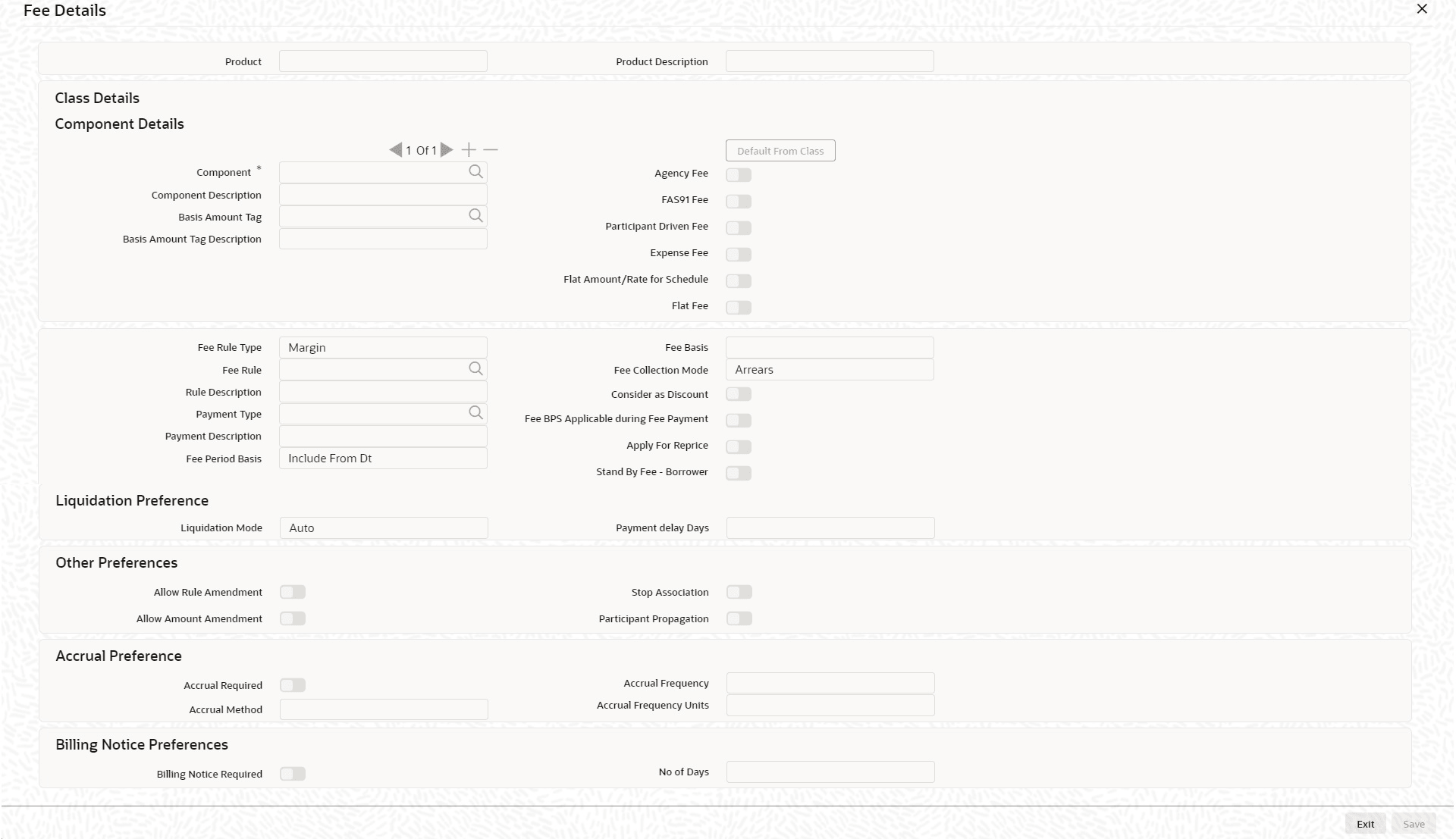
Fee tab.The Fee Details screen is displayed.
Note:
The fields which are marked in asterisk red are mandatory fields.
Parent topic: Applying a Fee