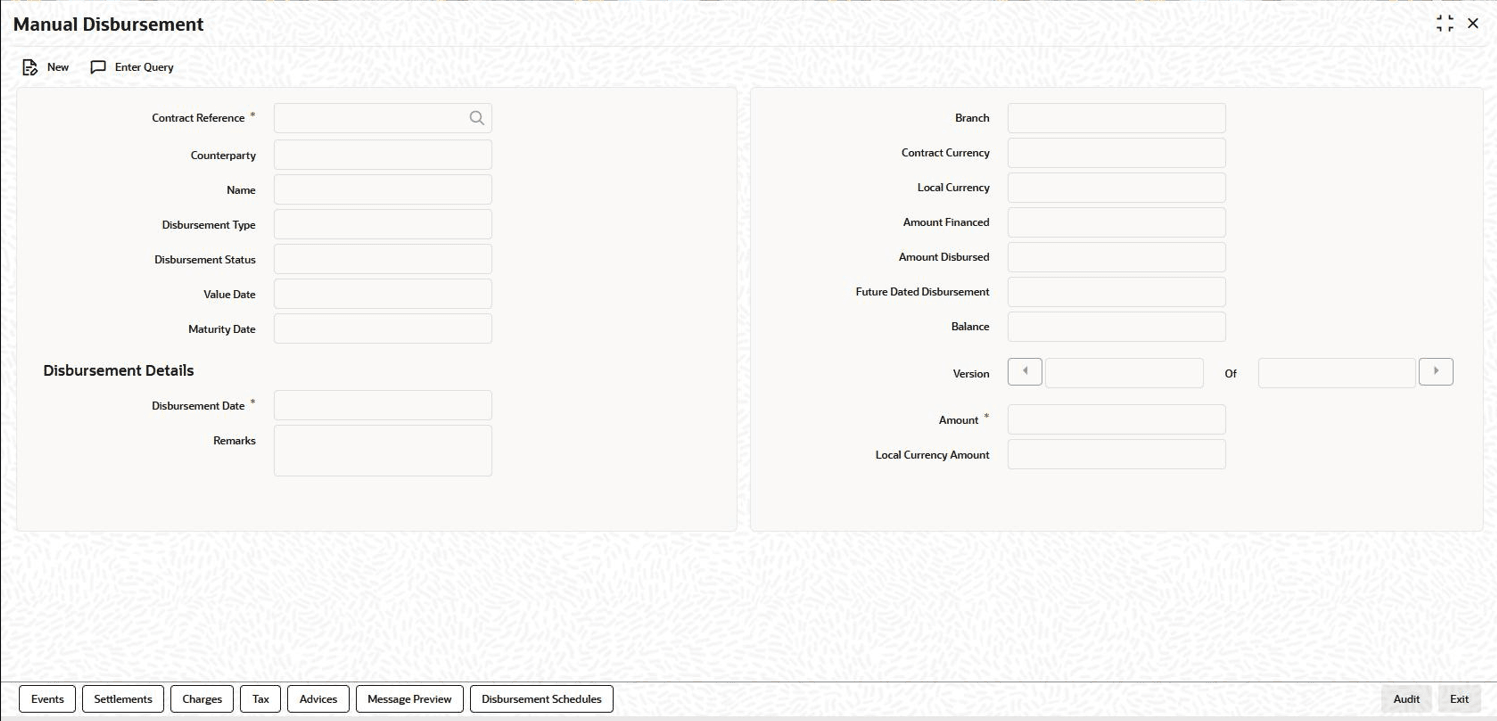
| Contract Reference Number |
Select the contract reference number of the customer to which the disbursement is made. All valid accounts are available in the option list. Select the appropriate one from this list. |
| Branch |
The code of the login/sign-on branch is displayed here. However, you can select a different branch from the option list provided. It is the branch where the loan account of the customer resides. |
| Event Sequence Number |
The system displays the event sequence number of the current disbursement transaction. |
| Contract Currency |
Indicates the contract currency equivalent for the disbursement. |
| Counterparty |
Indicates the counterparty name. |
| Local Currency |
Indicates the local currency equivalent for the disbursement. |
| Name |
Indicates the name of the customer. |
| Amount Financed |
The system displays the financed amount. |
| Value Date |
Indicates the value date of the contract. |
| Amount Disbursed |
The system defaults the amount disbursed. |
| Maturity Date |
Indicates the maturity date of the contract. |
| Future Dated Disbursement |
Indicates the future dated disbursement amount of the contract. |
| Disbursement Status |
Indicates the disbursement status of the contract. |
| Balance |
Indicates the balance amount available for disbursement. |
| Disbursement Date |
Indicates the loan disbursement date. |
| Amount |
Here, you have to capture the disbursement amount that is to be disbursed.
The amount disbursed gets incremented by this amount if the amount disbursed is for current dated disbursement. If date of disbursement is for future, then future dated disbursement amount gets incremented.
|
| Remarks |
Capture any additional information about the disbursements, if required. |
| Local Currency Amount |
Indicates the local currency amount equivalent for the disbursement. For more information following tabs refer,
- Settlements tab - Settlements User Manual
- Charges tab - Charges User Manual
- Tax tab - Tax User Manual
- Advices/Message Preview - Disbursing a Loan section in this User Manual
|
| Disbursement Schedules tab |
You can view the disbursement schedules of the contract. |