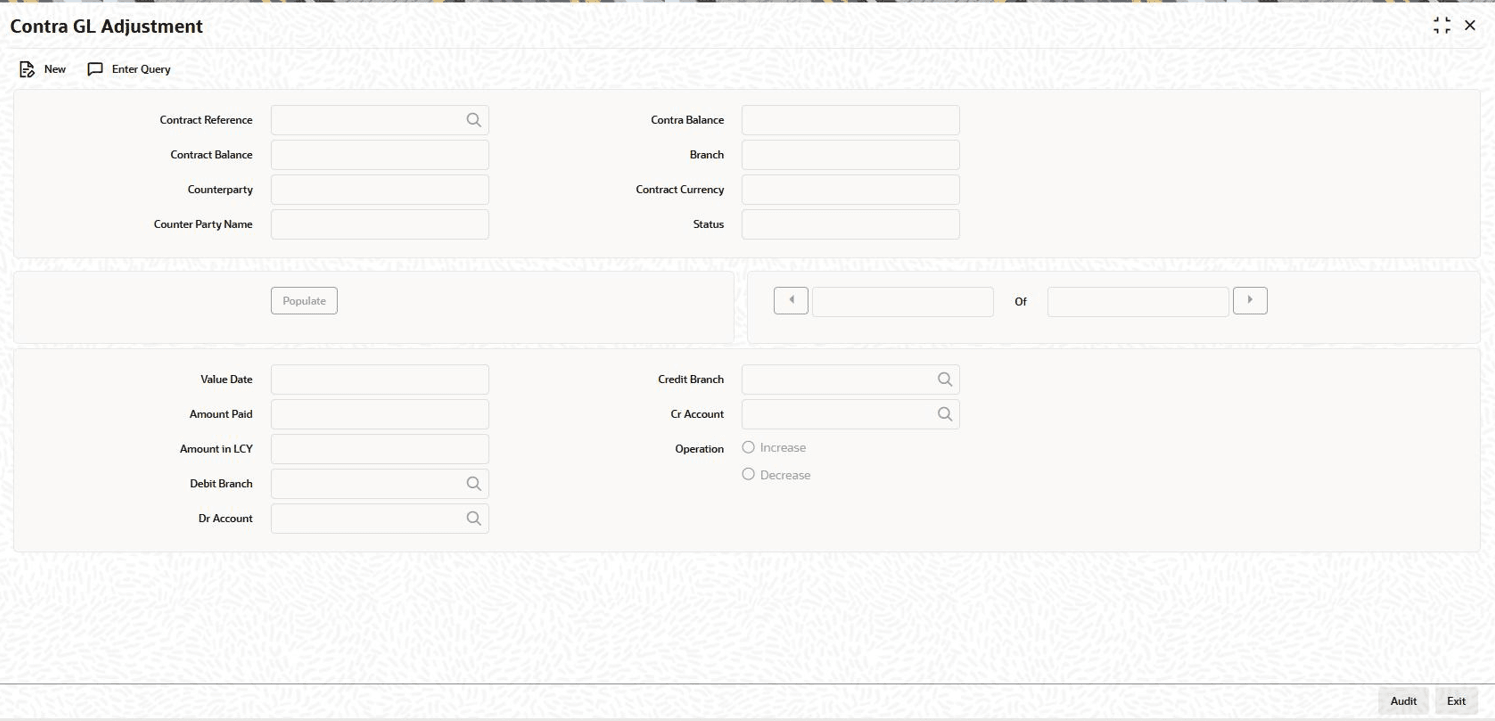
7.12.4 Increase/Decrease Contra GL Balance
You can increase / decrease the contra GL balance for contract through the
Contra GL Adjustment screen.
Specify the User ID and Password, and
login to Homepage.
- On the homepage, type OLDCONTR and click next
arrow.The Contra GL Adjustment screen is displayed.
- You can specify below details in this screen. For information on fields, refer
to the field description table.You can also specify the following detail in this screen.
Table 7-15 Contra GL Adjustment
Field Description Reference No. Enter the Reference Number of the transaction for which you would like to reduce the contra amount. When you enter the Reference Number, the following details are defaulted in this screen:- Department
- Branch
- Currency
- Treasury
- Contract Balance Amount
- Counterparty
- Contra Balance
- Status of the transaction
- Value Date of the transaction
Amount Paid Specify the amount that is paid; this also the amount of the contra balance which is reduced or increased. Lcy Eqvt The Lcy equivalent is computed (if the transaction currency and the currency of the amount paid are different) and displayed. If the transaction currency and the currency amount paid are not different, the Lcy equivalent is the value that you have entered against the field Amount Paid. Account Dr. The Contra GL/Income GL which should be debited is displayed here based on contra increase or decrease operation. Account Cr. The Contra GL/Income GL which should be credited is displayed here based on contra increase or decrease operation. Remarks You may add remarks if you want to, in this field. - Contra GL Adjustment
Specify the type of contra GL adjustment (increase or decrease) that is to be associated with the contract. By default, the contra GL adjustment indicator is Contra Decrease. You can select one of the following options.
- Contra Increase
- Contra Decrease
The accounting entries posted are as follows:Table 7-16 Accounting entries
Dr/Cr Accounting Entires Interest Component Dr INTERESTINCOME GL Main Interest_CICR Cr Contra GL Main Interest_CICR If the transaction is for Contra Balance Decrease, then CDCR event is triggered.
The accounting entries posted are as follows:Table 7-17 Accounting entries
Dr/Cr Accounting Entries Interest Component Dr Contra GL Main Interest_CDCR Cr INTERESTINCOME GL Main Interest_CDCR