13.1.1.1 Indicating the preferences for the unearned interest amount

At the time of defining an Annual Rest Loan product, you need to specify the calculation parameters for the unearned interest amount in the Installment Preferences screen.

Specify the User ID and Password, and login to Homepage.

From the Homepage, navigate to Bilateral Loans Product Definition screen.

From the Bilateral Loans Product Definition screen, click Preferences.

  1. From the Preferences screen, click Installments Details.
    The Installment Preferences screen is displayed.
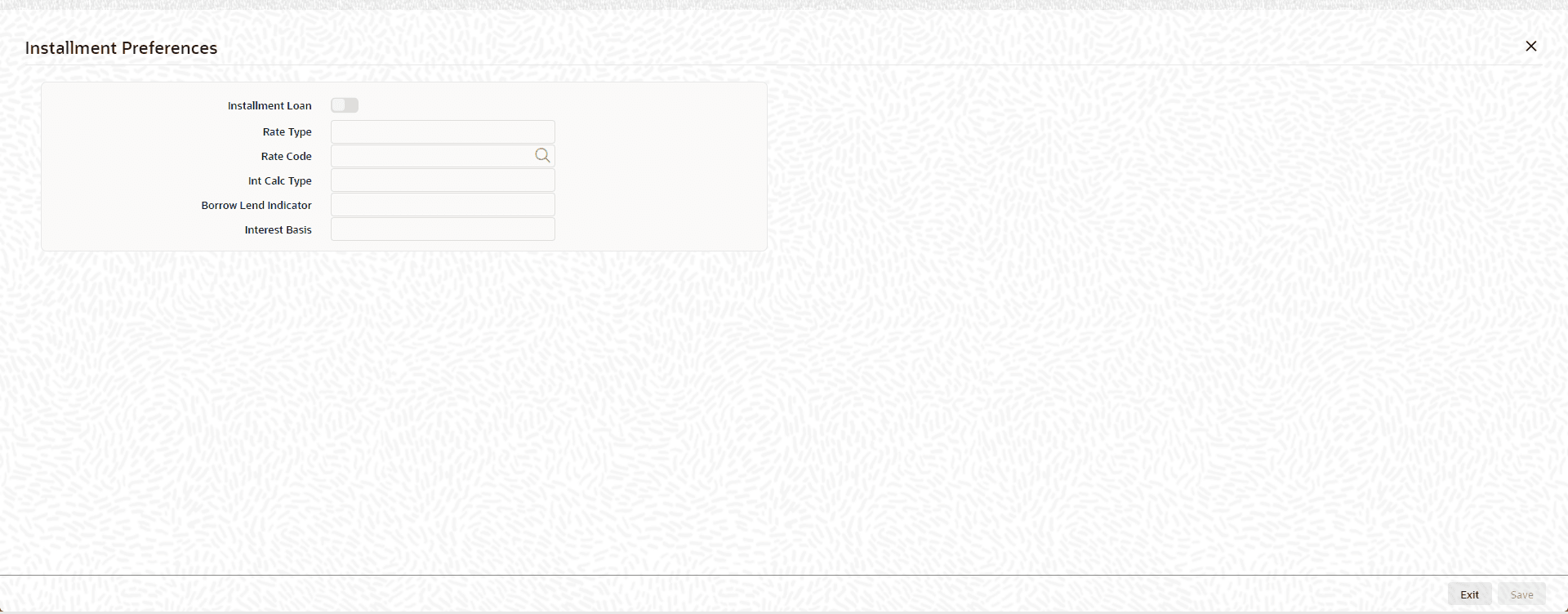
    Figure 13-1 Installment Preferences


  2. In this screen, you need to specify the following details:
    • Whether the loan is an installment loan. You can choose this option only at the time of creating a new loan product. You cannot modify this selection after you save the product. In addition, you can choose the installment loan option only if:
      • The rate type of the main interest component linked to the product is Special.
      • The payment method is Bearing.
      • The repayment schedules are of type Normal.
    This is required because, for Annual Rest Loans, the system first calculates the unearned interest amount and then allocate it to the interest payment schedules.
    • The rate type for calculating the unearned interest amount. This can be either fixed or floating.
    • If you have opted for floating rate type, you need to indicate the rate code.
    • The interest basis method for calculating the unearned interest amount.
    • The Borrow-Lend indicator of the rate code (in case of Floating Rate)