4.27 Initiate Floor and Ceiling Maintenance

You can maintain the floor and ceiling initial details for all-in-rates of the interest components associated with Loan contracts in the Floor and Ceiling screen.

From the Homepage, navigate to Loans and Commitment - Contract Input screen.

  1. On the Loans and Commitment - Contract Input screen, click Floor and Ceiling tab.
    The Floor and Ceiling screen is displayed.

    Note:

    The fields which are marked in asterisk red are mandatory fields.
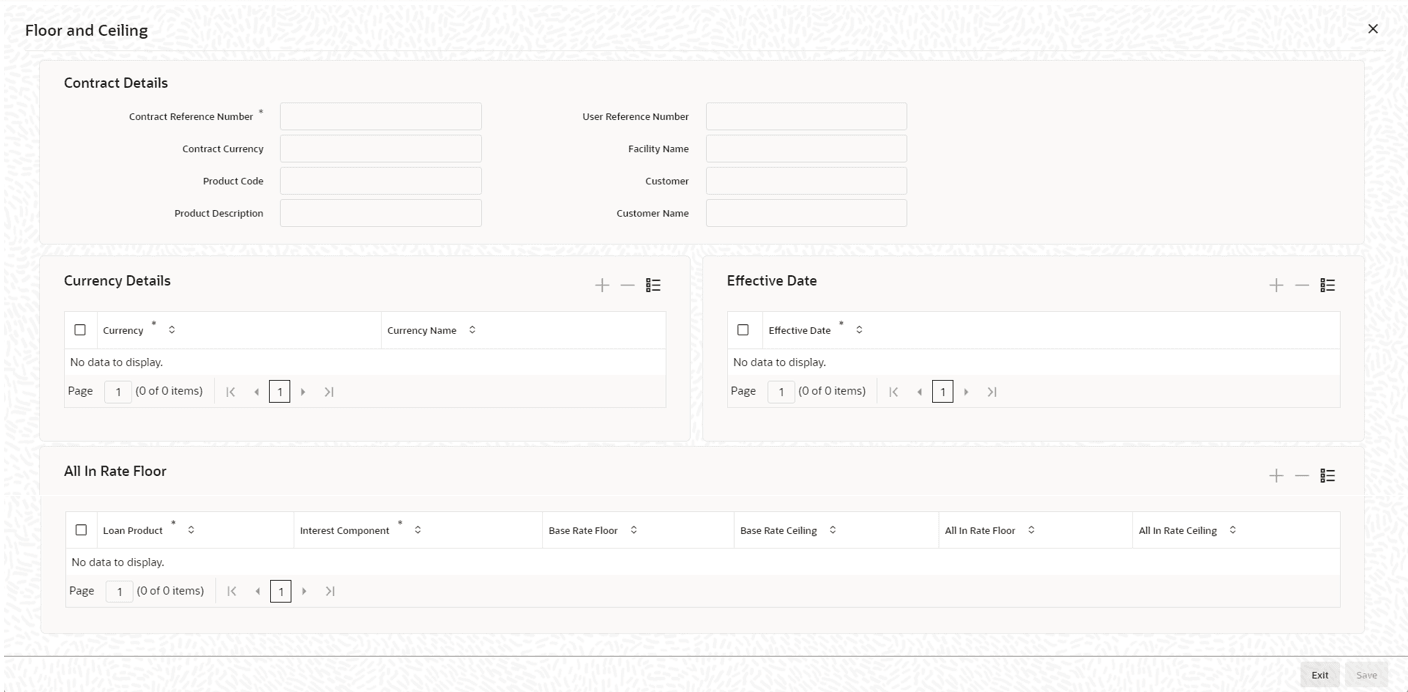
  2. You can enter below details in this screen. For information on fields, refer to the field description table.

    Table 4-41 Floor and Ceiling Details

    Field Description
    Contract Ref No The system displays contract reference number.
    Product Code The system displays the product code.
    Customer The system displays the customer name.
    Facility Name The system displays the facility name.
    User Ref No. System generates and displays the user reference number.
    CCY Specify the currency details.
    Currency Name The system displays the name of the currency selected.
    Effective Date Specify the effective date for each currency you have selected.
    Loan Product Select an appropriate loan product from the adjoining option list.
    Interest Comp Select the applicable interest component from the adjoining option list.
    Floor Specify the floor all-in rate.
    Ceiling Specify the ceiling all-in rate.

    Note:

    The button to launch this sub-screen is enabled only for commitments; hence, this screen is available only for initial Floor and Ceiling maintenance during commitment booking. Subsequent Floor and Ceiling maintenance/amendments must be done using the Floor and Ceiling Maintenance screen explained in this chapter.