3.2.26 Map Product to Disclosure Details

Disclosure codes can be mapped to product through the Product Disclosure Mapping screen in Product Preferences screen.

From the Homepage, navigate to Bilateral Loans Product Definition screen.

From the Bilateral Loans Product Definition screen, click Preferences.

  1. From the Preferences screen, click on Disclosure Details tab.
    The Product Disclosure Mapping screen is displayed.
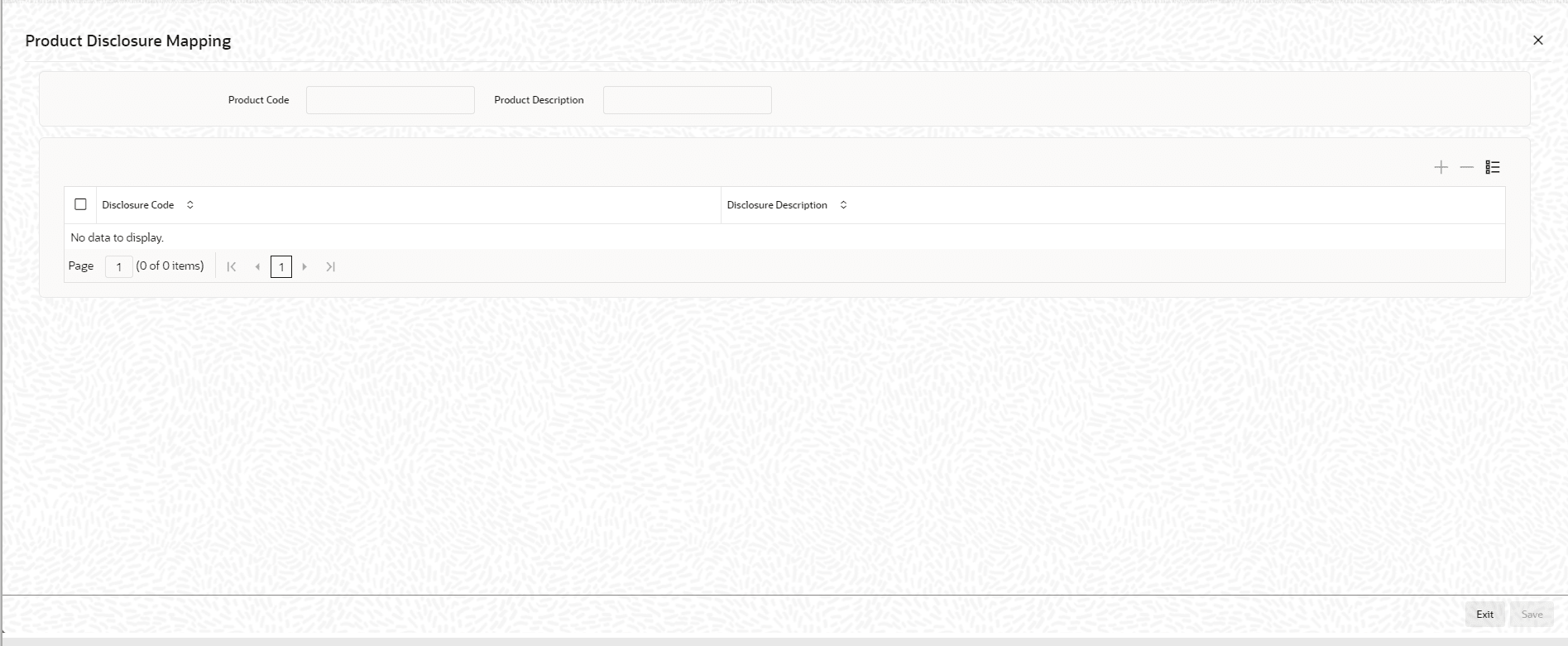
    Figure 3-13 Product Disclosure Mapping


  2. You can enter below details in this screen. For information on fields, refer to the field description table.

    Table 3-16 Product Disclosure Mapping

    Field Description
    Disclosure Code Specify the disclosure code (reporting requirements) that should be mapped. The adjoining option list displays the disclosure codes that can be associated with product. Select the required disclosure code which needs to be mapped to the product.
    Disclosure Description The system displays the description of the disclosure codes.