9.4 Specify Details for Normal Rollover
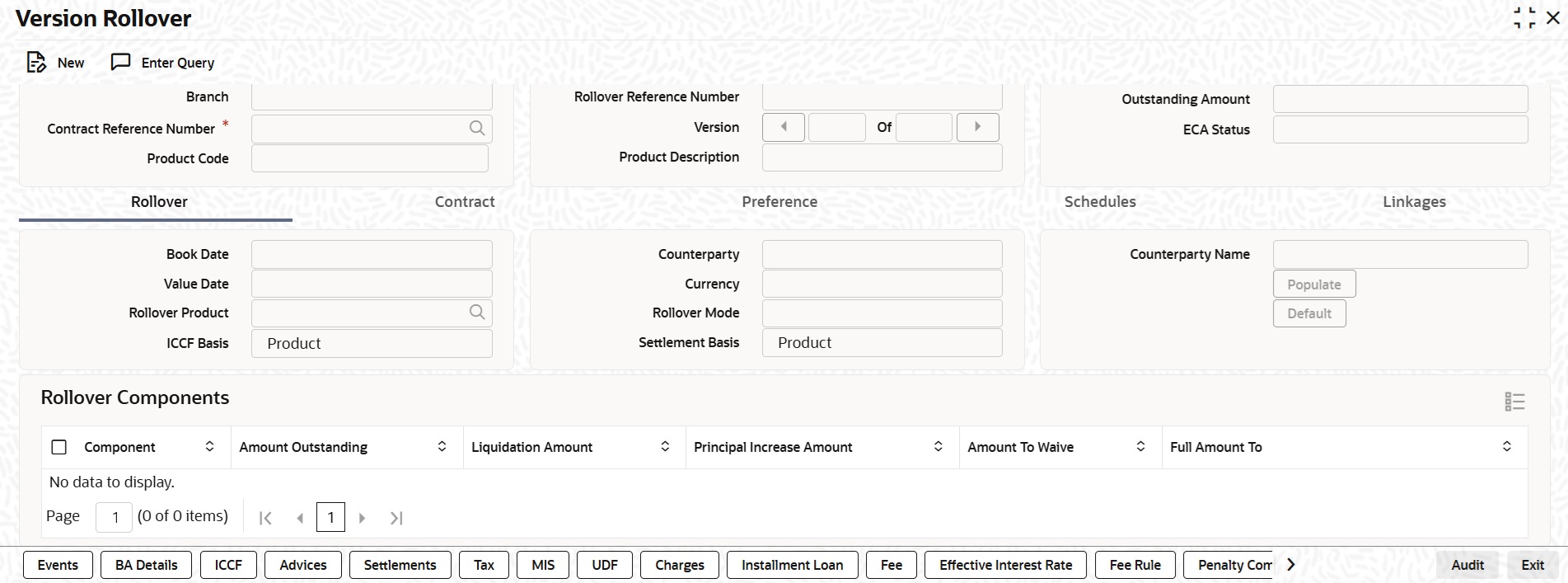
If you have chosen the rollover method as Normal, then you must enter the corresponding details for the rollover, in the Version Rollover screen (OLDRLOVR).
In case of normal rollover, the system either creates a new drawdown contract with a new contract reference number for the original one being rolled over (if the rollover mechanism specified is New Contract), or a new version of the original contract, with the same reference number (if the rollover mechanism specified is New Version).
You can specify the rollover instructions for a loan in the Version Rollover screen.- On the homepage, type OLDRLOVR and click next arrow.The Version Rollover screen is displayed.
- Value date of rollover
- Product for the next version
- Amount to be rolled over to the next version
- Other Loan Parameters for Next Version
- Mode of Roll-Over of a Contract
- Multiple Collateral/Pool Linkages to OL Contracts
- Applying Tax
- Specifying Charge to be Applied on the Rolled-over Amount
- Specifying the Schedule Basis for the rolled over contract
- Specifying whether New Components have to be Included
- Specifying whether Overdue Schedules should be liquidated
- Specifying the Maturity Type
- Specifying the Refinancing Rate for the rolled over Contract
- Reversal of Rollover
Parent topic: Rolling-over a Loan