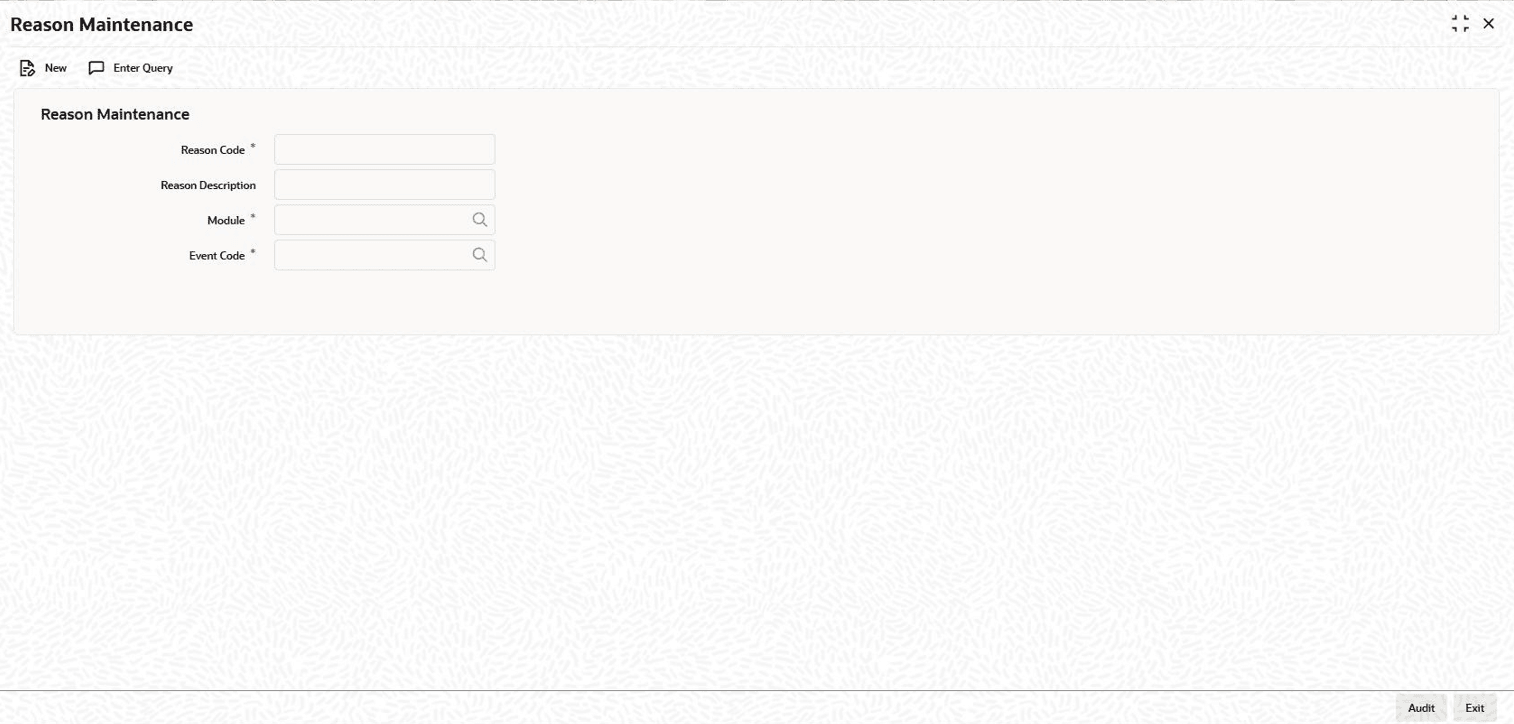
2.6 Reason Codes Maintenance You can maintain reason codes in the Reason Maintenance screen. Specify the User ID and Password, and login to Homepage. On the homepage, type LBDRSMNT and click next arrow.The Reason Maintenance screen is displayed. Note:The fields which are marked in asterisk red are mandatory fields. Figure 2-4 Reason MaintenanceDescription of "Figure 2-4 Reason Maintenance" You can enter below details in this screen. For information on fields, refer to the field description table. Table 2-4 Reason Maintenance Fields Description Reason Code Specify the reason code here. Reason Description Provide the description of the reason specified. Module Specify the module here. The adjoining option list displays all modules available in the system. Event Code Specify the even code here. The adjoining option list displays all event codes available in the system. STP Processing Required Select this check box if STP processing is required. Send to Rapid Select this check box to send the auto reduction feed to rapid. This topic contains following sub-topics: Processing Auto Reduction Feed Parent topic: Reference Information for Loan Syndication