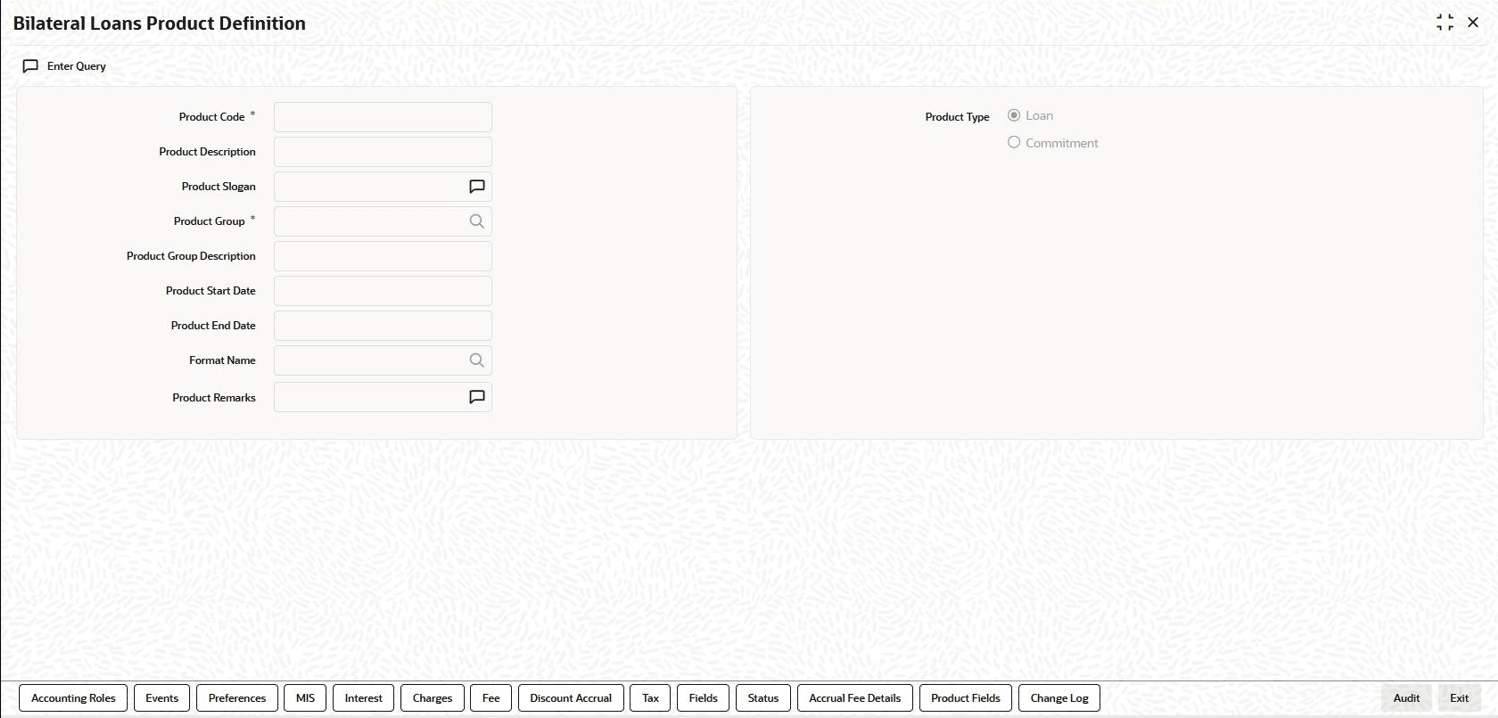
| Product Code |
A Product Code identifies a
product throughout Oracle Lending. This code should be four
characters in length.
When defining a new product, you
should enter a code that is unique across the different
modules of Oracle Lending. For instance, if you have
used LC01 for a product in the Loans and Commitment
module, you cannot use it as a product code in any other
module.
|
| Product Description |
It may be difficult to recognize a product just by its
code. In the Description field,
therefore, suitably describe the product code so that it can
be easily identified. This description is displayed along
with the code throughout Oracle Lending.
|
| Product Type |
Product categories are referred to as Product
Types. When you create a product, you must
specify the type to which it belongs. For an instance, you
should specify the product type as
Loan if you are defining a
lending product and Commitment if you
are defining a Funds Transfer product.
|
| Product Group |
Products can be categorized into groups
based on the common elements that they share. You must
associate a product with a group. This facilitates the
retrieval of information of a class of products at one
stroke.
Product Groups are maintained in
the Product Group Maintenance
screen, You can invoke the Product Group
Maintenance screen by typing
OLDPRGRT in the
field at the top right corner of the Application tool
bar and clicking the adjoining arrow button.
|
| Product Slogan |
You can enter a marketing slogan line for every product
you create. This slogan is printed on all advices that are
sent to customers who avail of the product.
For example,
if you set up a Loans product , you can enter the slogan
Loans On Demand.
|
| Life Span of a Product |
A product can be defined to be active over a specific
period. When you create a product, you can specify a
Product Start Date and
Product End Date for it. The
product can only be used within the specified period. That
is, within the Product Start Date and
Product End Date.
If you do not
specify the Product Start Date,
the branch date is displayed as the Product
Start Date.
If you do not specify an
Product End Date for a product,
it can be used for an indefinite period.
|
| Product Remarks |
When creating a product, you can enter information about
the product intended for your bank’s internal reference.
This information is not to be printed on any correspondence
with the customer. |
| Defining the Other Attributes of a
Product |
Once you have specified the basic details of a product, you can define the other attributes for it. From the Loans and Commitment Product Definition main screen, you can move to the screen of your choice to define an attribute by clicking on the appropriate icon.
The other product attributes that you can define include:
- Interest, charges, and fees that you like to levy on contracts involving the product.
- Taxes that apply on the contracts involving the product.
- Type of accounts and the GL/SLs to which the accounting entries generated by contracts involving the product have to be posted.
- Advices to be generated at different points in the life cycle of contracts involving the product.
- List of allowed or a list of disallowed branches (of your bank) that can use a product.
- List of currencies that are allowed or disallowed for a product.
- Certain preferences, specific to a product.
- Management Information System (MIS) details
Note: There are some fields in the product definition screens in which a value must be entered. If you try to save a product without entering details in these fields, the product is not saved. You are prompted to enter all mandatory details before attempting to save the product.
For more information on fields and tabs, refer to Bilateral Loans User Manual.
|