3.4 Amendment Initiation - Other Bank Facility
This topic describes information about the Other Bank Facility in the Amendment Initiation.
This data segment allows to view, modify, delete and add details about the facilities availed by the party / child party from the other banks.
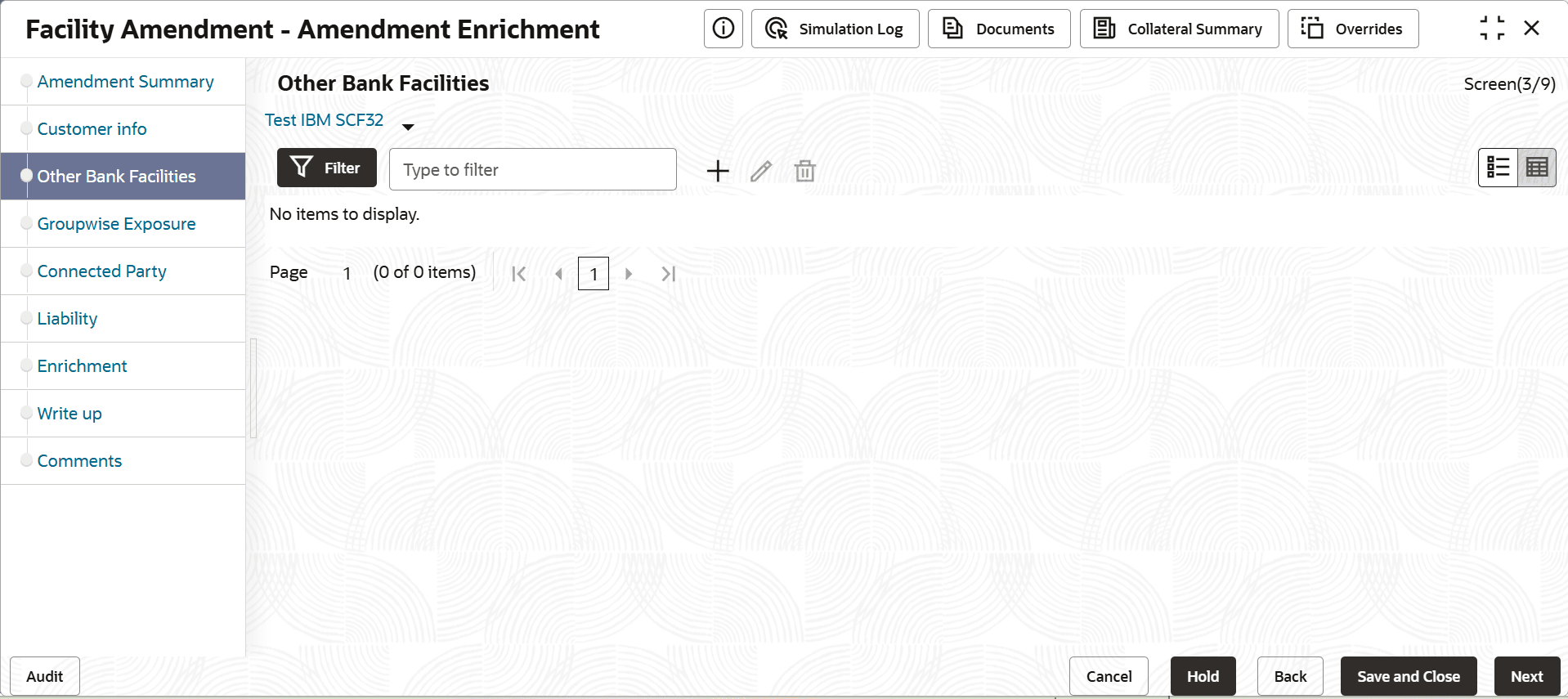
- To filter the required facility from all the available other bank facilities,
click Filter button.The Filter window is displayed.
- To add details about the other bank facilities received by the party, click the
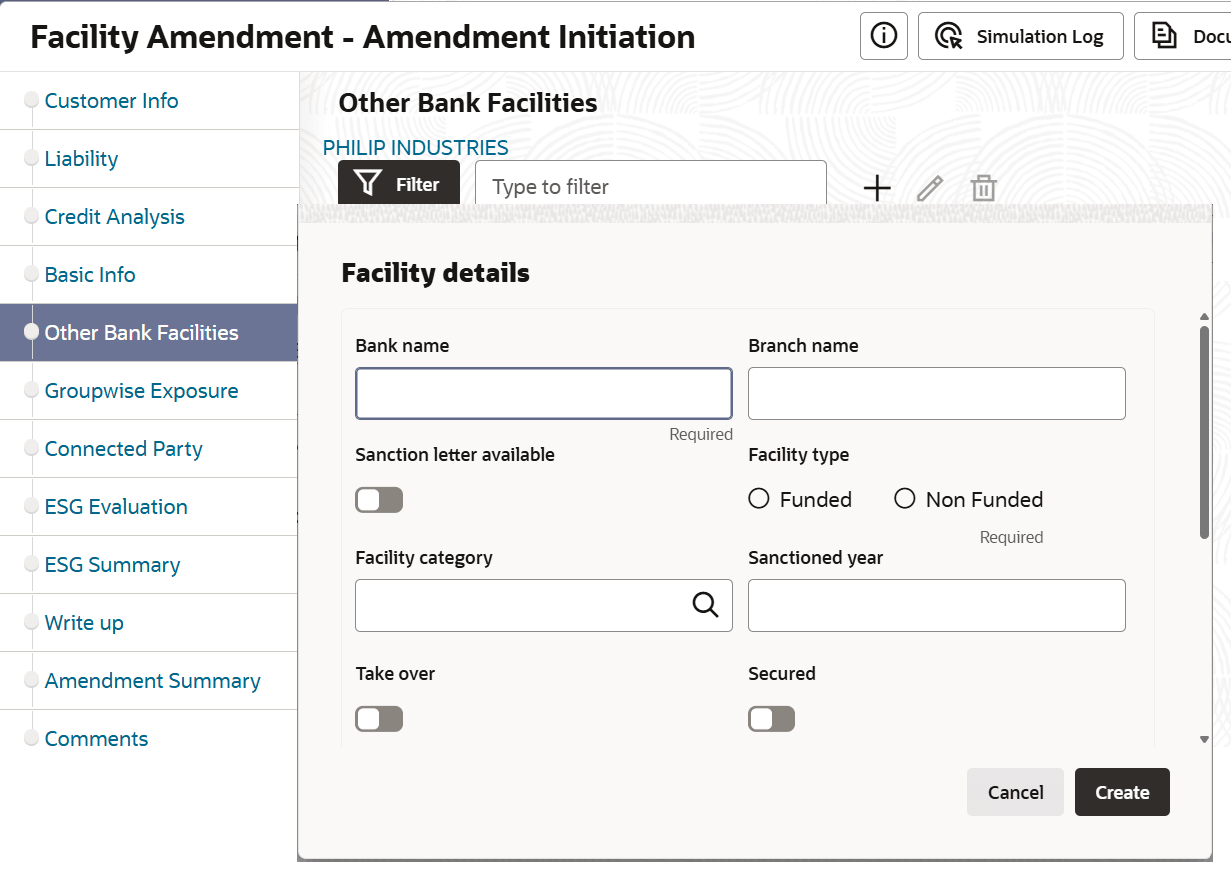
add icon.The Facility Details window is displayed.
For information on fields in the Facility Details page, refer the below table.
Table 3-34 Facility Details
Fields Description Bank Name and Branch Name Type the other Bank Name and Branch Name. Sanction Letter Available Enable the Sanction Letter Available check box, if sanction letter is available for the other bank facility. Facility Type Choose the Facility Type. The options available are Funded and Non-Funded. Facility Category Select the Facility Category from the drop down list. Sanctioned Year Type the year in which the existing facility is sanctioned in the Sanctioned Year field. Take Over Enable Take Over check box to add the other bank facility to the facility list. Currency Search and select the Currency in which the facility is offered by other bank. Sanctioned Amount Specify the amount sanctioned by the other bank in Sanctioned Amount field. Outstanding Amount Specify the Outstanding Amount to be paid by the party. Rate of Interest Specify the Rate of Interest at which the other bank facility is offered. Tenor Specify the Tenor of the other bank facility Secured Enable Secured check box, if the other bank facility is secured with collateral. Create Click Create. The other bank facility is added. Save Modify the required information and click Save. Hold To hold the Amendment Initiation, click Hold in the Other Bank Facilities page. Back To go back to the previous page, click Back. Save & Close To save the Amendment Initiation for future edit, click Save & Close. Next To go to the next page, click Next. Cancel To exit the process without saving the information, click Cancel. Select To edit the other bank facility information, Select the required facility from the list and then click the edit icon. The Facility Details window is displayed. delete To delete the other bank facility information, Select the facility and then click delete icon. table view To change the layout of Other Bank Facilities page to table view, click the table icon at the right corner.
Parent topic: Amendment Initiation