4.8 Upcoming Covenants

This topic provides information about the Upcoming Covenants tile in Dashboard.

This tile displays the covenants which have review due date in the upcoming days.
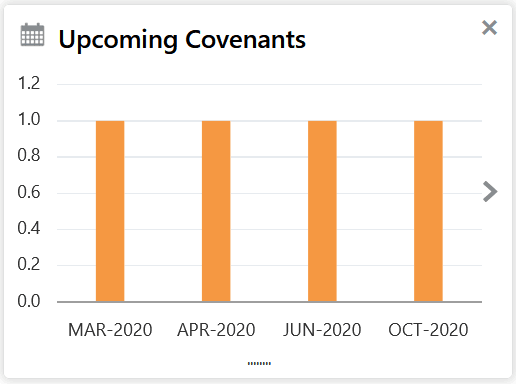
Figure 4-13 Upcoming Covenants Tile


  1. Click on any bar or date.
    The Upcoming Covenants screen displays.
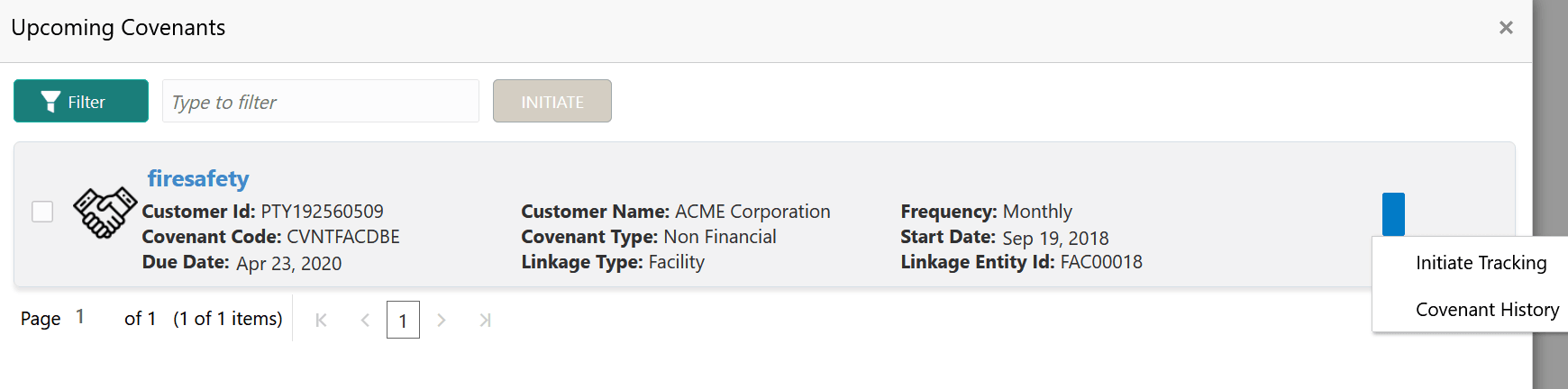
  2. To filter the required covenant record, click the Filter icon and specify the search parameters or directly specify the parameter in Type to filter text box.
  3. To initiate Covenant Tracking process, select the covenant and click Initiate or click the action icon and select Initiate Tracking.
  4. To view the covenant history, click the action icon and select Covenant History.
  5. To close the Upcoming Covenants window, click the close icon.