5.2 Risk Evaluation
This topic provides systematic instructions about the procedure to add risk evaluation details for the collateral.
Figure 5-3 Risk Evaluation - Risk Evaluation
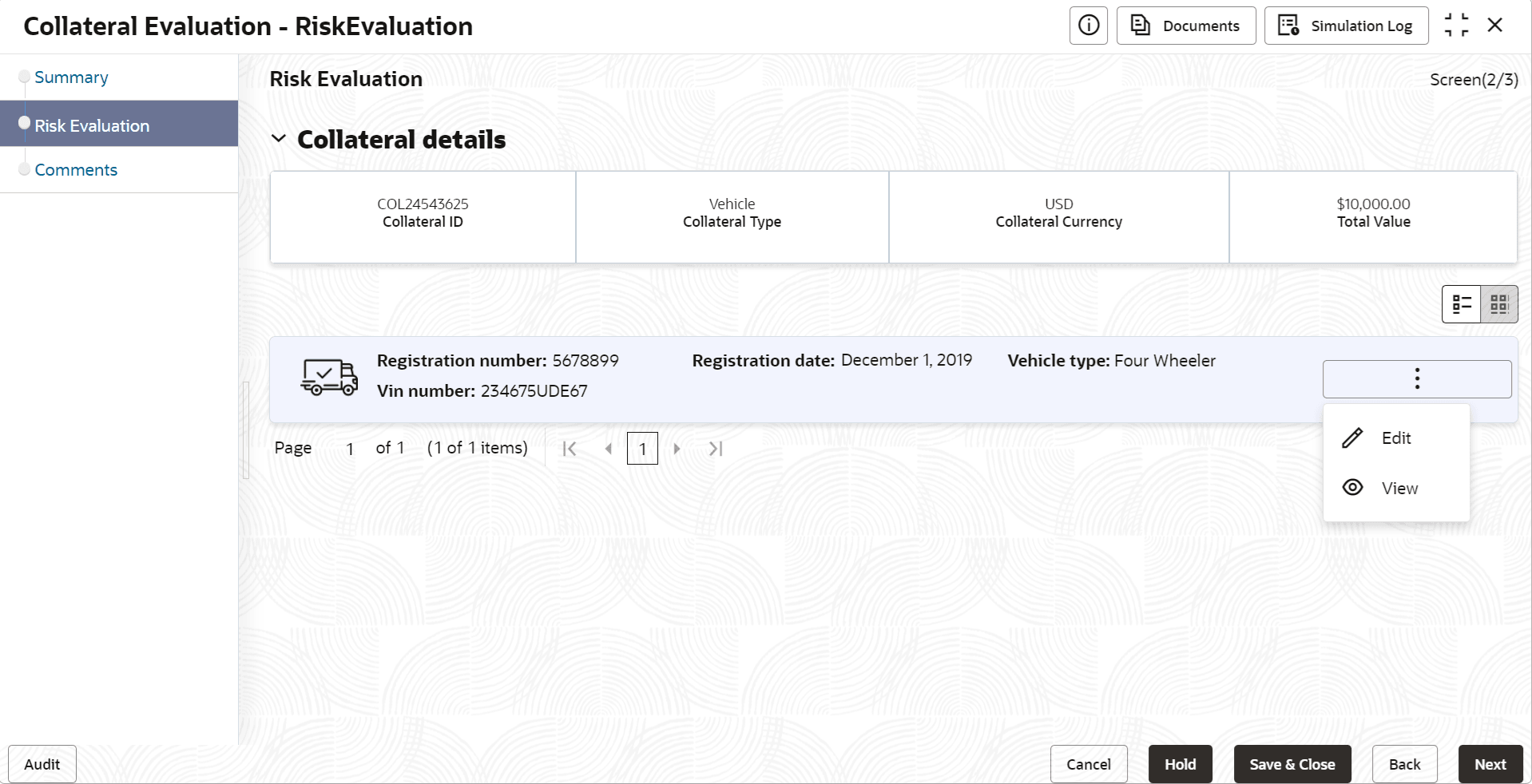
- Click the action icon in the required collateral record and select
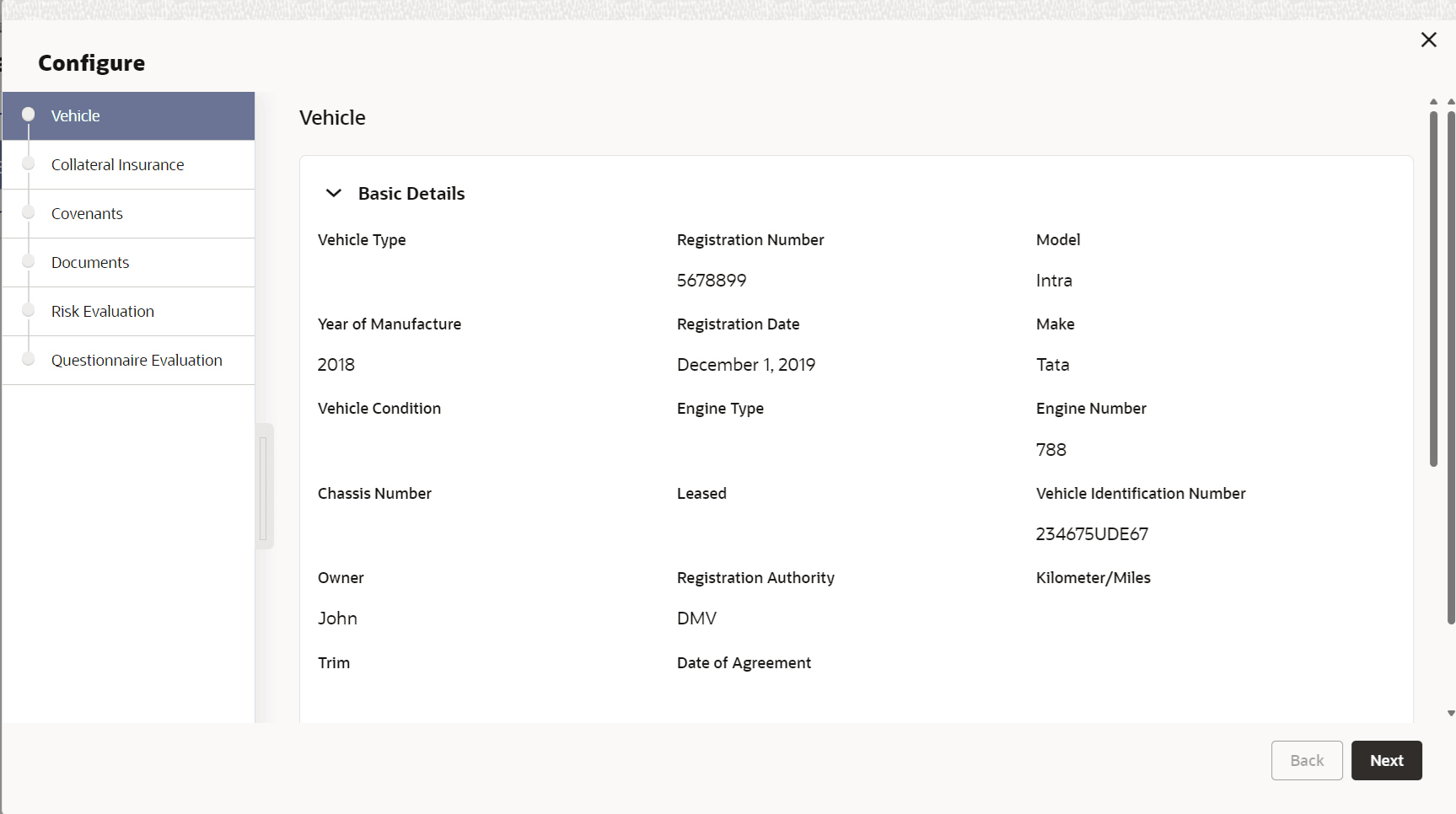
Edit.The Risk Evaluation - Configure - Collateral Type screen is displayed based on the selected collateral.
Figure 5-4 Risk Evaluation - Configure - Vehicle
For information on the Vehicle, Covenants, and Documents menus, refer the Enrichment chapter.
- Click Next and navigate to Risk
Evaluation menu.
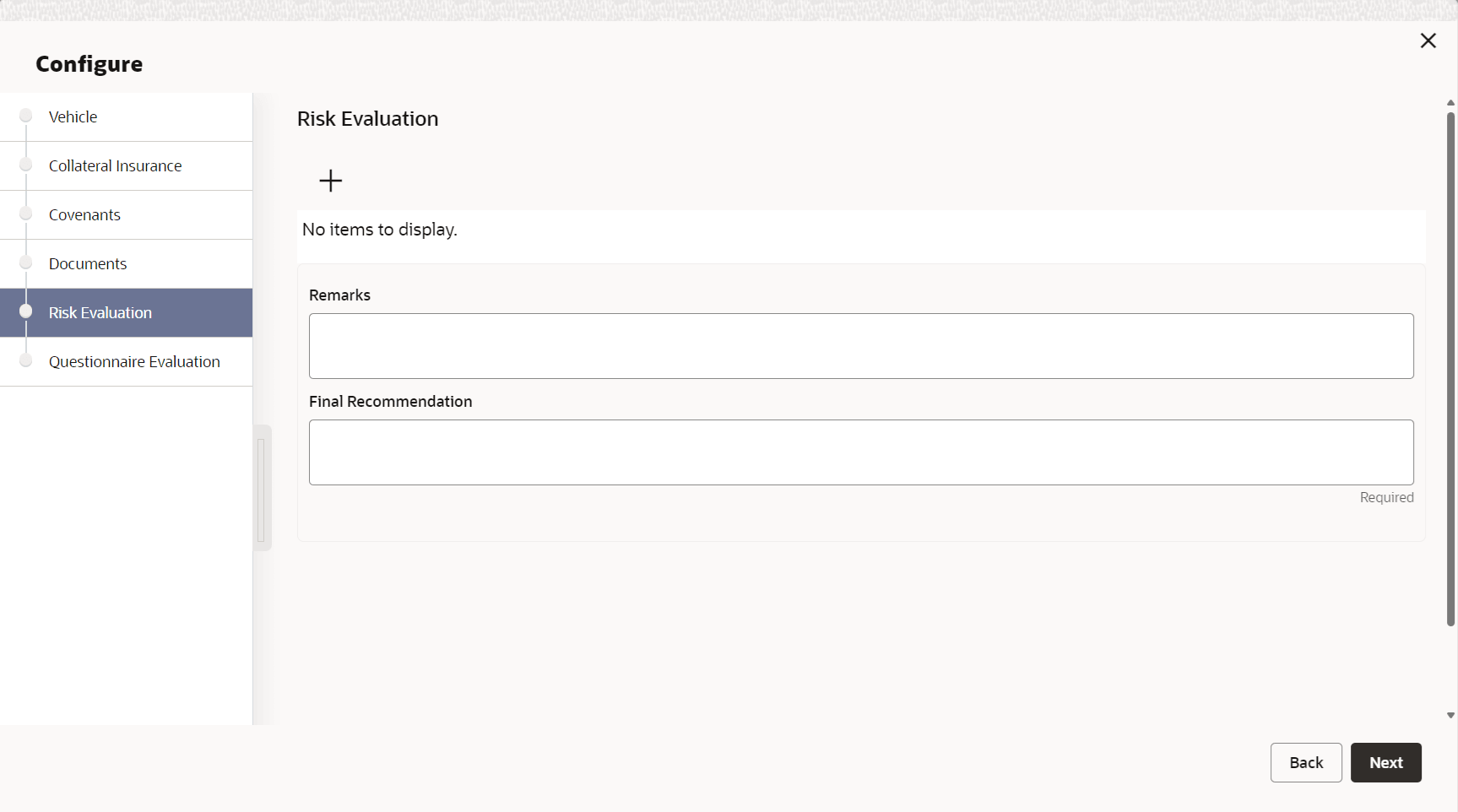
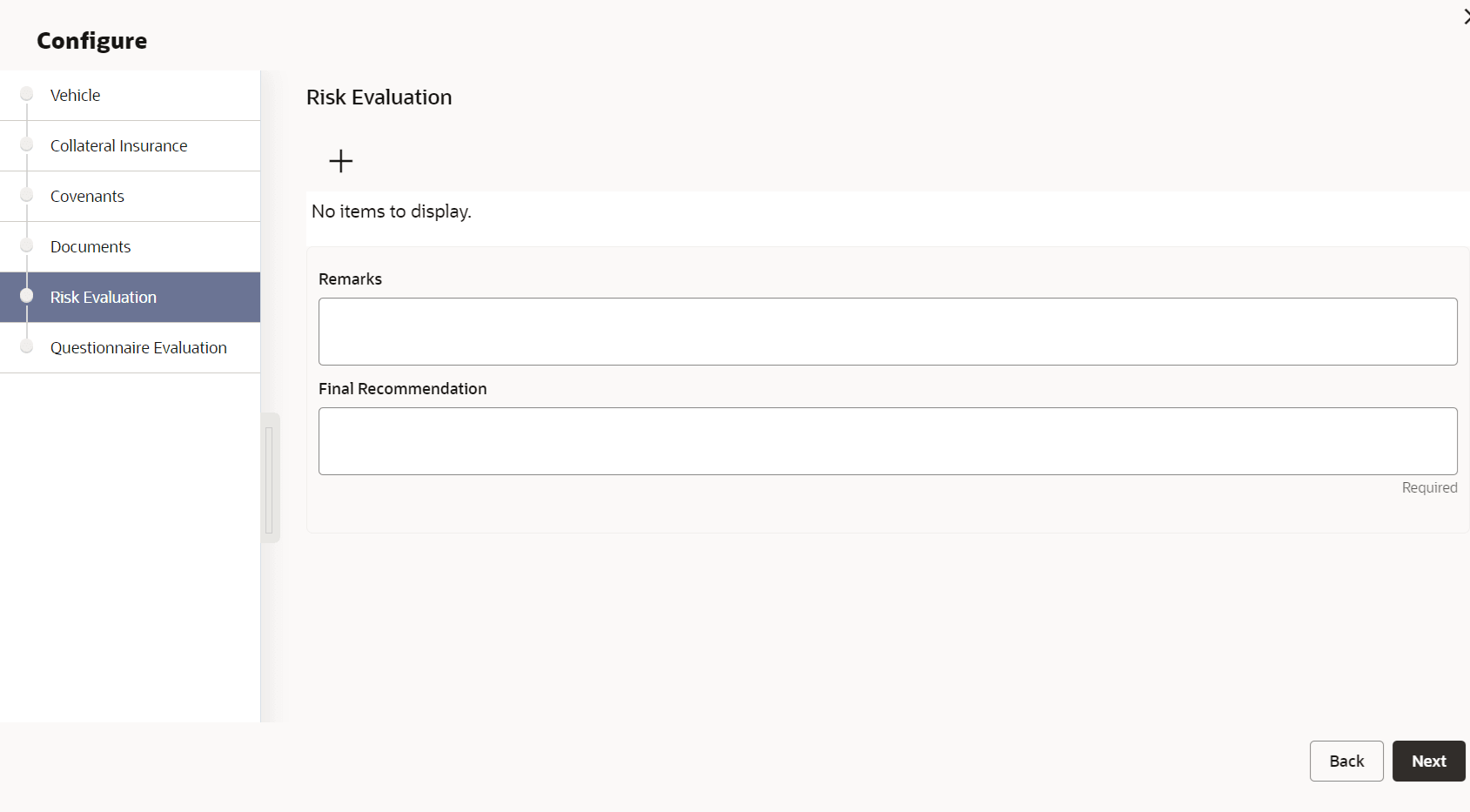
Figure 5-5 Risk Evaluation - Configure - Risk Evaluation
- Click + the add icon in the Risk Evaluation - Configure - Risk
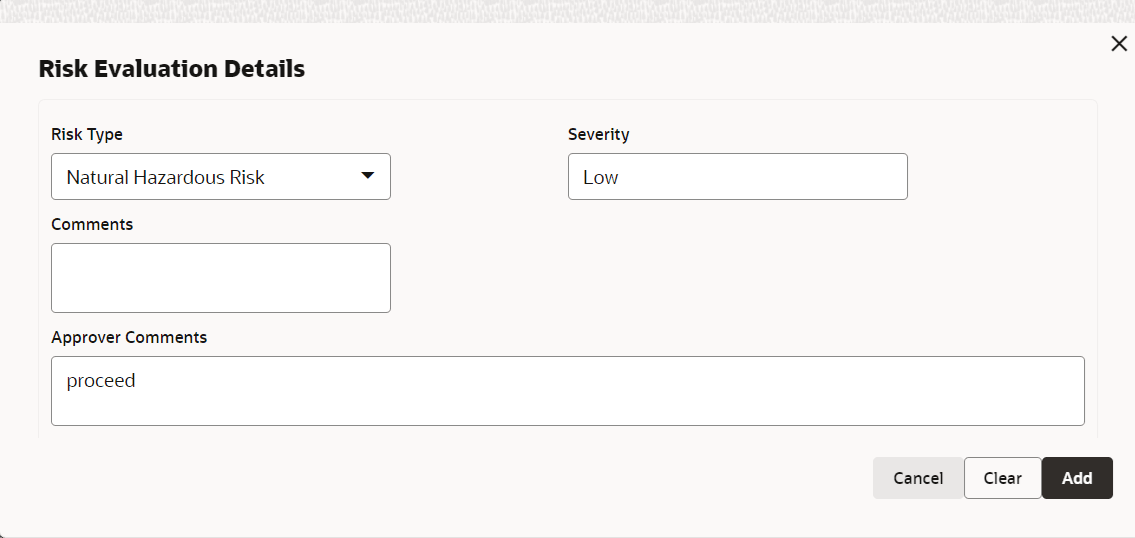
Evaluation screen.The Risk Evaluation Details window is displayed.
- Click Add.The risk evaluation details are added and displayed as shown below.
Figure 5-7 Risk Evaluation - Configure - Risk Evaluation Added
You can Edit, View, or Delete the added risk evaluation details by clicking the action icon in the corresponding record and selecting the required option.
- Provide a Final Recommendation for the collateral and
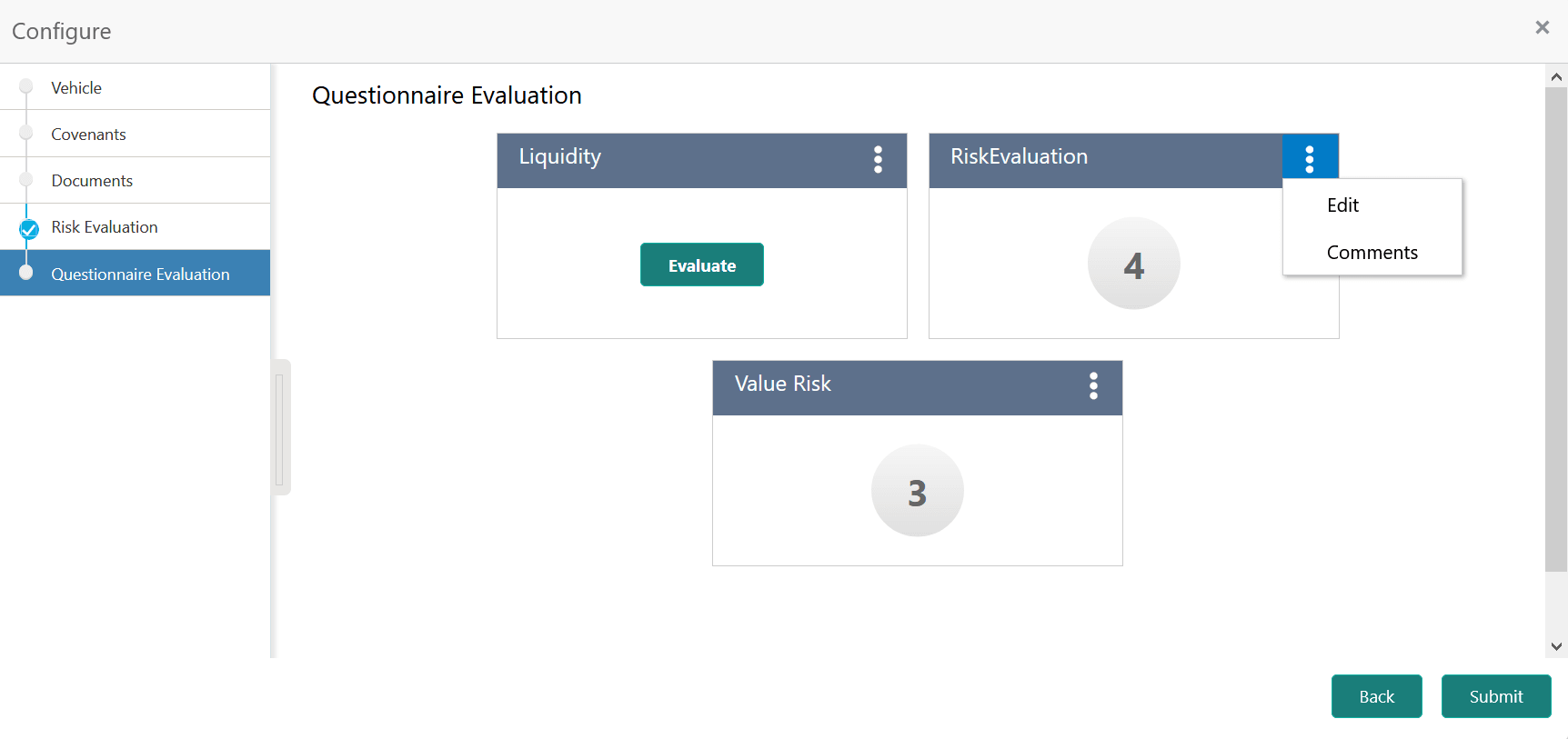
click Next.The Risk Evaluation - Configure - Questionnaire Evaluation screen is displayed.
Figure 5-8 Risk Evaluation - Configure - Questionnaire Evaluation
Note:
In the above screen, the questionnaire linked to the Risk Evaluation stage in Business Process configuration are displayed. You can manage the questionnaire process linkage in Maintenance module.For information on questionnaire based evaluation, refer Legal Opinion section.
Parent topic: Risk Evaluation