16.3 Settlement Details

This topic provides systematic instructions about the Settlement Details data segment in Assignment of Settlement Account Stage.

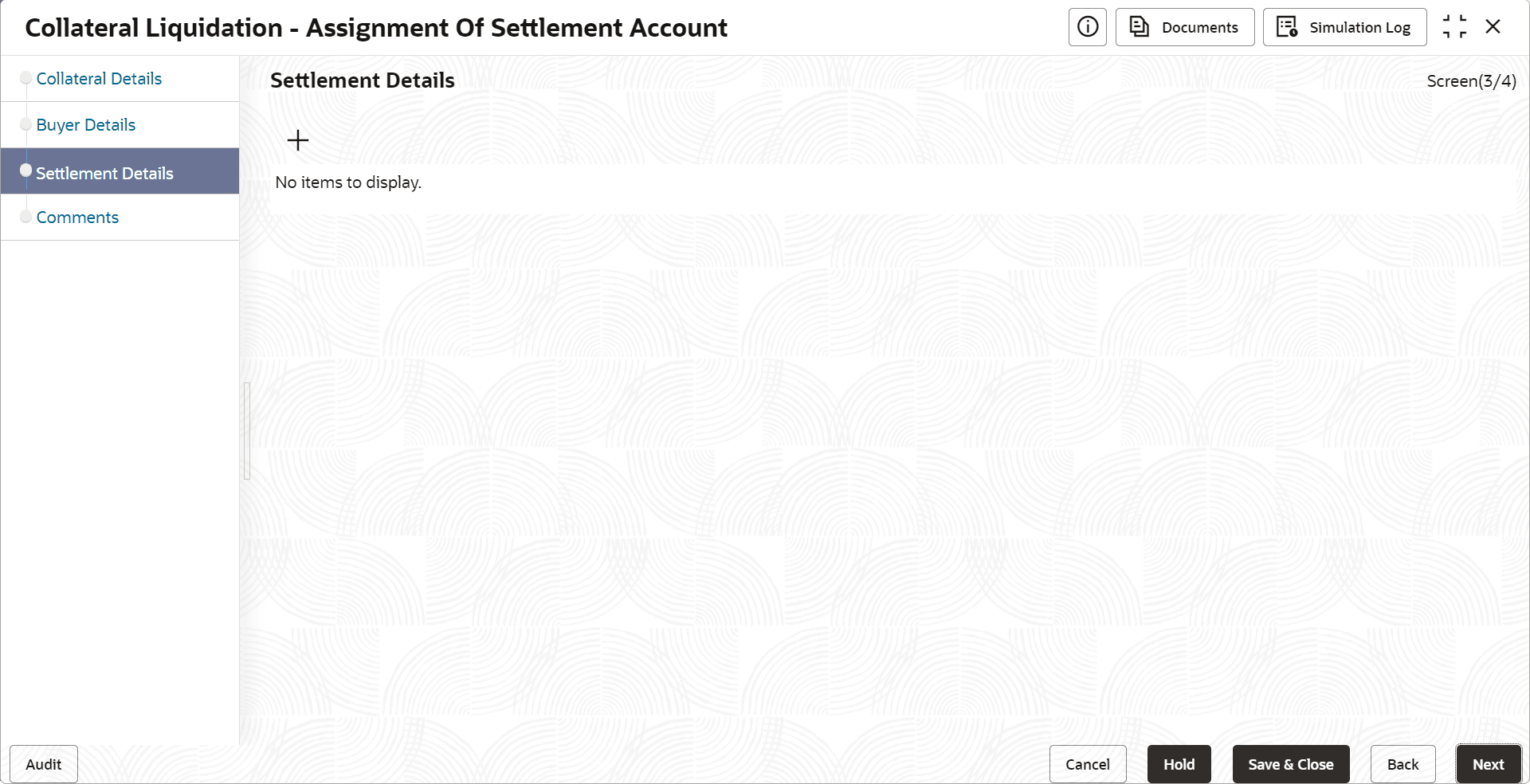
The Settlement Details data segment allows to add the settlement account details for asset transfer settlement. Upon clicking Next in the Assignment of Settlement Account - Buyer Details screen.

The Settlement Details screen is displayed.

Figure 16-4 Assignment of Settlement Account_Settlement Details


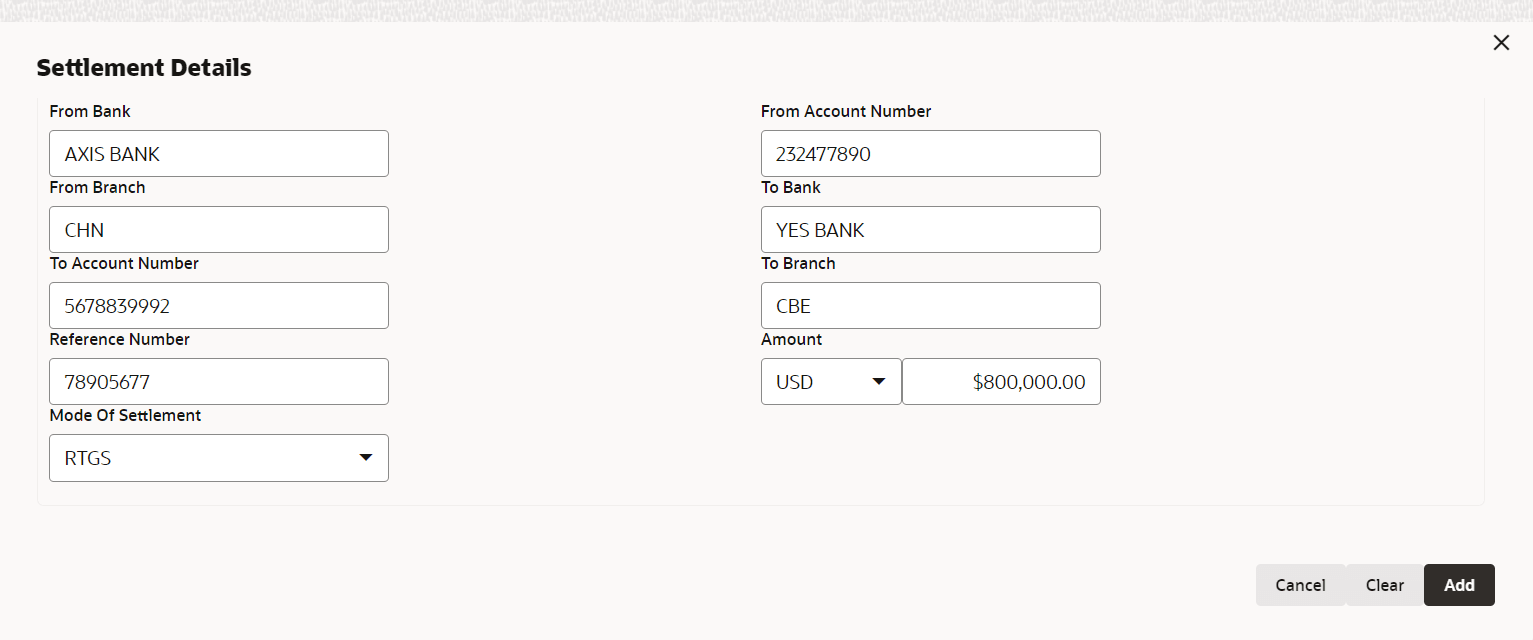
  1. To add the settlement account details, click add icon.
    The Settlement Details screen is displayed.
  2. Specify the settlement details by referring the below table.

    Table 16-1 Assignment of Settlement Account- Settlement - Settlement Details

    Fields/ Icons Description
    From Bank Specify the name of Bank from which the fund is to be transferred.
    From Account Id Specify the From Account Id.
    To Branch Specify the bank branch to which the fund has to be transferred.
    To Bank Specif the Bank to which the fund has to be transferred.
    To Account Id Enter the account Id to which the fund has to be transferred.
    Reference No Specify a Reference Number for the settlement.
    Amount Specify the Amount to be transferred.
    Mode Of Settlement Select the Mode Of Settlement
  3. Click Save.
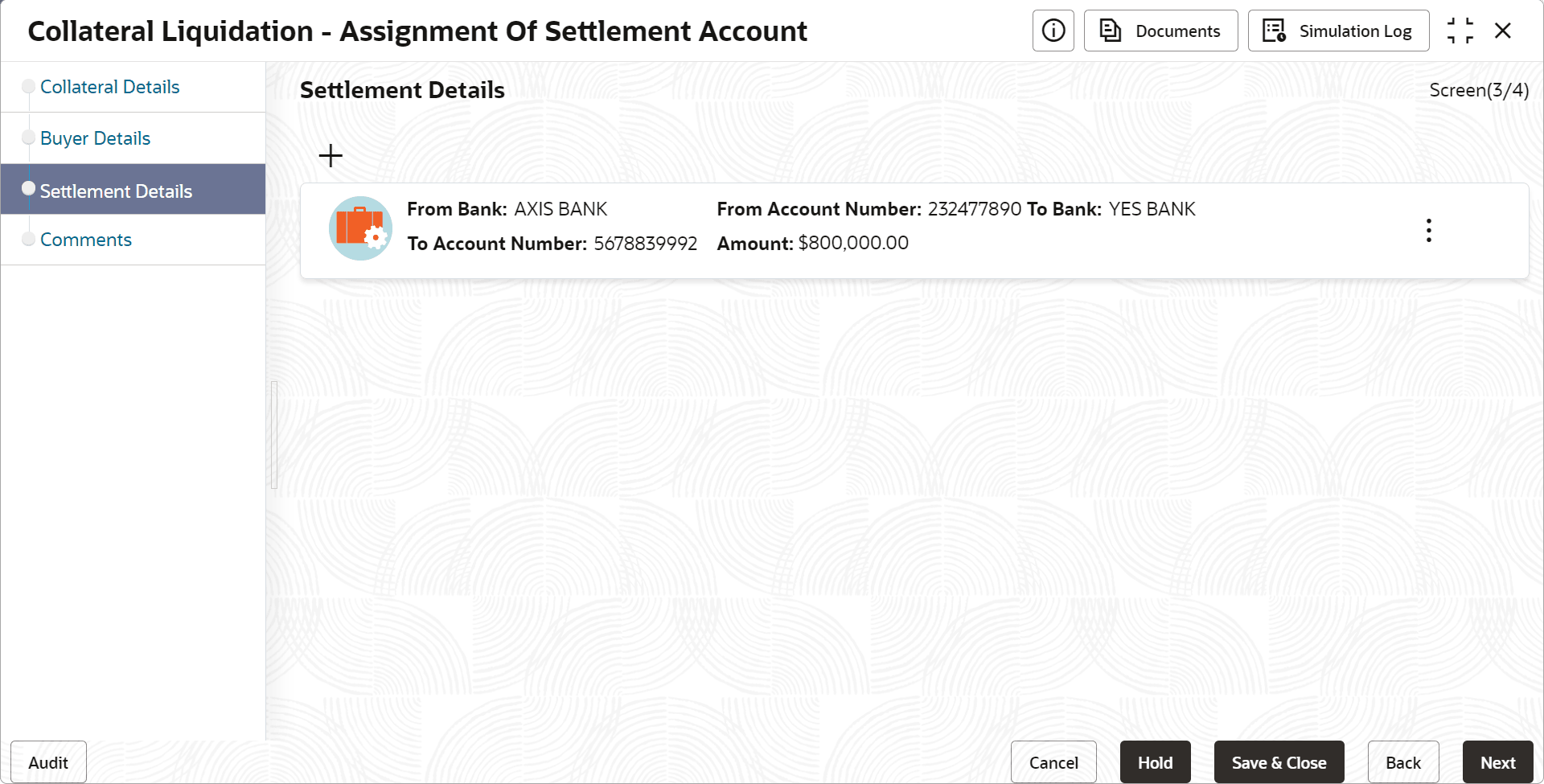
    The settlement details are added and displayed as shown below.

    Figure 16-6 Settlement Account_Settlement details


  4. To Edit, View or Delete the settlement details, click the action icon in the settlement record and select the required option.
  5. After adding the settlement details, click Next.
    The Assignment of Settlement Account - Comments screen is displayed.