18.3 Document Deregistration
This topic provides systematic instructions about the Document deregistration data segment in Await for Collateral Release stage.
This data segment allows to add the document deregistration details.
Click Next in the Await for Collateral Release - Draft
Generation screen, the Document Deregistration data segment is displayed.
Figure 18-6 Await for Collateral Release_Document De-registartion
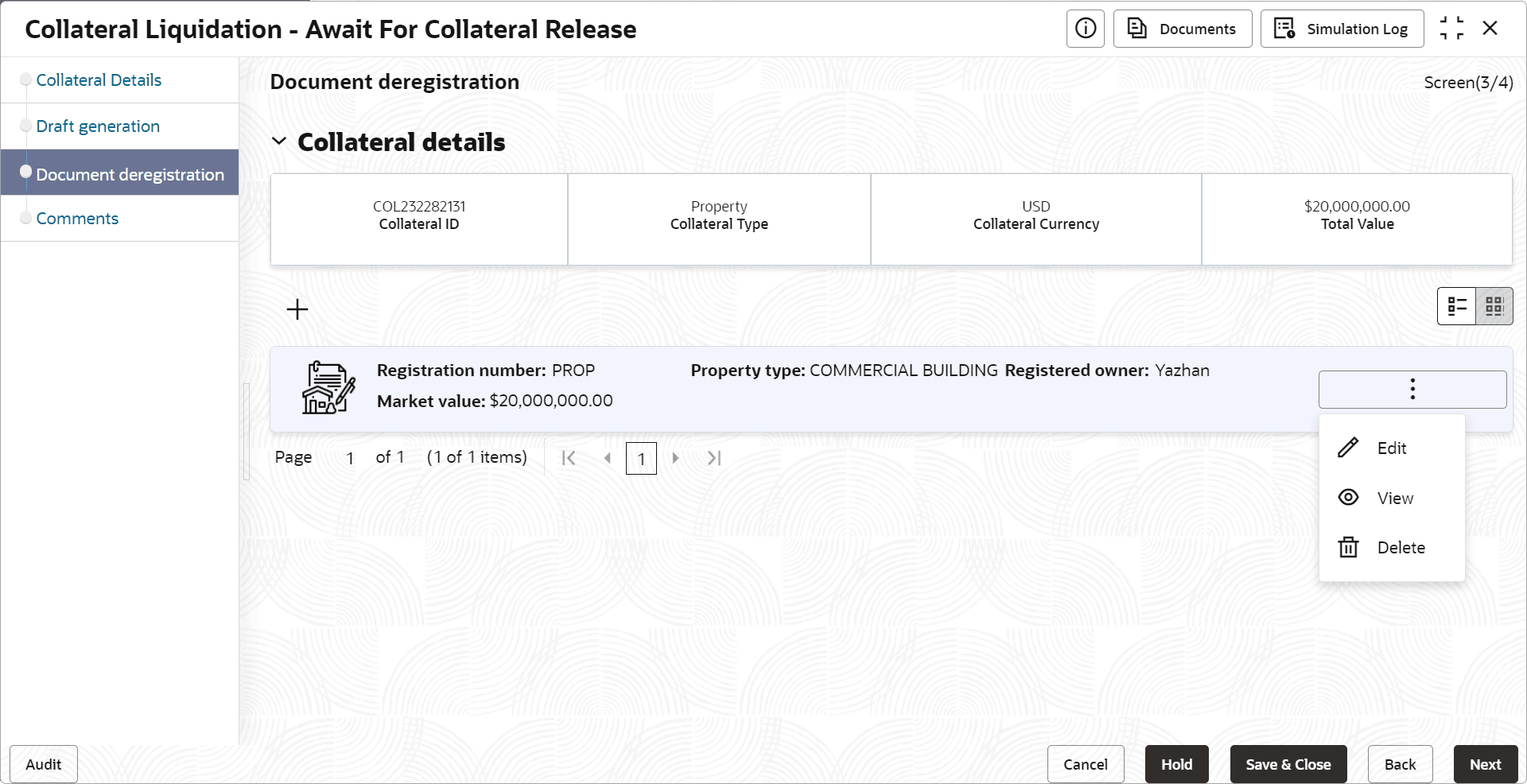
- Click the action icon in the document record and select Edit.The Document De-registration screen is displayed.
Figure 18-7 Await for Collateral Release_Document De-registration
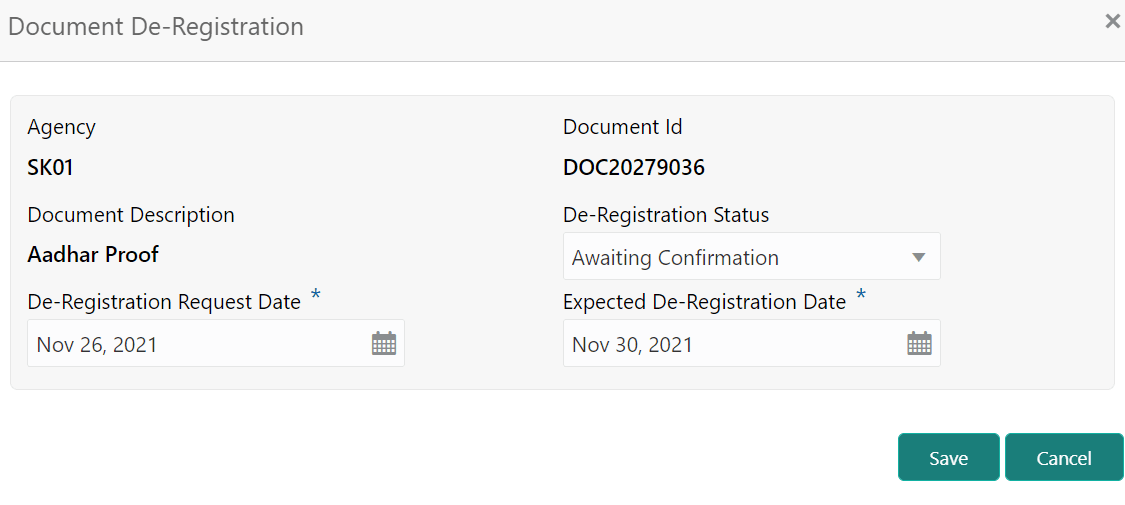
Description of "Figure 18-7 Await for Collateral Release_Document De-registration"
In the above screen, the following details are displayed:
- Agency
- Document Id
- Document Description