6.4 Base Price Fixation

This topic provides systematic instructions about the Base Price Fixation data segment in Base Price Fixation stage.

This data segment allows you to capture the base price details for the collateral. Upon clicking Next in the Base Price Fixation - Liquidation History screen, the Base Price Fixation data segment is displayed.
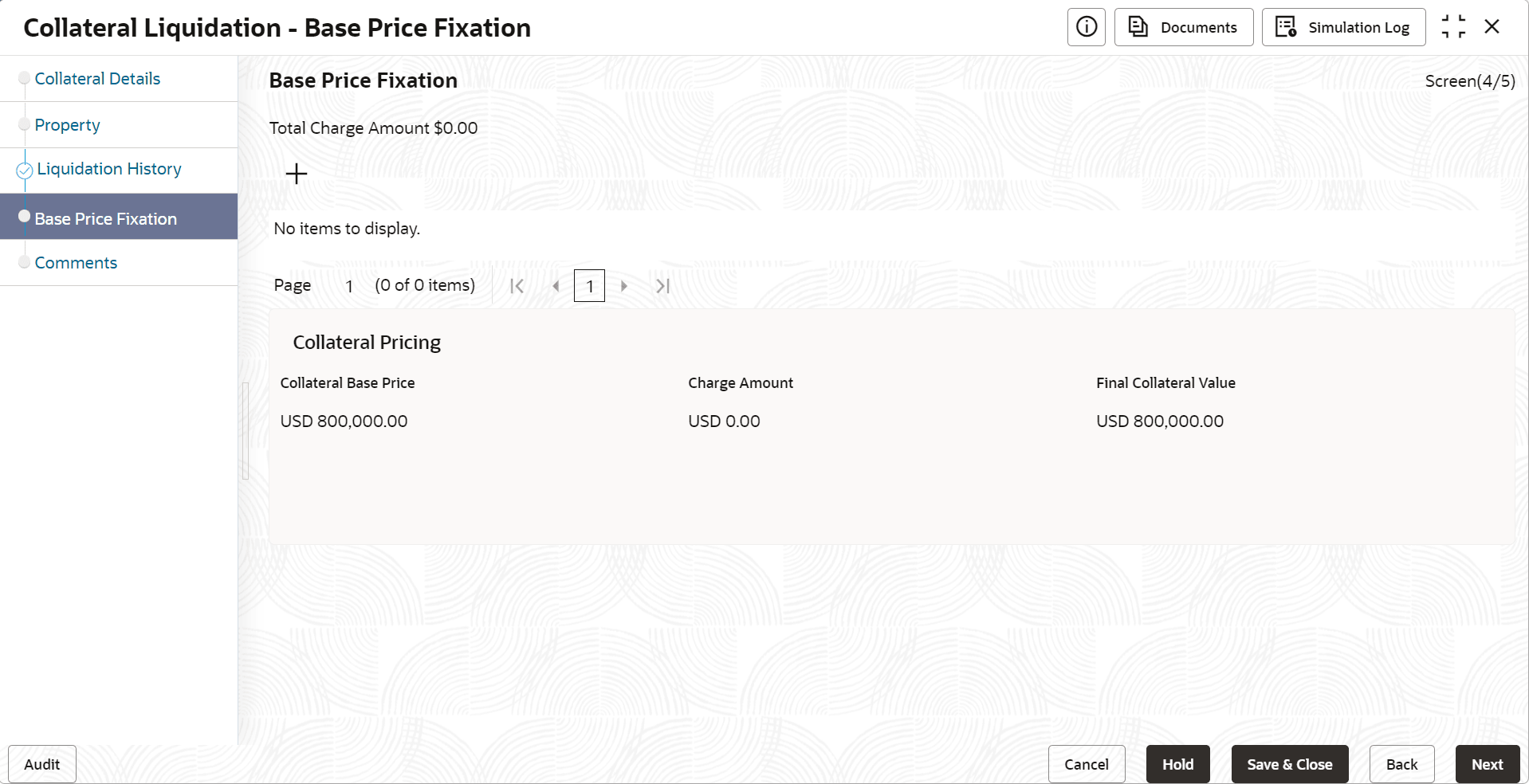
  1. Click the + Add icon in the Base Price Fixation - Base Price Fixation screen.
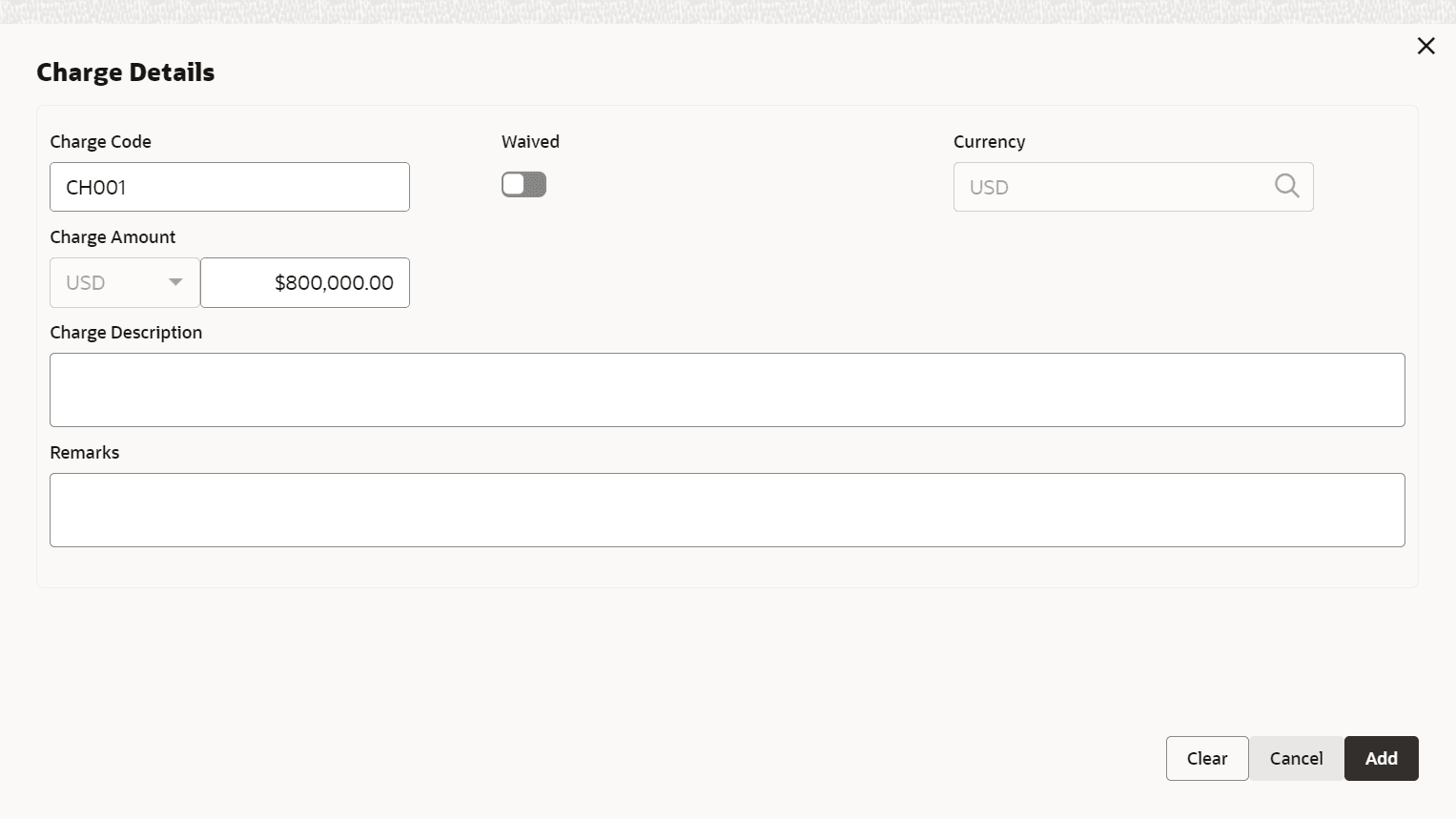
    The Charge Details screen is displayed.

    Figure 6-6 Base Price Fixation_Charge Details


  2. Refer the below table, to specify the charge details.

    Table 6-1 Base Price Fixation - Base Price Fixation - Charge Details

    Fields/ Icons Description
    Charge Code Specify a unique Charge Code for base price fixing.
    Waived Enable this flag, if waiver can be claimed for this charge.
    Currency Specify the Currency for the Charge Amount.
    Charge Amount Specify the Charge amount to be associated with the base price.
    Charge Description Provide a brief description for the charge to be added.
    Remarks Enter the Waiver Remarks in case the charge is waived.
  3. Click Save.
    The following details are displayed in the Base Price Fixation - Base Price Fixation screen.
    • Collateral Base Price - Collateral price without any charges
    • Charge Amount - Total charge added for the collateral
    • Final Collateral Value - Collateral value after adding the charges

    Figure 6-7 Base Price Fixation_Base Price Fixation


  4. To Edit, View, or Delete the base price details, click the action icon in the base price record and select the required option.
  5. Click Next, to navigate to the next data segment.
    The Base Price Fixation - Comments screen is displayed.