10.2 Bid Capture - Buyer Recommendation

This topic provides systematic instructions about the procedure to capture buyer details.

This data segment allows to add the buyer details based on the bidding documents submitted by the potential buyer.

Click Next in the Bid Capture- Collateral details screen, the Buyer Recommendation data segment is displayed.

Figure 10-3 Bid Capture_Buyer Recommendation
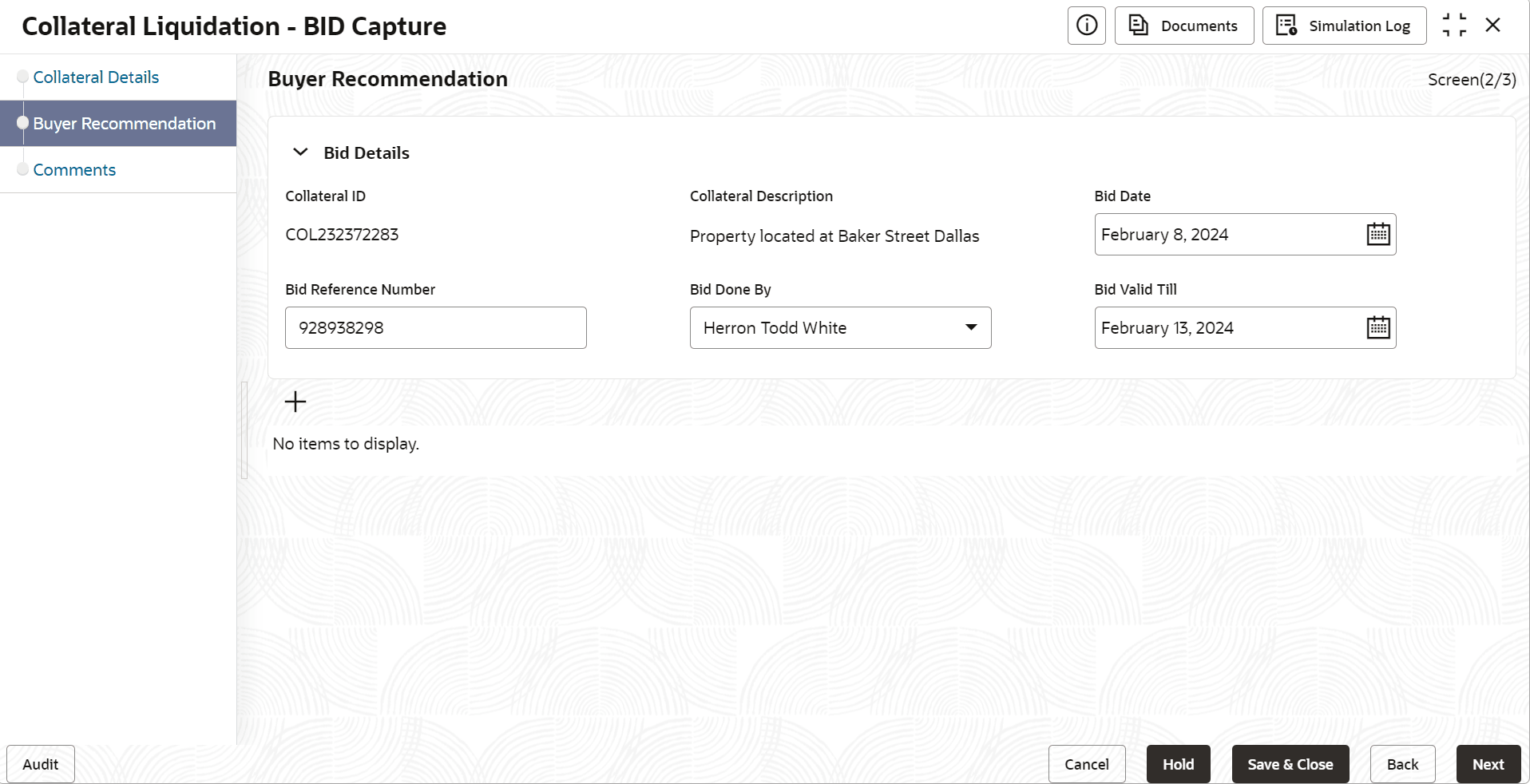


  1. Specify the Bid Details by referring the below table.

    Table 10-1 Bid Capture - Buyer Recommendation

    Fields/ Icons Description
    Collateral ID Collateral ID of the selected collateral is displayed.
    Collateral Description Description provided for the collateral selected for liquidation is displayed.
    Bid Date Specify the bid start date.
    Bid Reference Number Specify a reference number for the bid.
    Bid Done By Select the agency which conducts the bid from Bid Done By drop down list.
    Bid Valid Till Specify the bid closing date in the Bid Valid Till field.
  2. Click the add icon in the Bid Capture - Buyer Recommendation screen.
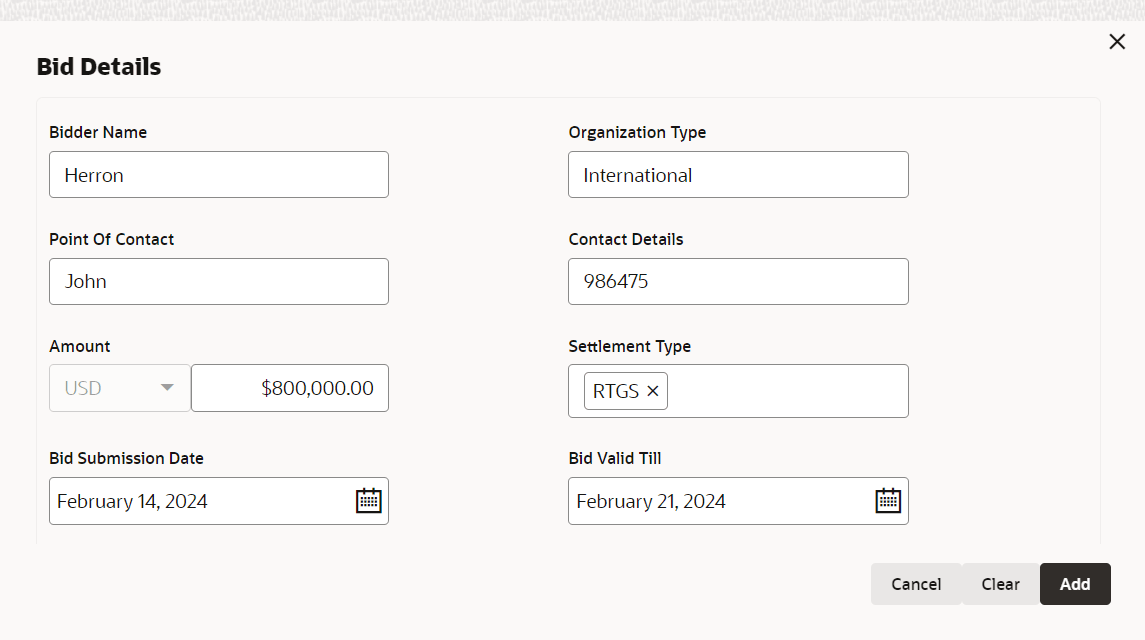
    Figure 10-4 Bid Capture_Bid Details


  3. Refer the below table and specify all the details in the Bid Details screen.

    Table 10-2 Bid Capture - Buyer Recommendation - Bid Detais

    Fields/ Icons Description
    Bidder Name Enter the Bidder Name.
    Organization Type Enter the Organization Type.
    Point Of Contact Enter the Point of Contact in the Organization related to the bid.
    Contact Details Enter the Organization contact details.
    Amount Enter the Bid Amount.
    Settlement Type Enter the bid settlement type.
    Bid Valid Till Select the date till the bid is valid.
    Bid Submission Date Select the date on which the bid is submitted.
  4. Click Next, to navigate to the next data segment.
    The Bid Capture - Comments screen is displayed.