16.3 Property
This topic provides systematic instructions about the procedure to capture charge registration detail.
Figure 16-3 Charge Registration - Property
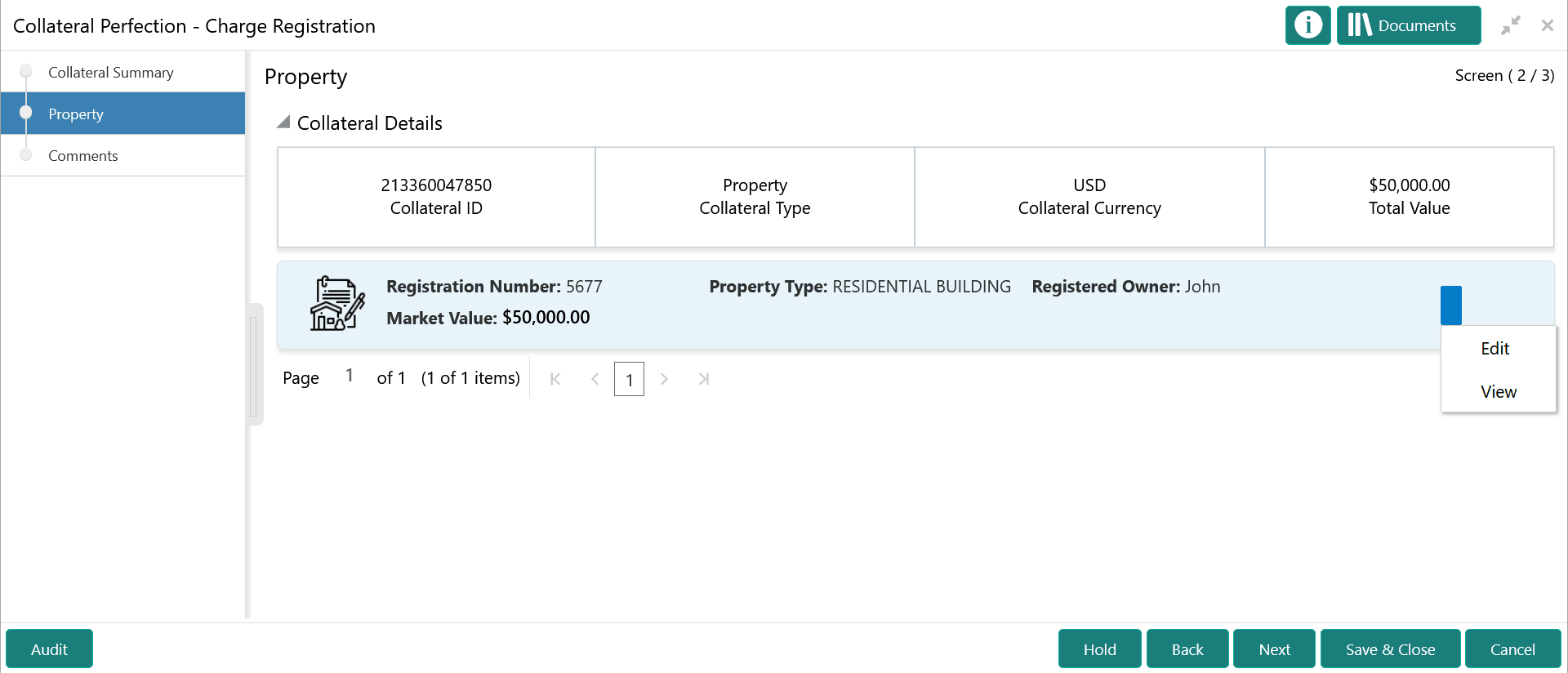
- To capture the charge registration details, click the action icon in the
collateral record and select the Edit option.The Charge Registration - Configure - Property screen is displayed.
Figure 16-4 Charge Registration - Configure - Property
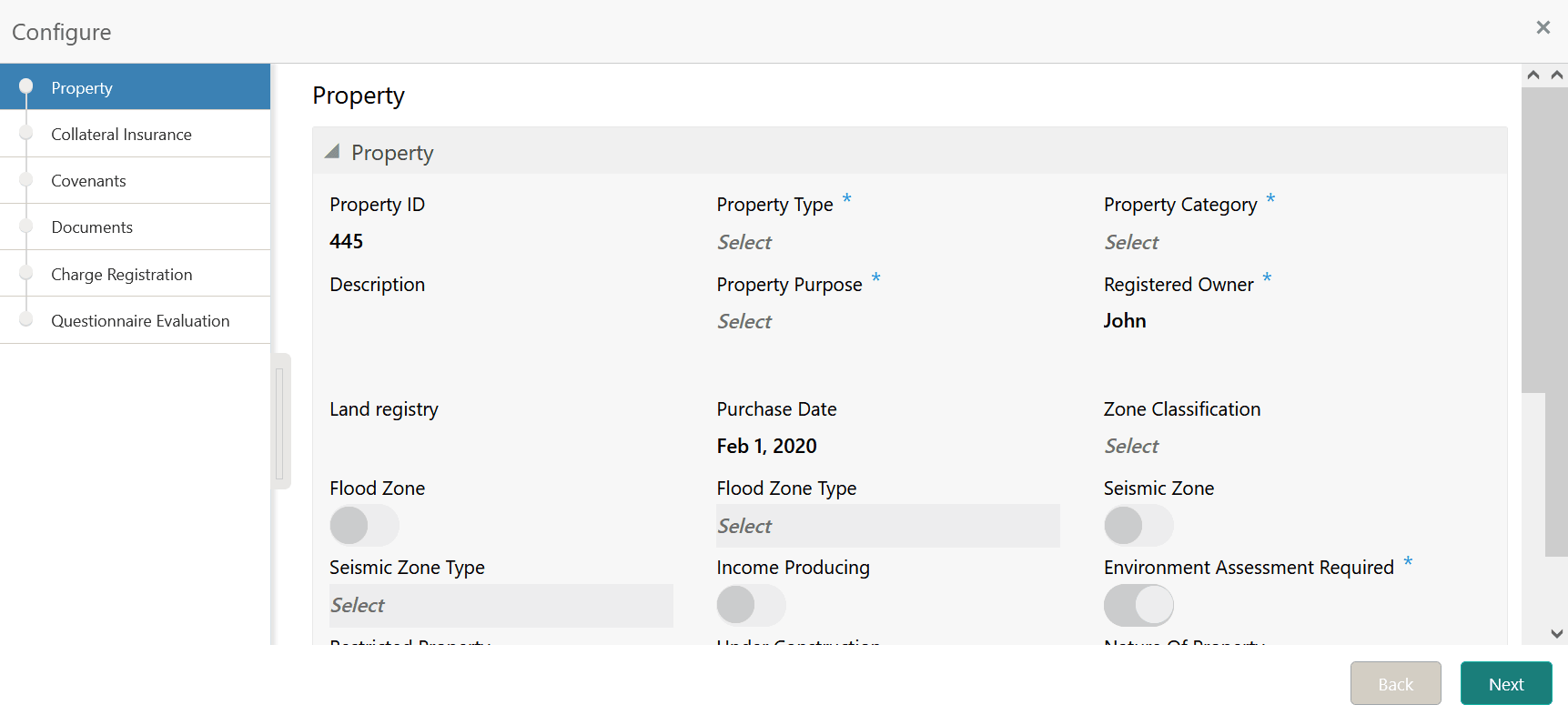
- Click Next and navigate to the Charge
Registration menu.
Figure 16-5 Charge Registration - Configure - Charge Registration
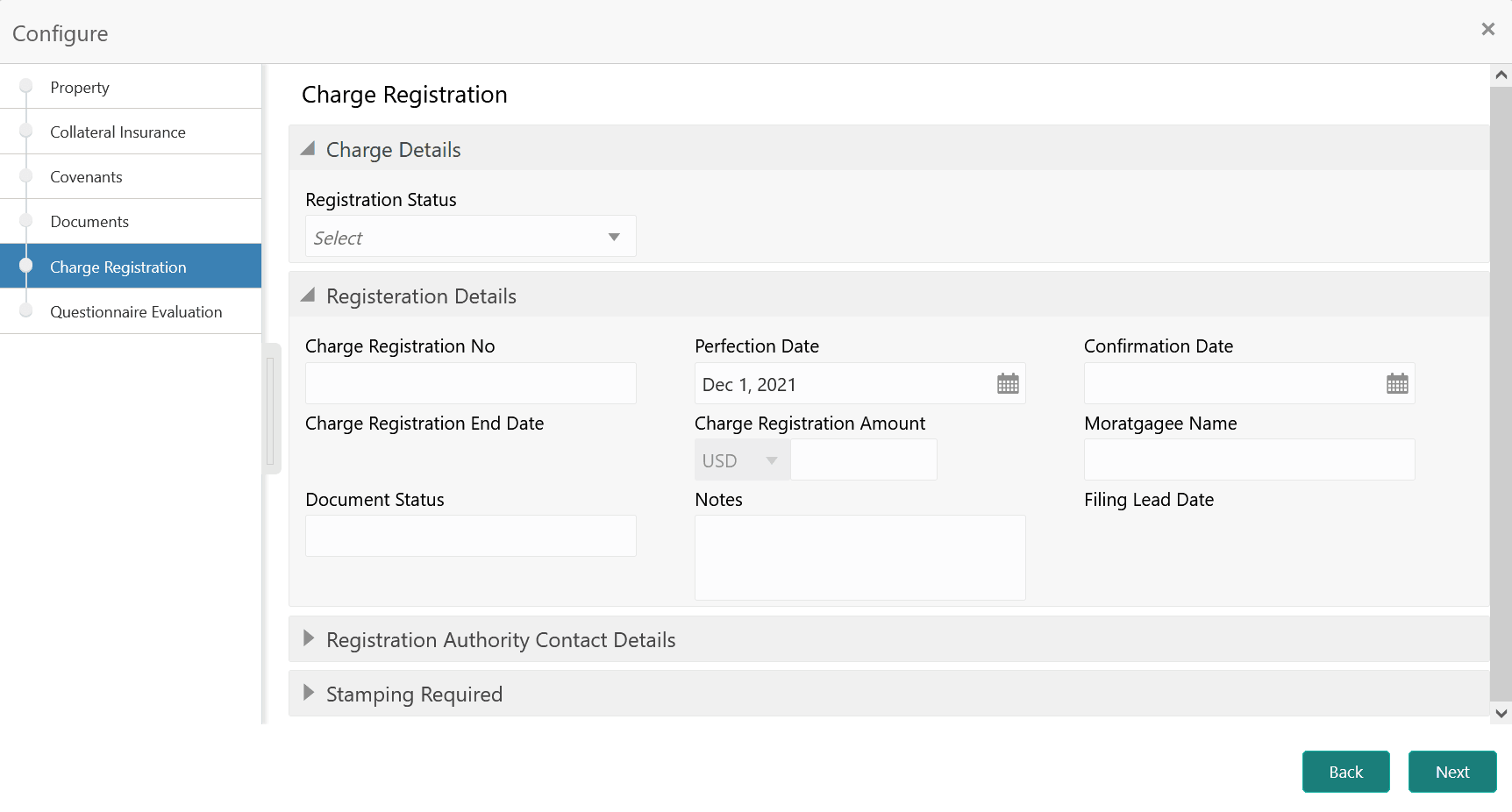
- Specify all the details in the Charge Registration - Configure - Charge
Registration screen.
For more information on the fields, refer to the field description table below:
Table 16-1 Charge Registration - Charge Details - Field Description
Field Description Registration Status Select the charge Registration Status from the drop down list. The options available are: - Proposed
- Registered
Table 16-2 Charge Registration - Registration Details - Field Description
Field Description Charge Registration No Specify the charge registration number, in case the Registration Status is Registered. Perfection Date Specify the collateral Perfection Date. In most cases, current date is the Perfection Date. Confirmation Date Specify the registration Confirmation Date. Charge Registration End Date Specify the Charge Registration End Date. Charge Registration Amount Specify the Charge Registration Amount. Mortgagee Name Specify the Mortgagee Name that has to be in the charge registration document. Document Status Specify the status of documents required for charge registration. Notes Capture remarks for charge registration, if any. Filing Lead Date Specify the Filing Lead Date. Figure 16-6 Charge Registration - Registration Authority Contact Details
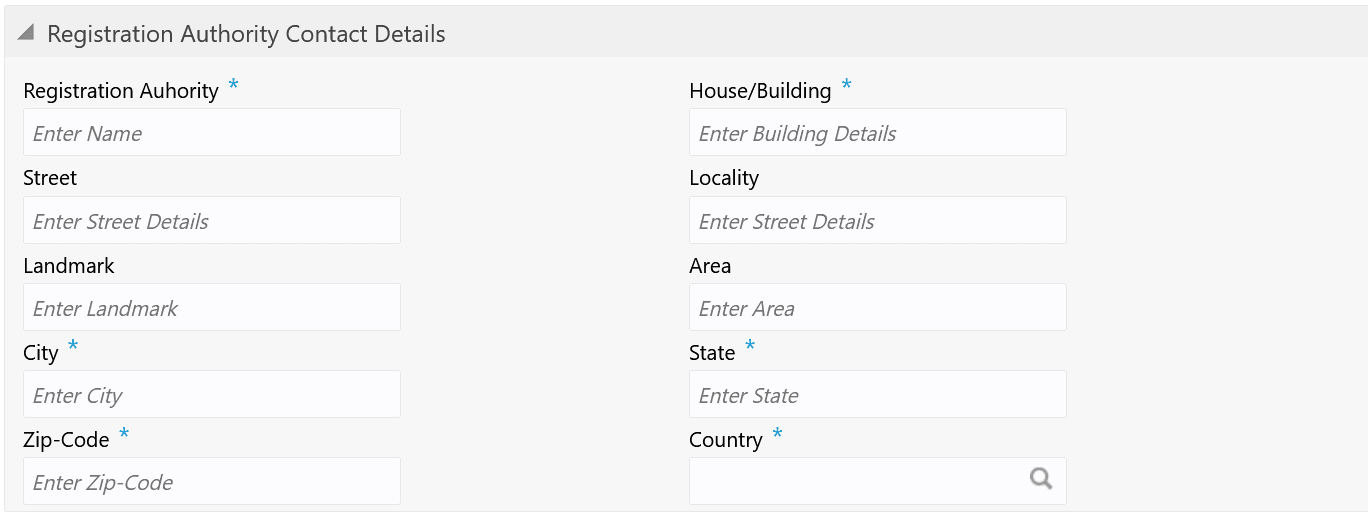
Table 16-3 Charge Registration - Registration Authority Contact Details - Field Description
Field Description Registration Authority Specify the name of charge Registration Authority. House/Building Specify the name of House/building in which the Registration Authority is located. Street Specify the Street in which the Registration Authority is located. Locality Specify the Locality of the Registration Authority. Landmark Specify a Landmark for locating the Registration Authority. Area Specify the Area in which the Registration Authority is located. City Specify the City in which the Registration Authority is located. State Specify the State in which the Registration Authority is located. Zip-Code Specify the Zip-Code of Area in which the Registration Authority is located. Country Specify the Country in which the Registration Authority is located. Figure 16-7 Charge Registration - Stamping Required

Table 16-4 Charge Registration - Stamping Required - Field Description
Field Description Stamping Required Enable this flag, if stamping is required for charge registration. Stamping Date Specify the date on which stamping is to be done. Stamping Amount Specify the Stamping Amount.