4.2 Collateral Details
This topic provides systematic instructions about the Collateral Details data segment in the Perfection Initiation stage.
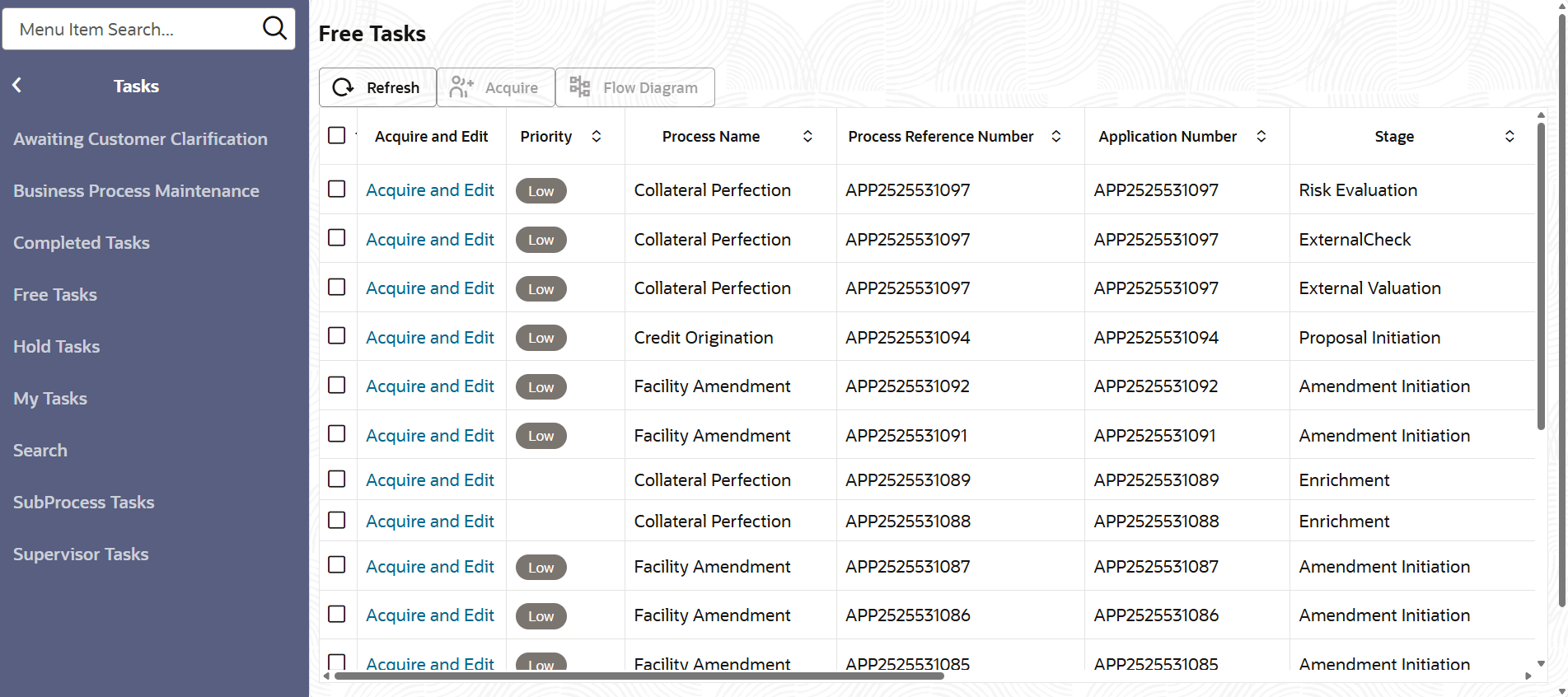
- From Home screen, click Tasks.
Under Tasks, click Free
Tasks.The Free Tasks screen is displayed.
- Click Acquire & Edit in the required Initiation
task.
The Initiation - Collateral Details screen is displayed.
Figure 4-2 Initiation - Collateral Details
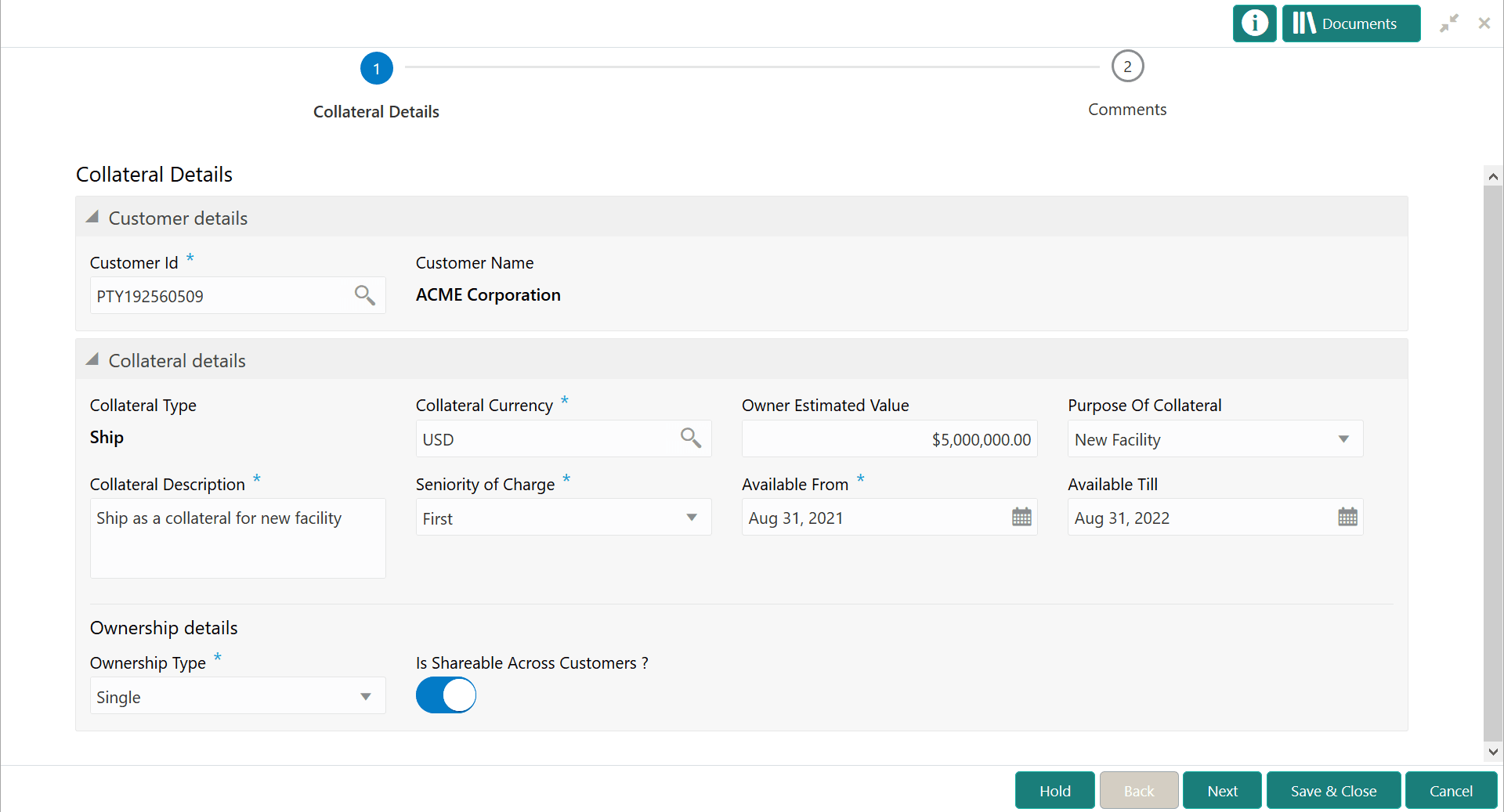
- Provide the details in the Initiation - Collateral Details screen.
For more information on field description, refer the below tables.
Table 4-1 Collateral Details - Customer Details - Field Description
Field Description Customer Id
Displays the customer ID.
Customer Name
Displays the customer name.
Table 4-2 Collateral Details - Collateral Details - Field Description
Field Description Collateral Type
Collateral Type selected in the Add Collateral window is defaulted. You cannot modify this.
Collateral Currency
Collateral Currency selected in the Quick Initiation screen is defaulted. You can modify the Collateral Currency, if required.
Owner Estimated Value
Owner Estimated Value of the collateral specified in the Quick Initiation screen is defaulted. User can change this value, if required.
Purpose of Collateral
Purpose of the Collateral selected in the Quick Initiation screen is defaulted. User can select different option from the following list:
- New Facility
- Enhancement Of Limit
- Replacement Of Collateral
- Augmentation Of Collateral
Collateral Description
Collateral Description provided in the Quick Initiation screen is defaulted. User can modify the description, if required.
Seniority of Charge
Select the bank’s Seniority of Charge on the collateral. The following options are available in the drop down list.
- First
- Second
- Third
- Primary
Available From
Specify the date from which the collateral is available.
Available Till
Specify the date till which the collateral is available.
Table 4-3 Collateral Details - Ownership Details - Field Description
Field Description Ownership Type
Select the Ownership Type from the drop down list. The following options are available in the drop down list
- Single
- Joint
Is Shareable Across Customers?
Enable the toggle, if the collateral is shareable across customers.
- After adding or modifying the collateral details, click Next.