5.3 External Valuation
Procedure to add external valuation details for the collateral.
Figure 5-3 External Valuation - External Valuation
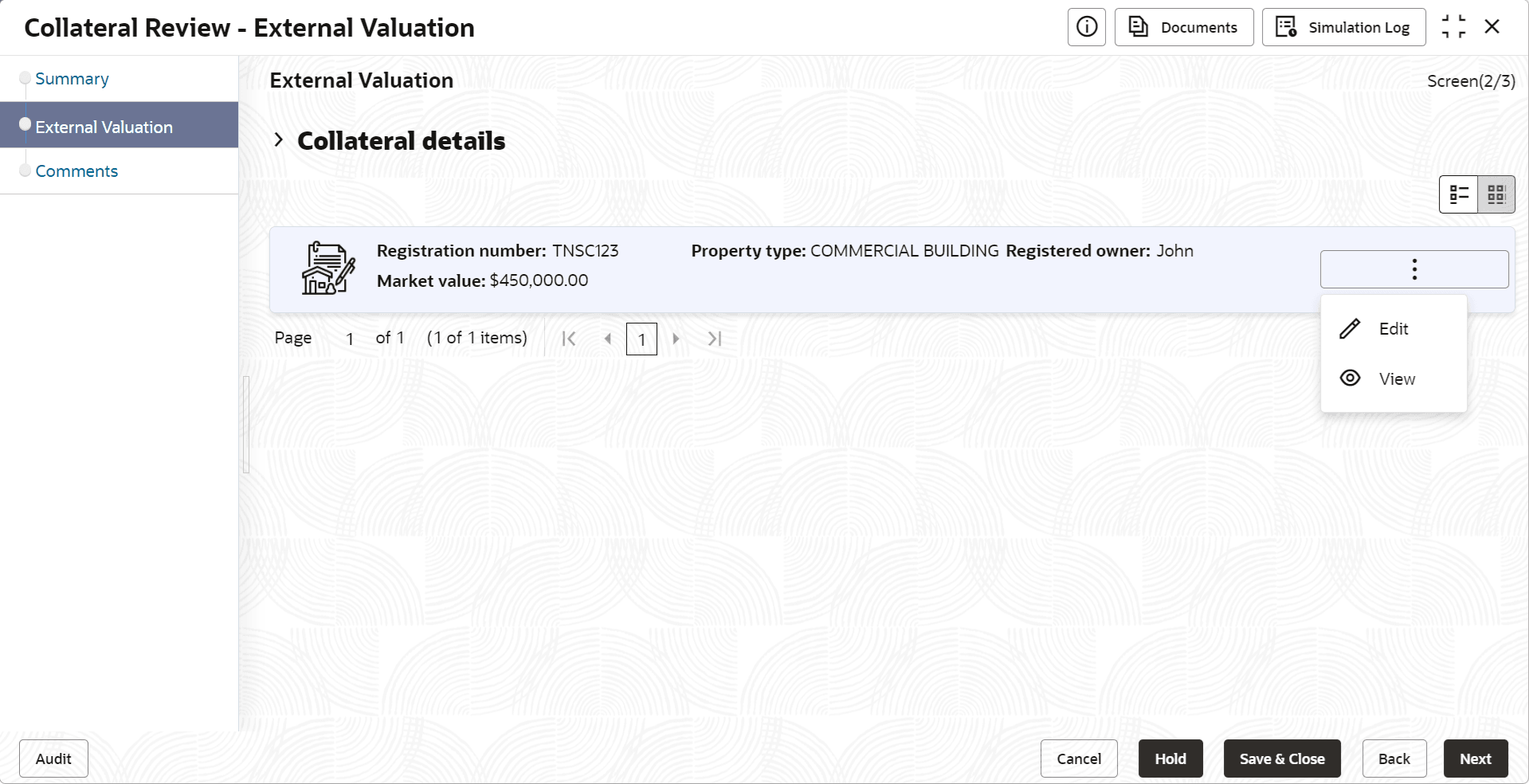
- Click the action icon in the required collateral record and select
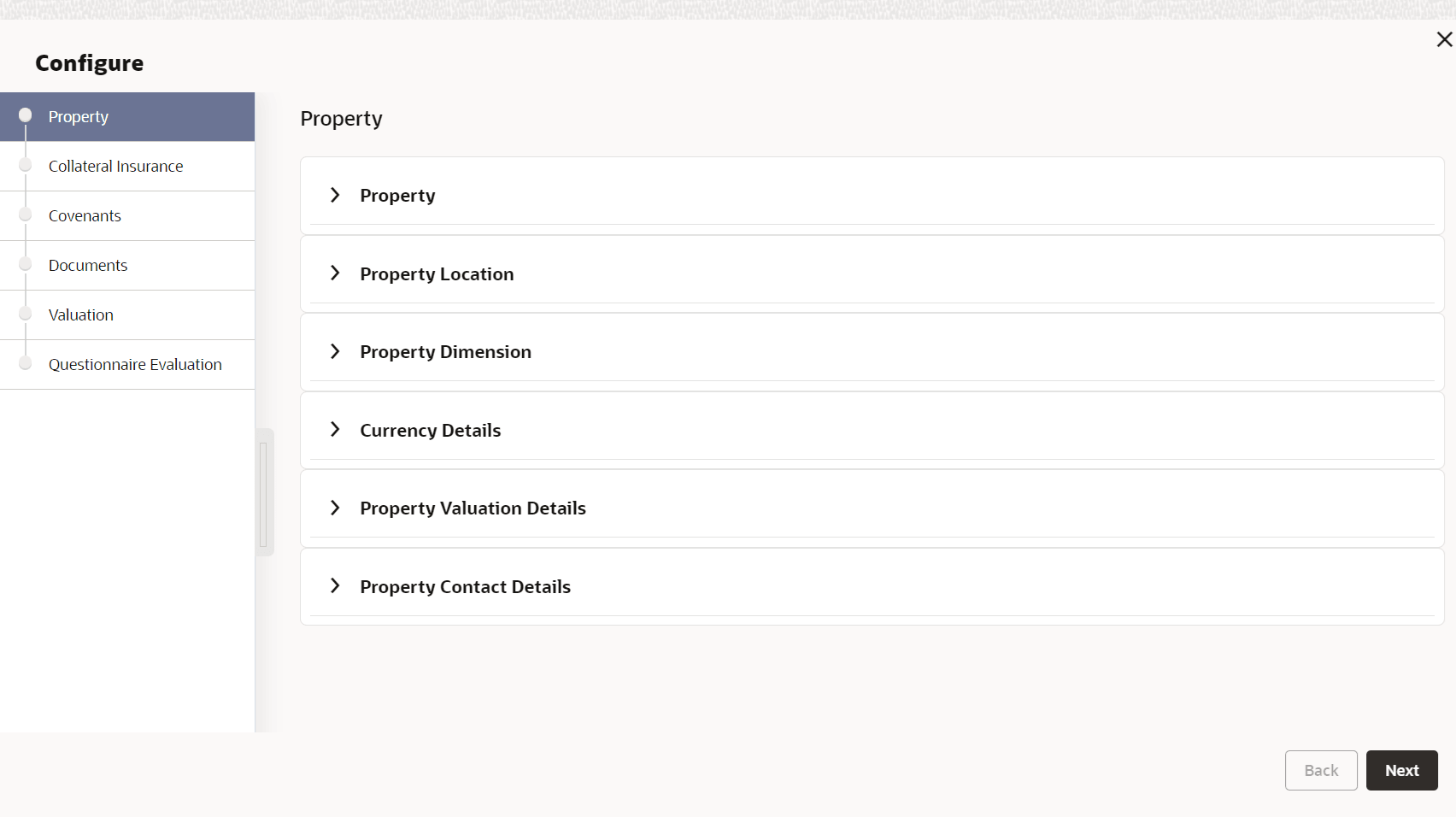
Edit.The External Valuation - Configure - Collateral Type screen is displayed based on the selected collateral.
Figure 5-4 External Valuation - Configure - Collateral Type
For information on the Property, Collateral Insurance, Covenants and Documents menus, refer the Data Enrichment chapter.
- Click Next and navigate to
Valuation menu.
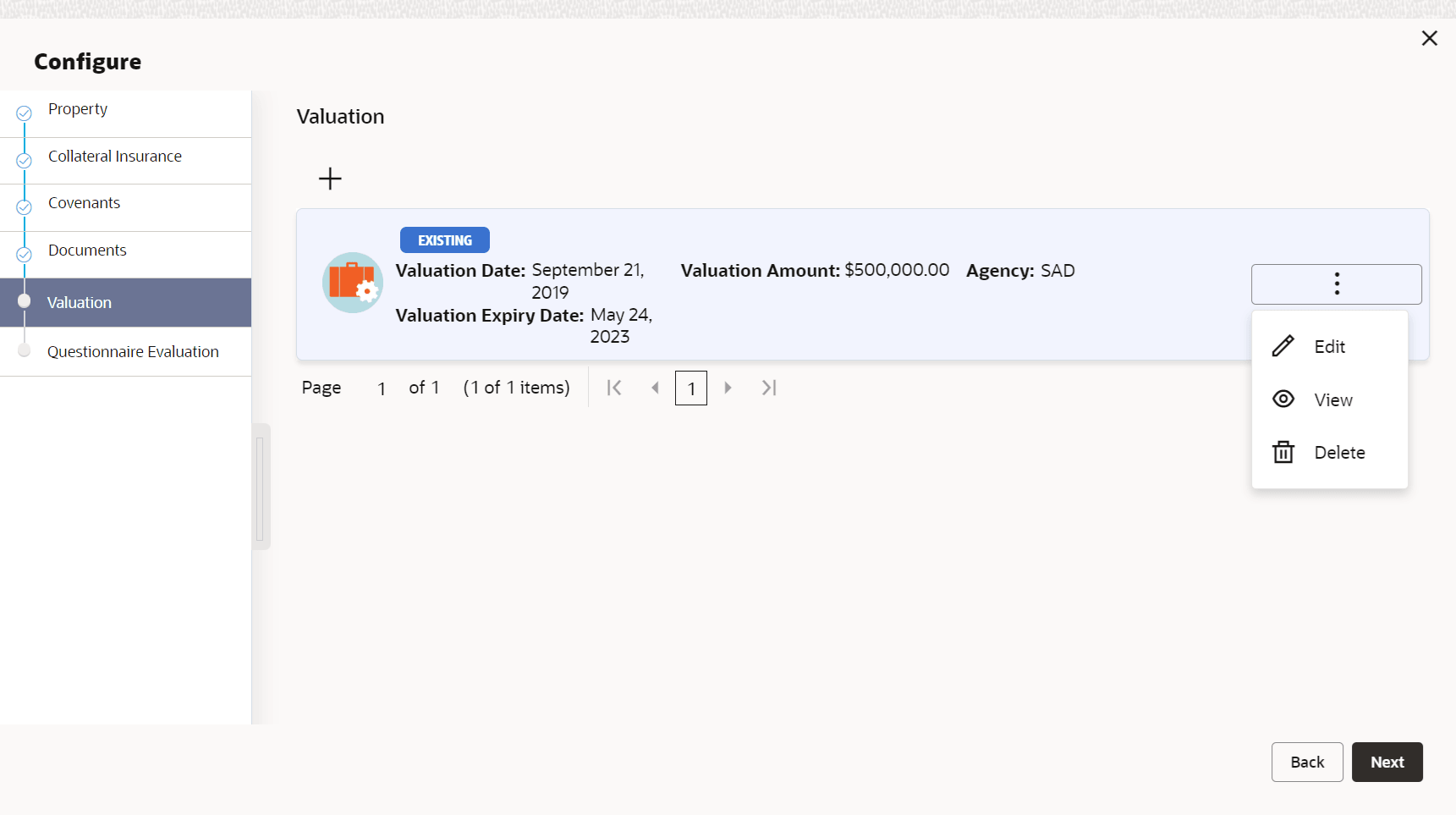
Figure 5-5 External Valuation - Configure - Valuation
- Click + the add icon in the External Valuation - Configure - Valuation
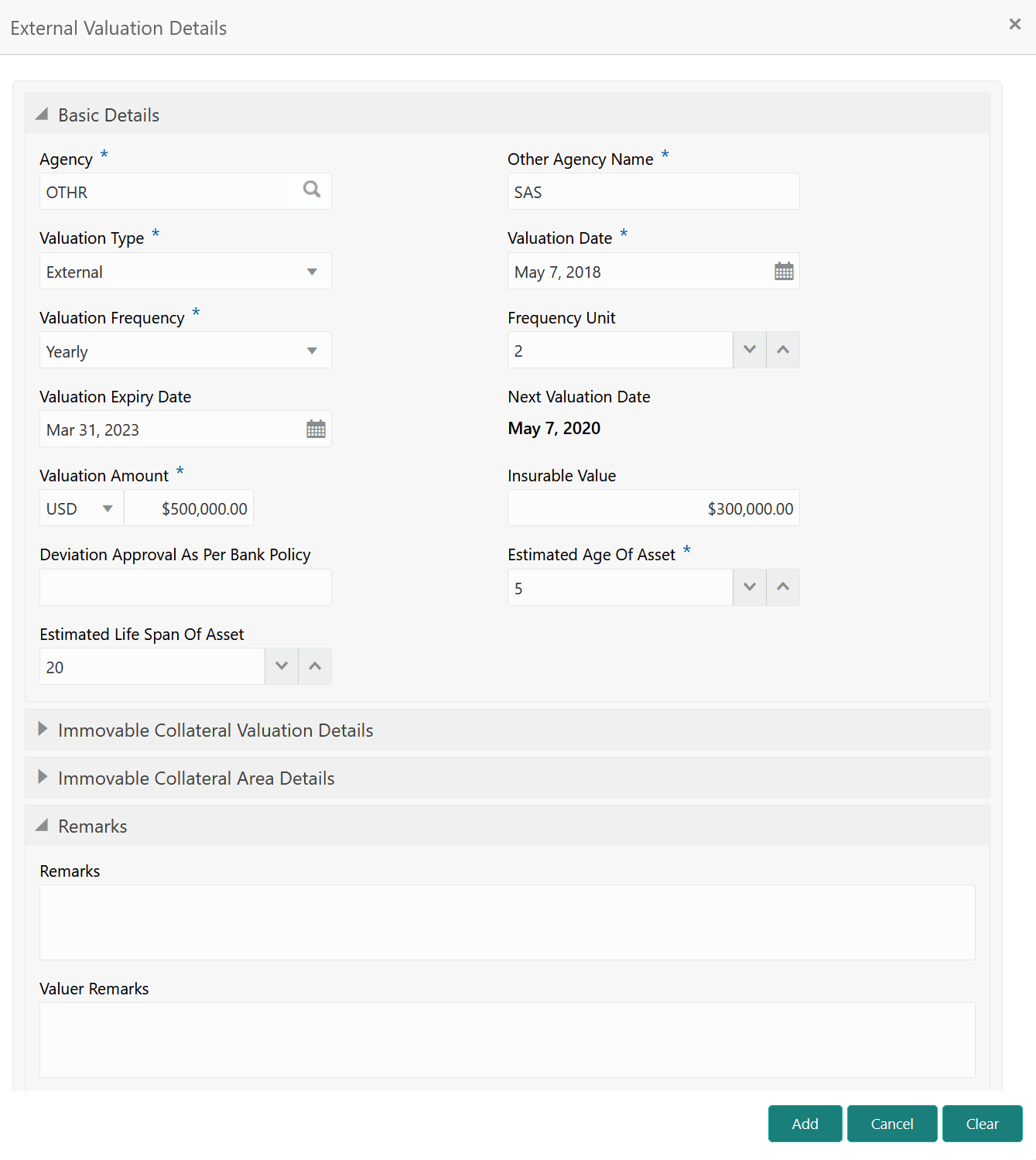
screen.The External Valuation Details window is displayed.
- Specify all the details in the External Valuation Details window.For field level explanation, refer the below table.
Table 5-1 Basic Details - Field Description
Field Description Agency Select the Agency which performed external valuation. Valuation Type Select the Valuation Type as External. Valuation Date Specify the date on which the external valuation is carried out. Valuation Frequency Select the Valuation Frequency from the drop down list. Frequency Unit Specify the number of times the valuation must be done in the selected Valuation Frequency. Valuation Expiry Date Specify the date till which the valuation is valid. Next Valuation Date Next Valuation Date is displayed based on the specified Valuation Date, Valuation Frequency and Frequency Unit. Valuation Amount Select a currency and specify the collateral Valuation Amount. Insurable Value Specify the Insurable Value of the asset. Deviation Approval As Per Bank Policy Provide the approval details in case there is any deviation in the construction from the approved plan and the bank has approved the deviation. Estimated Age of Asset Specify the Estimated Age of Asset. Estimated Life Span of Asset Specify the Estimated Life Span of Asset. Remarks Specify the bank user Remarks. Valuer Remarks Capture the Valuer Remarks for the collateral. Figure 5-7 Immovable Collateral Valuation Details
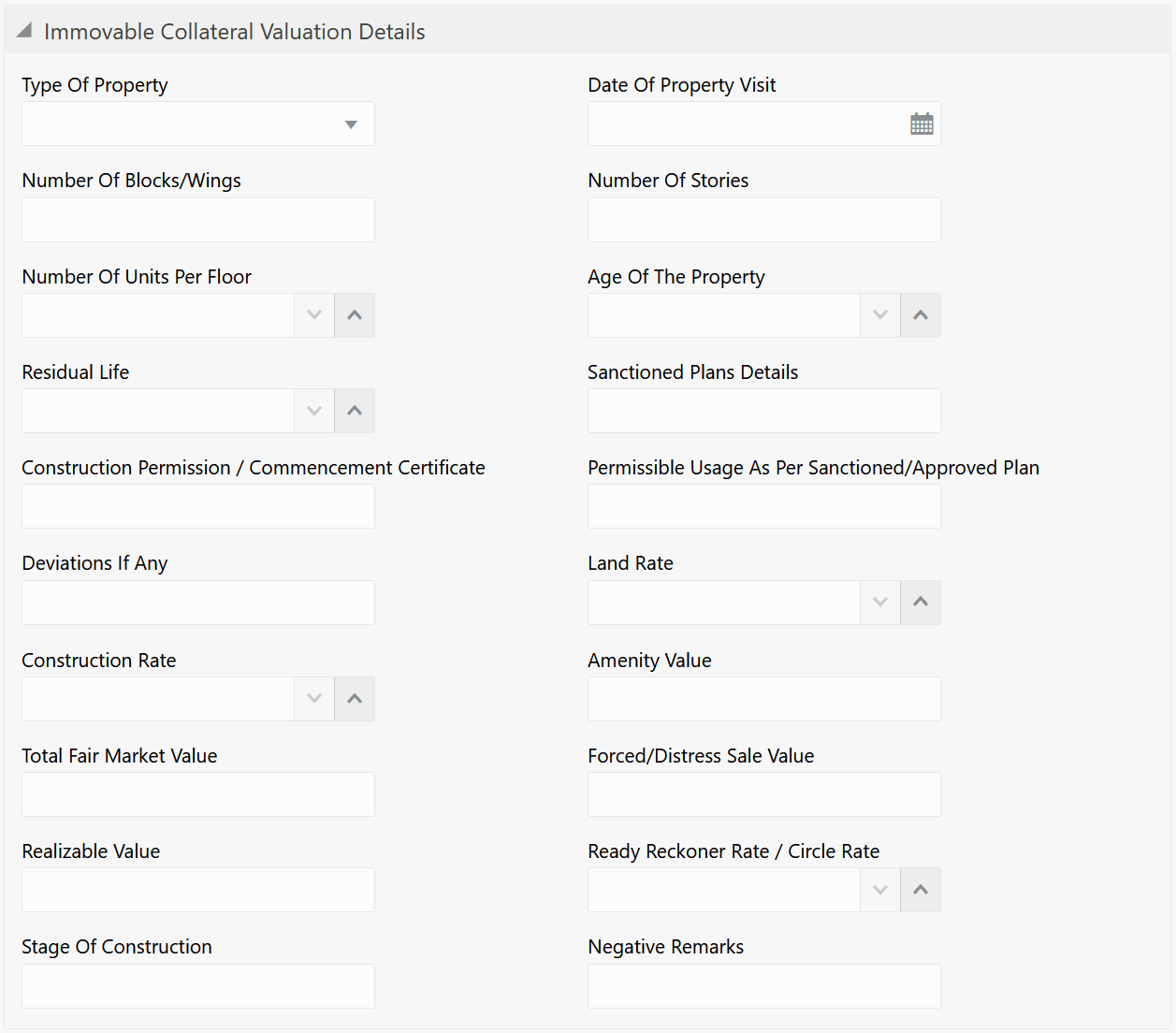
Table 5-2 Immovable Collateral Valuation Details - Field Description
Field Description Type of Property Select the Type of Property from the drop down list. The options available are: - Urban
- Rural
- Semi-Urban
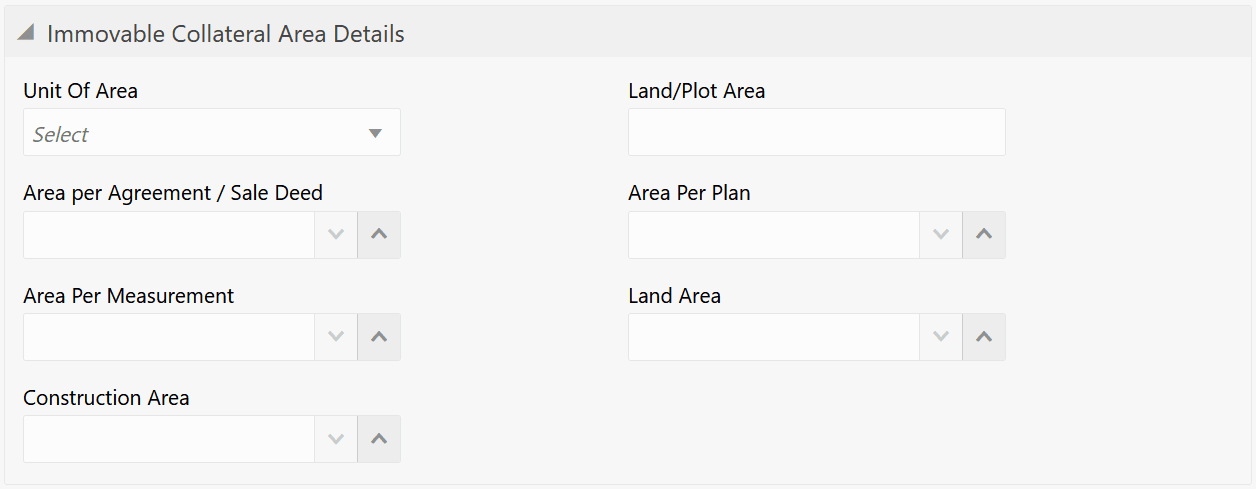
Date of Property Visit Specify the date on which the valuation agency has visited the property. Number of Blocks/Wings Specify the number of blocks or wings in the property. Number of Stories Specify the Number of Stories available in the building. Number of Units Per Floor Specify the number of flats available per floor. Age of the Property Specify the present date of the property in years. Residual Life Specify the remaining life of the building in years. Sanctioned Plan Details Provide details about the plan sanctioned for building construction. Construction Permission / Commencement Certificate Provide details of construction permission from the local authority. Permissible Usage As Per Sanctioned/Approved Plan Specify the purpose of building as per the permission obtained from the local authority. Deviations If Any If there is any deviation in the construction from the approved plan, specify the deviation details. Land Rate Specify the Land Rate in the locality. Construction Rate Specify the cost of construction per unit. Amenity Value Specify the value of other amenities provided to the customers. Total Fair Market Value Specify the fair market value of the building or apartment or unit. Forced/Distress Sale Value Specify the possible sale value in case of default by customer. Realizable Value Specify the value of realization in case of sale. Ready Reckoner Rate/Circle Rate Specify the indexed rate or prevailing rate in the locality. Stage of Construction Specify the current Stage of Construction. Negative Remarks Capture Negative Remarks from the External Valuator, if any Figure 5-8 Immovable Collateral Area Details
Table 5-3 Immovable Collateral Area Details - Field Description
Field Description Unit of Area Select the Unit of Area from the drop down list. The options available are: - Acre
- Hectare
- Square Meter
- Square Yard
Land/Plot Area Specify the Land/Plot Area in the selected unit. Area per Agreement / Sale Deed Specify the area as mentioned in the sale deed or agreement. Area Per Plan Specify the area covered per flat as per the building plan. Area Per Measurement Specify the proprty area as per measurement. Land Area Specify the Land Area in the selected unit. Construction Area Specify the total Construction Area on the land. - Click Add.The external valuation details are added and displayed as shown below.
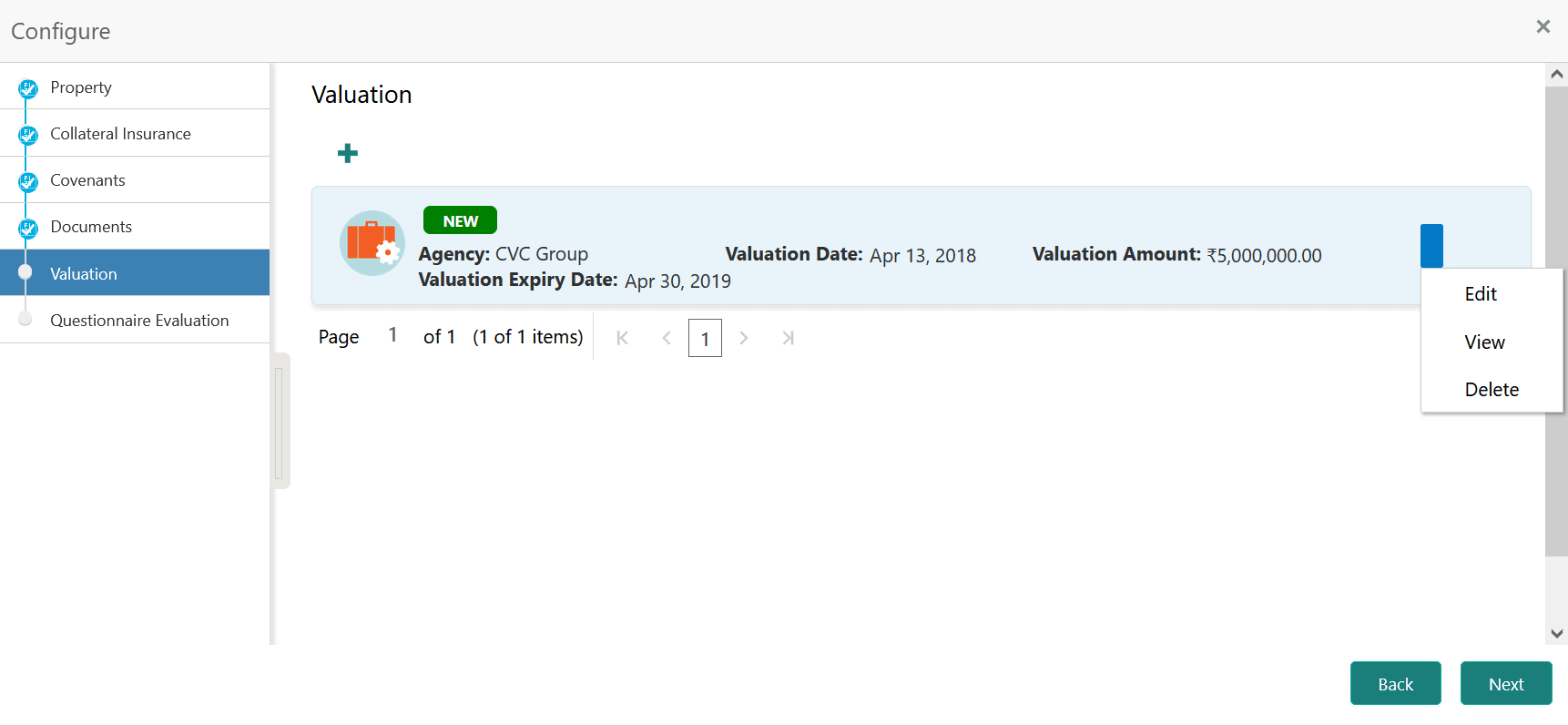
Figure 5-9 External Valuation - Configure - Valuation Added
You can Edit, View, or Delete the added external valuation details by clicking the action icon in the corresponding record and selecting the required option.