13.5 Property
Information on the Property data segment in Manual Retry stage.
This data segment allows to modify collateral details added in the previous
stages/process. In case there is handoff error in this screen, you must fix it before
proceeding to the next data segment.
Upon clicking
Next in the Manual Retry - Basic Info screen, the
Collateral Type data segment is displayed based on the collateral selected for
review.
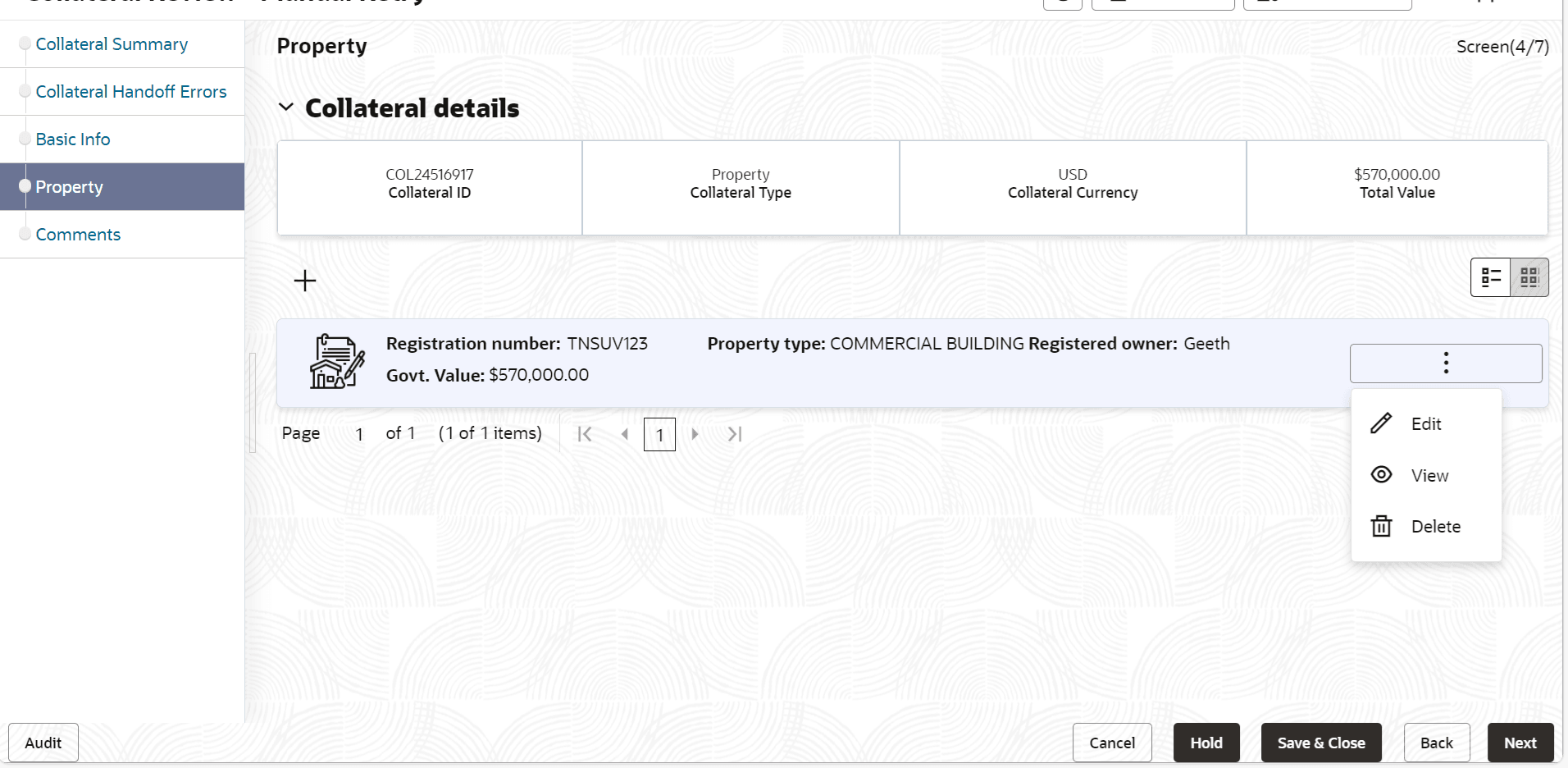
To modify the collateral details, click the action icon in the collateral
record and select Edit.
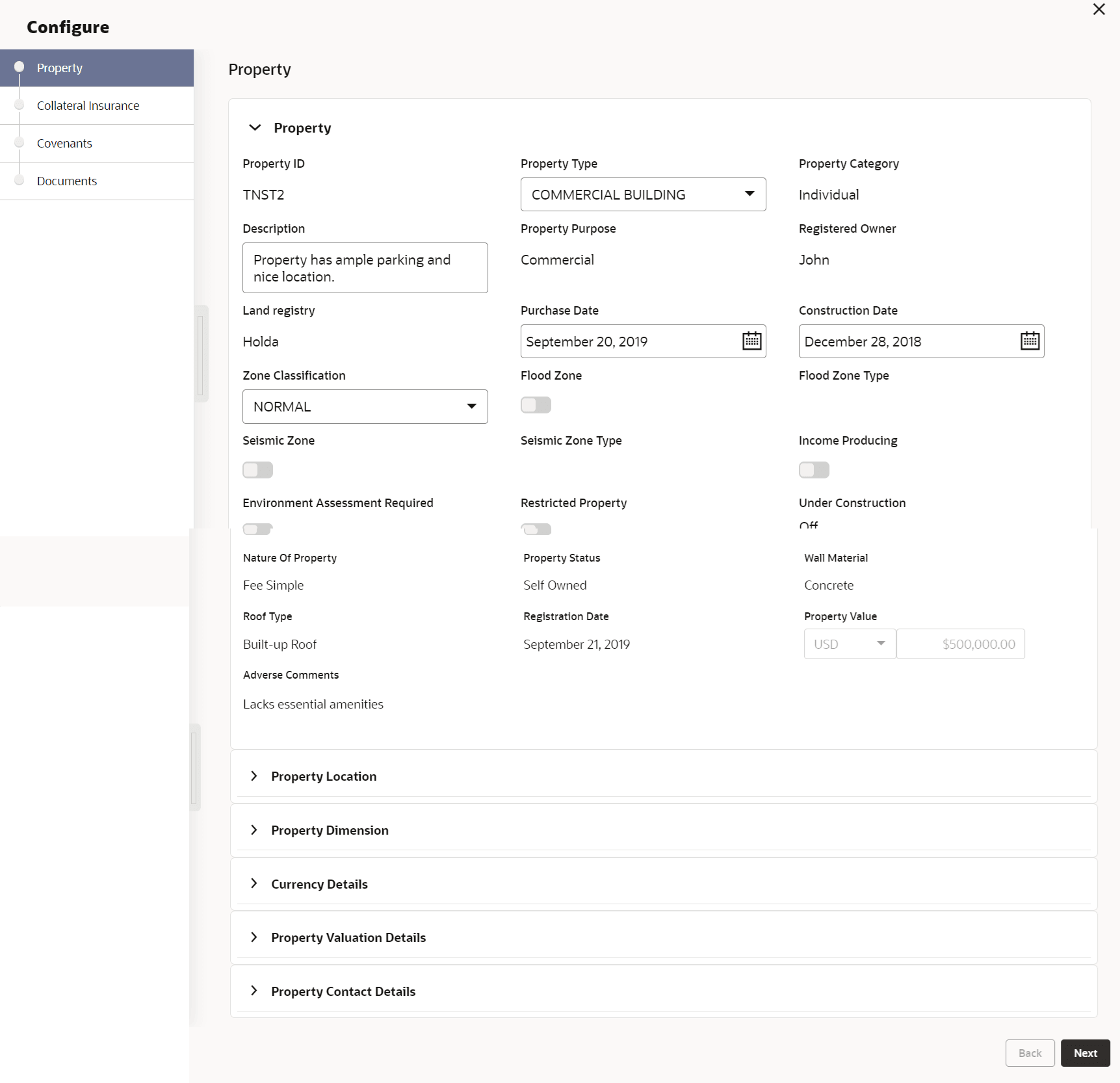
The Enrichment - Configure - Property screen is displayed.
Figure 13-6 Enrichment - Configure - Property
Note:
For detailed information on Property, Collateral Insurance, Covenants, and Documents menus, refer Property topic in Data Enrichment chapter.