8.3 Risk Evaluation

Procedure to add risk evaluation details for the collateral.

Upon clicking Next in the Risk Evaluation - Summary screen, the Risk Evaluation data segment is displayed.

Figure 8-3 Risk Evaluation - Risk Evaluation
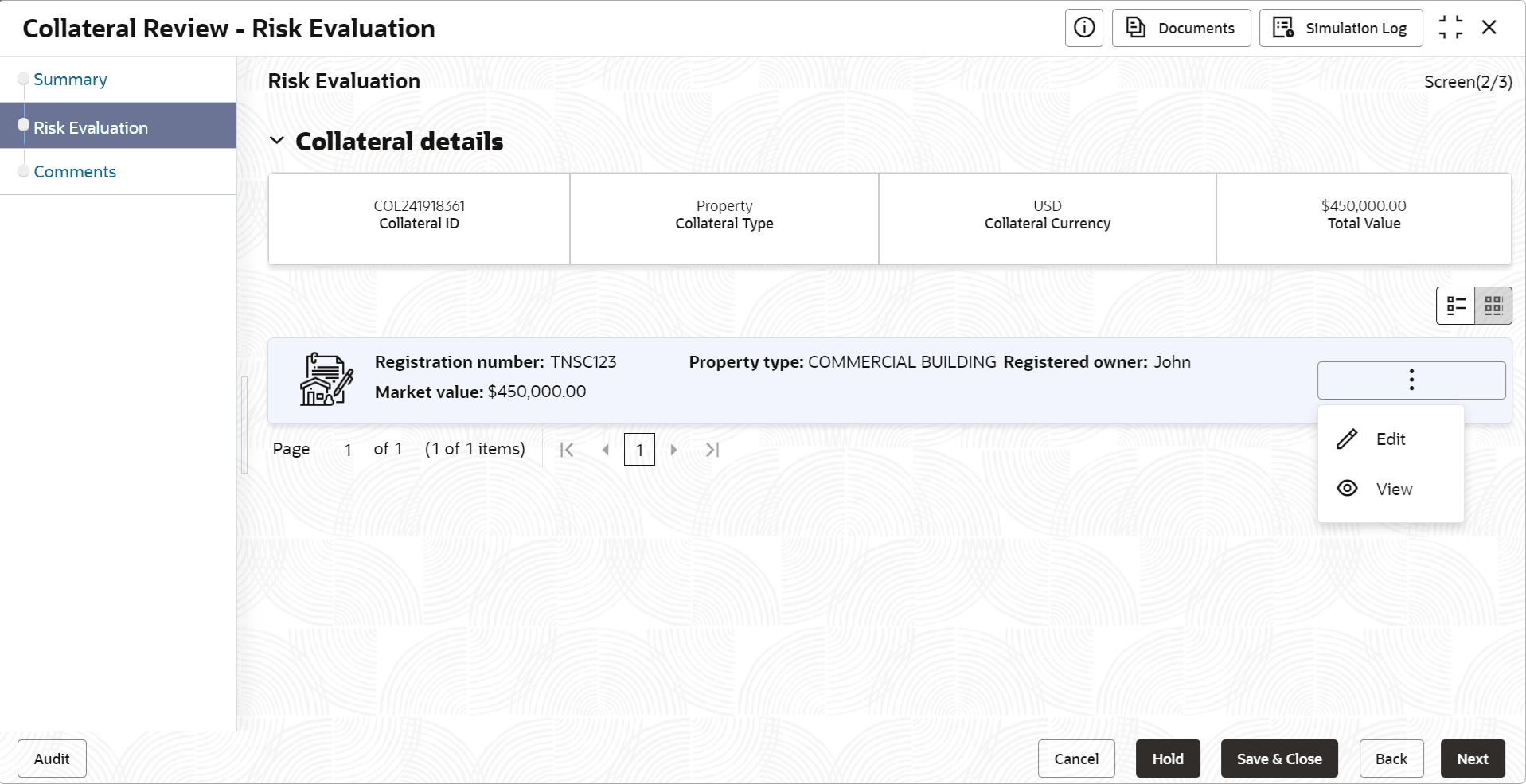


  1. Click the action icon in the required collateral record and select Edit.
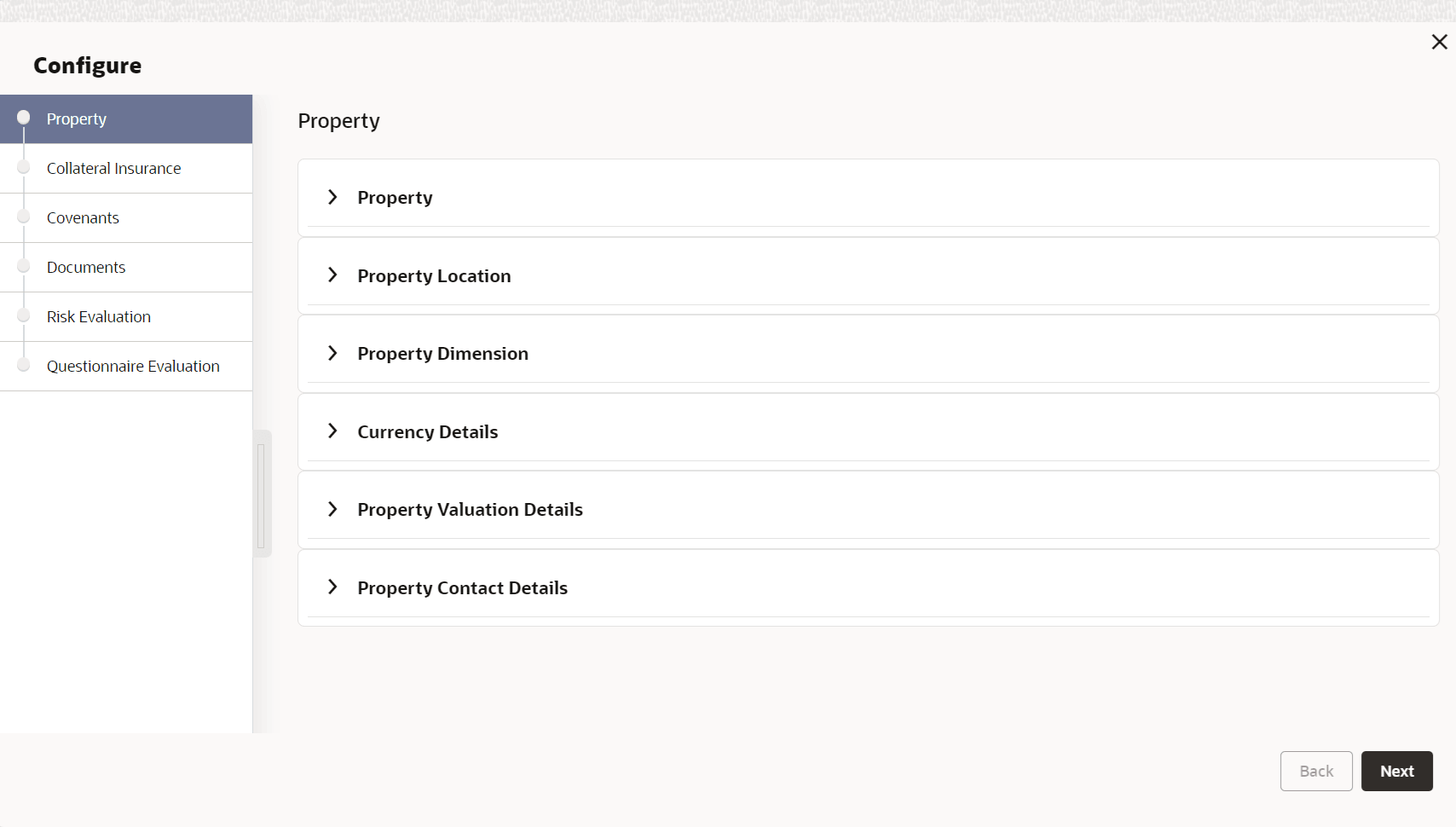
    The Risk Evaluation - Configure - Collateral Type screen is displayed based on the selected collateral.

    Figure 8-4 Risk Evaluation - Configure - Property


    For information on the Property, Covenants, and Documents menus, refer the Data Enrichment chapter.

  2. Click Next and navigate to Risk Evaluation menu.

    Figure 8-5 Risk Evaluation - Configure - Risk Evaluation


  3. Click + the add icon in the Risk Evaluation - Configure - Risk Evaluation screen.
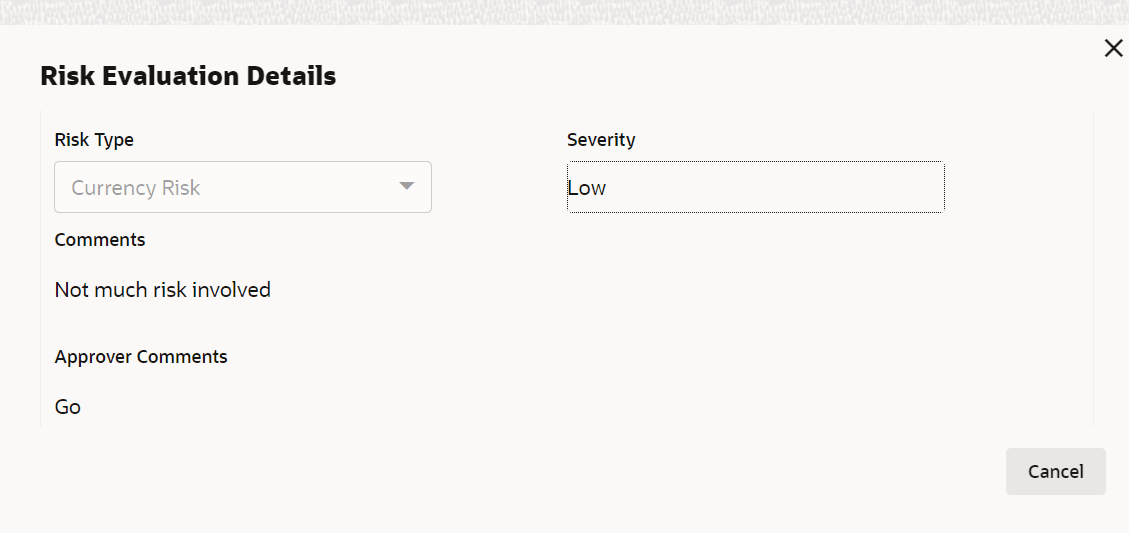
    The Risk Evaluation Details window is displayed.

    Figure 8-6 Risk Evaluation Details


  4. Provide all the details in the Risk Evaluation Details window.
    For field level information, refer the below table.

    Table 8-1 Risk Evaluation Details - Field Description

    Field Description
    Risk Type Select the Risk Type from the drop down list. The options available include but are not limited to:
    • Currency Risk
    • Natural Hazardous Risk
    • Liquidity Risk
    • Operational Risk
    • Geo Political Risk
    • Issue Credit Risk
    Severity Specify the Severity of risk.
    Comments Capture the Risk Evaluator Comments.
    Approver Comments Capture the Risk Approver Comments.
  5. Click Add.
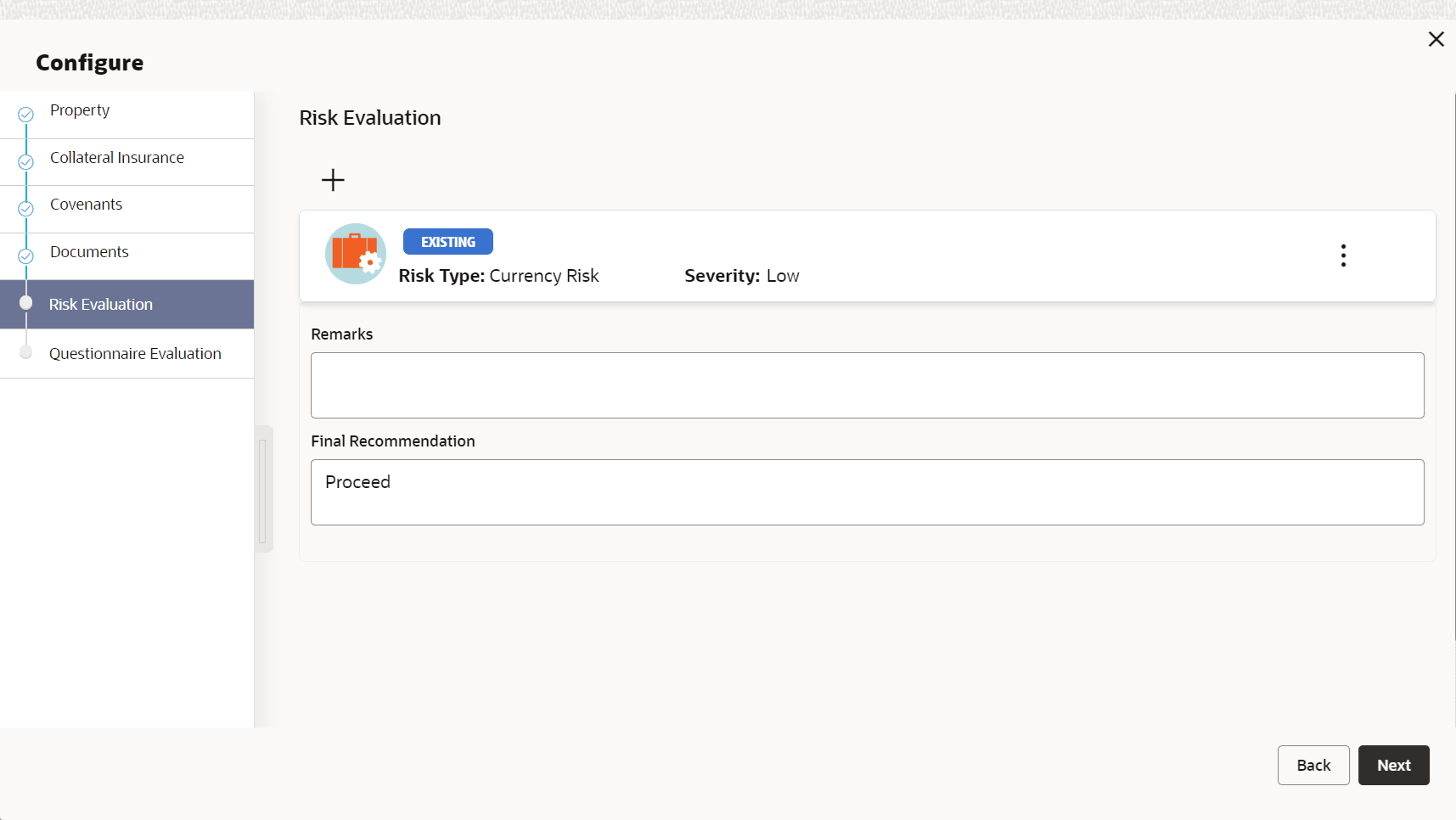
    The risk evaluation details are added and displayed as shown below.

    Figure 8-7 Risk Evaluation - Configure - Risk Evaluation Added


    You can Edit, View, or Delete the added risk evaluation details by clicking the action icon in the corresponding record and selecting the required option.
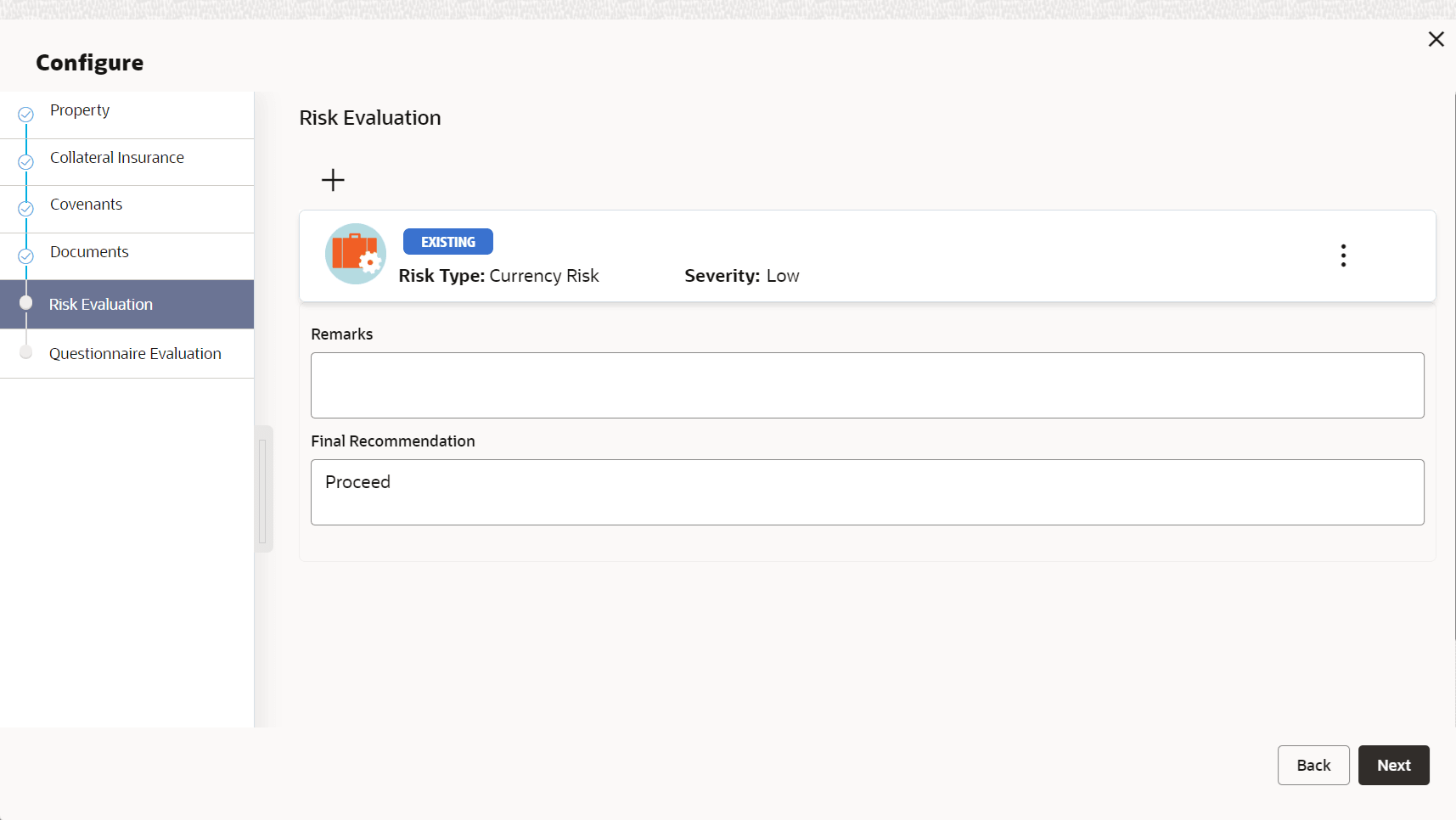
  6. Capture Remarks for the risk evaluation.
  7. Provide a Final Recommendation for the collateral and click Next.
    The Risk Evaluation - Configure - Questionnaire Evaluation screen is displayed.

    For information on questionnaire based evaluation, refer the External Check chapter.

  8. After performing necessary actions in the Risk Evaluation - Risk Evaluation screen, click Next.