14.1 Create E-mail Template
This topic provides systematic instructions about the procedure to create E-mail template.
The Create E-Mail Template screen provides an option to create new
E-mail template record.
- From Home screen, select Credit Facilities. Under Credit Facilities, select Maintenance.
- Under Maintenance, select Notifications. Under
Notifications, select Create E-mail Template.The Create E-Mail Template screen is displayed.
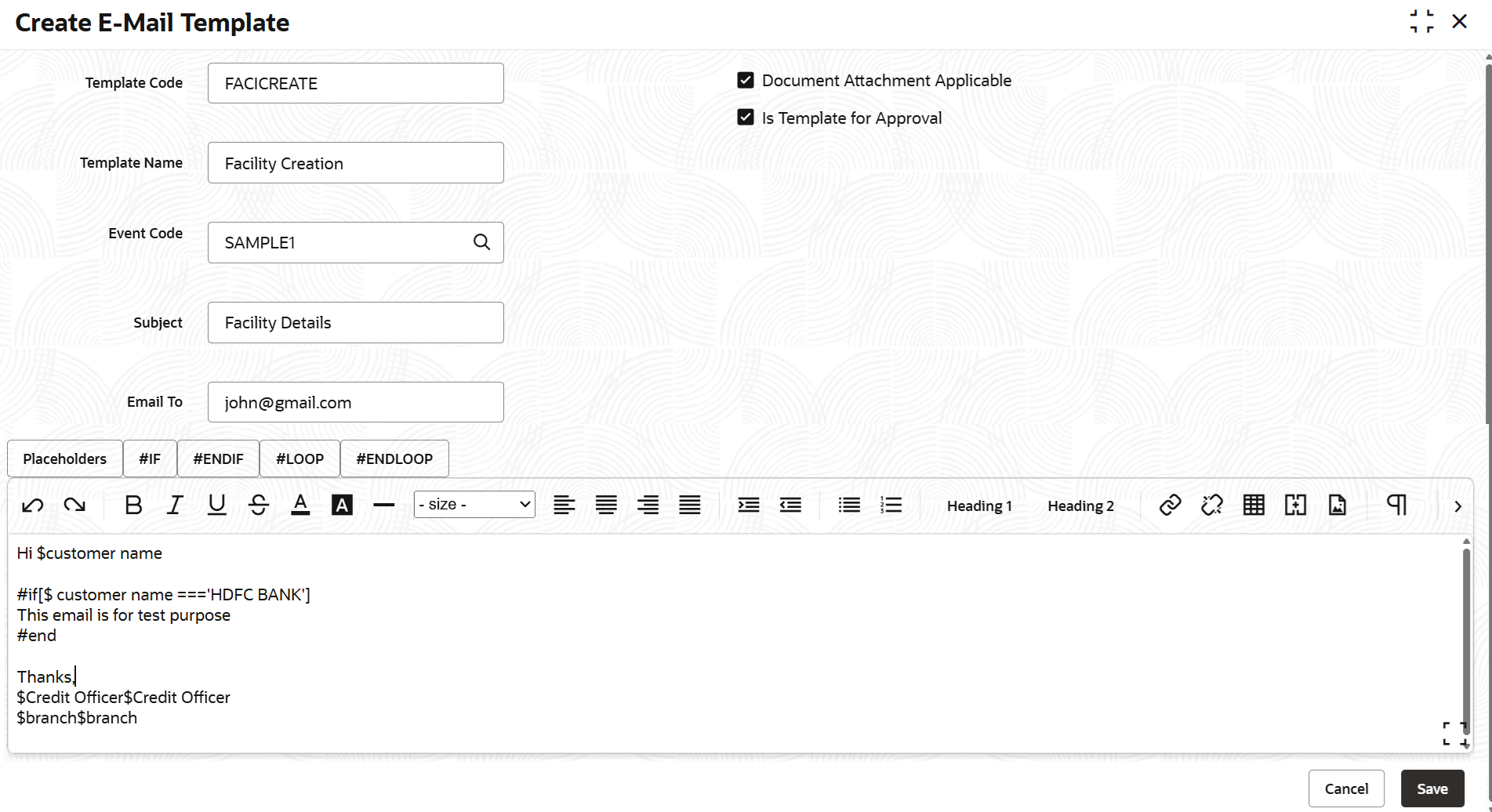
- Provide / select the template details based on description in the following table.
Table 14-1 Create E-Mail Template - Field Description
Field Description Template Code Specify a unique code for the E-mail template to be created. Template Name Specify a name for the E-mail template to be created. Event Code Search and select the Event Code for associating with the E-Mail template. Event codes created in the Create Event Mapping screen are displayed in the option list. Refer Create Event Mapping topic for information on event creation. Subject Specify the E-mail subject Email To Specify the E-mail ID to which notification E-mail has to be sent on occurrence of linked event Email CC Specify the E-mail ID which has to be in CC of notification E-mail Document Attachment Applicable Enable this check box, if the event notification has E-mail attachment Is Template for Approval Enable this check box, if the E-mail template must be sent for approval - Provide the E-Mail body content in the text box at the bottom of screen.
Note:
In the text box, you can insert Placeholders #IF condition and #LOOP to create dynamic E-mail content. Placeholders are variables which the system fills with corresponding customer values while sending notification. - Click Save.The E-mail template record will be created upon authorization.
Parent topic: Notifications
