4.1 Creating Financial Code
This topic provides systematic instructions about the procedure to create a financial code in OBCFPM.
The Create Financial Code screen provides an option to define financial
code for financial document template maintenance.
- From Menu screen, select Credit Fcailities. Under Credit Facilities, select Maintenance.
- Under Maintenance, select Financial Code. Under
Financial Code, select Create Financial Code.If the Input Mode is selected as Input, the Create Financial Code screen is displayed as shown below.
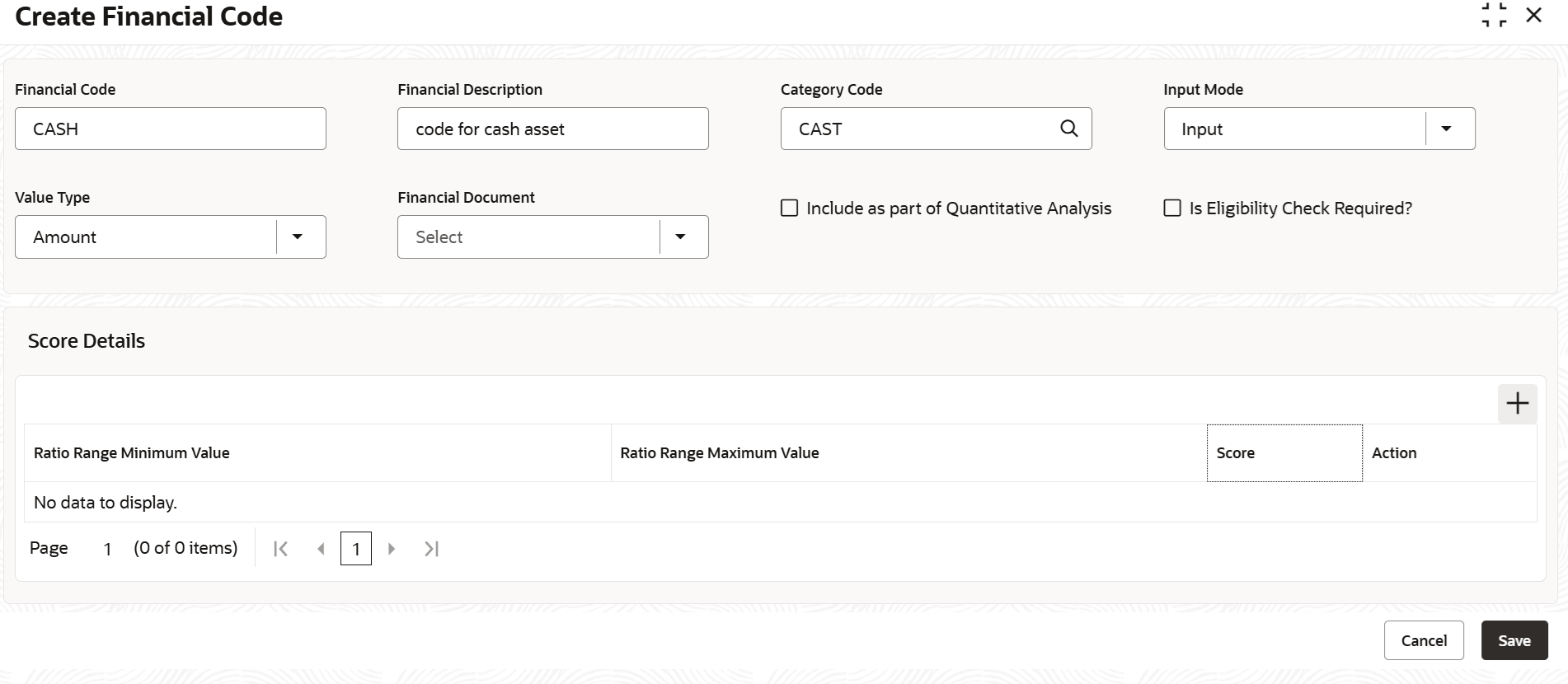
- Provide the financial code details based on description in the following table.
Table 4-1 Create Financial Code - Input - Field Description
Field Description Financial Code Type a unique code for the sub-category to be created. Financial Description Type brief description for the sub-category to be created. Category Code Search and select the Category Code for associating with the financial code. Financial categories maintained in the Financial Category Maintenance screen are displayed in the option. Input Mode Select the mode for fetching financial details from the financial documents. The options available are Input and Derived. Ratio Range Min Value Specify the minimum financial value to define organization’s financial score. Ratio Range Max Value Specify the maximum financial value to define organization’s financial score. Score Specify the Score for the financial value range. If the financial value of the organization is in mentioned range, mentioned score is the organization’s financial score. - Click Add Score Details.
- To delete the added score detail, click Remove in the Action column.
- Click Save.The financial code will be created upon authorization.
If the Input Mode is selected as
Derived, the Create Financial Code screen is
displayed as shown below.
Figure 4-2 Create Financial Code - Derived
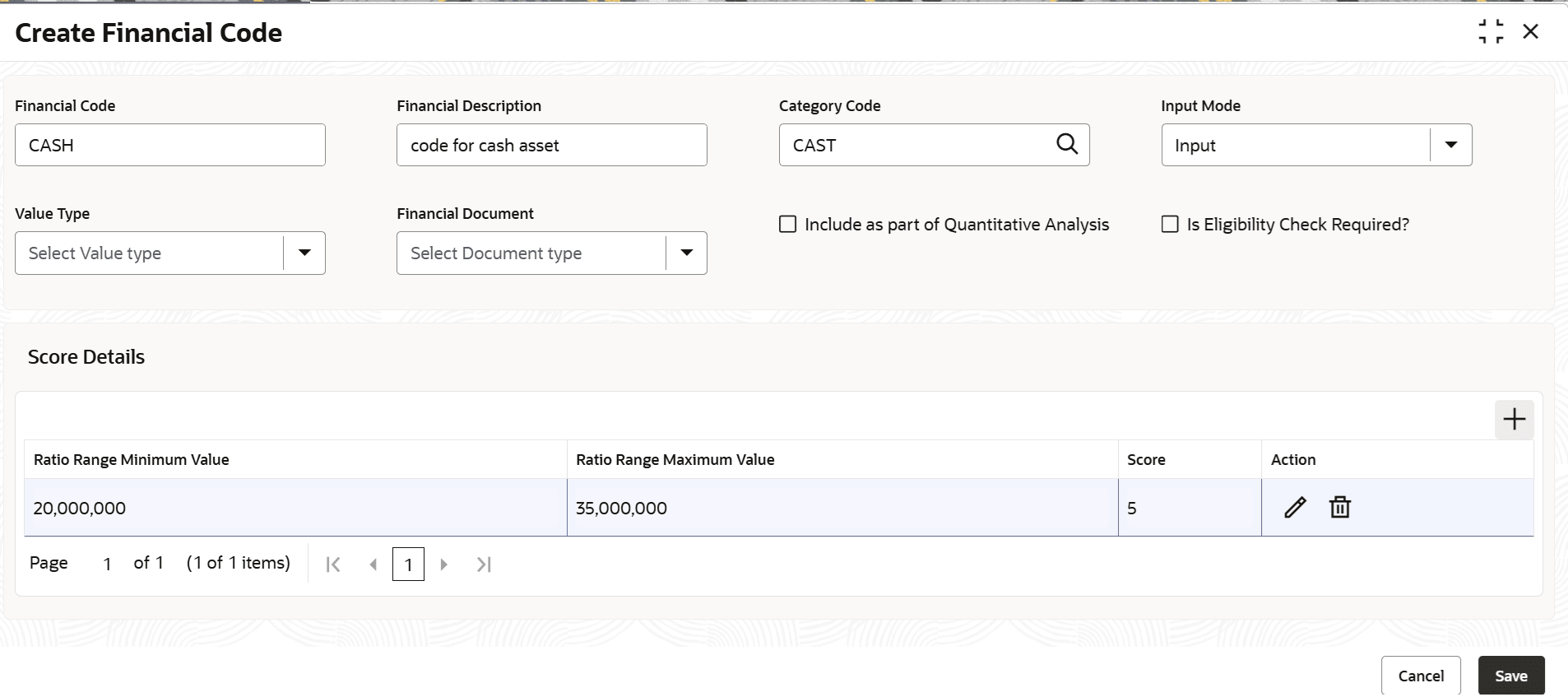
- Provide the financial code details based on description in the following table.
Table 4-2 Create Financial Code - Derived - Field Description
Field Description Financial Code Type a unique code for sub-category to be defined. Financial Description Type a brief description about the sub-category to be defined. Category Code Search and select the Category Code for associating with the financial code. Financial categories maintained in the Financial Category Maintenance screen are displayed in the option list. Input Mode Select the mode for fetching financial details from the financial documents. The options available are Input and Derived. Formula Builder Select the variables and the operators to construct formula for deriving financial value from the financial document. Note:- To add another variable, click Add Another Value
- To reset the formula, click Reset
Ratio Range Min Value Specify the minimum financial value to define organization’s financial score. Ratio Range Max Value Specify the maximum financial value to define organization’s financial score. Score Specify the Score for the financial value range. If the financial value of the organization is in mentioned range, mentioned score is the organization’s financial score. - Click Add Score Details.
- To delete the added score detail, click Remove in the Action column.
- Click Save.The financial code will be created upon authorization.
Parent topic: Financial Code

