11.1 Create Terms and Conditions

This topic provides systematic instructions about the procedure to create terms and conditions in OBCFPM.

The Create Terms Conditions screen allows you to define new terms and conditions for linking with any entity or customer.
  1. From Home menu, select Credit Facilities. Under Credit Facilities, select Maintenance.
  2. Under Maintenance, select Terms Conditions. Under Terms Conditions, select Create Terms Conditions.
    The Create Terms and Conditions screen is displayed.
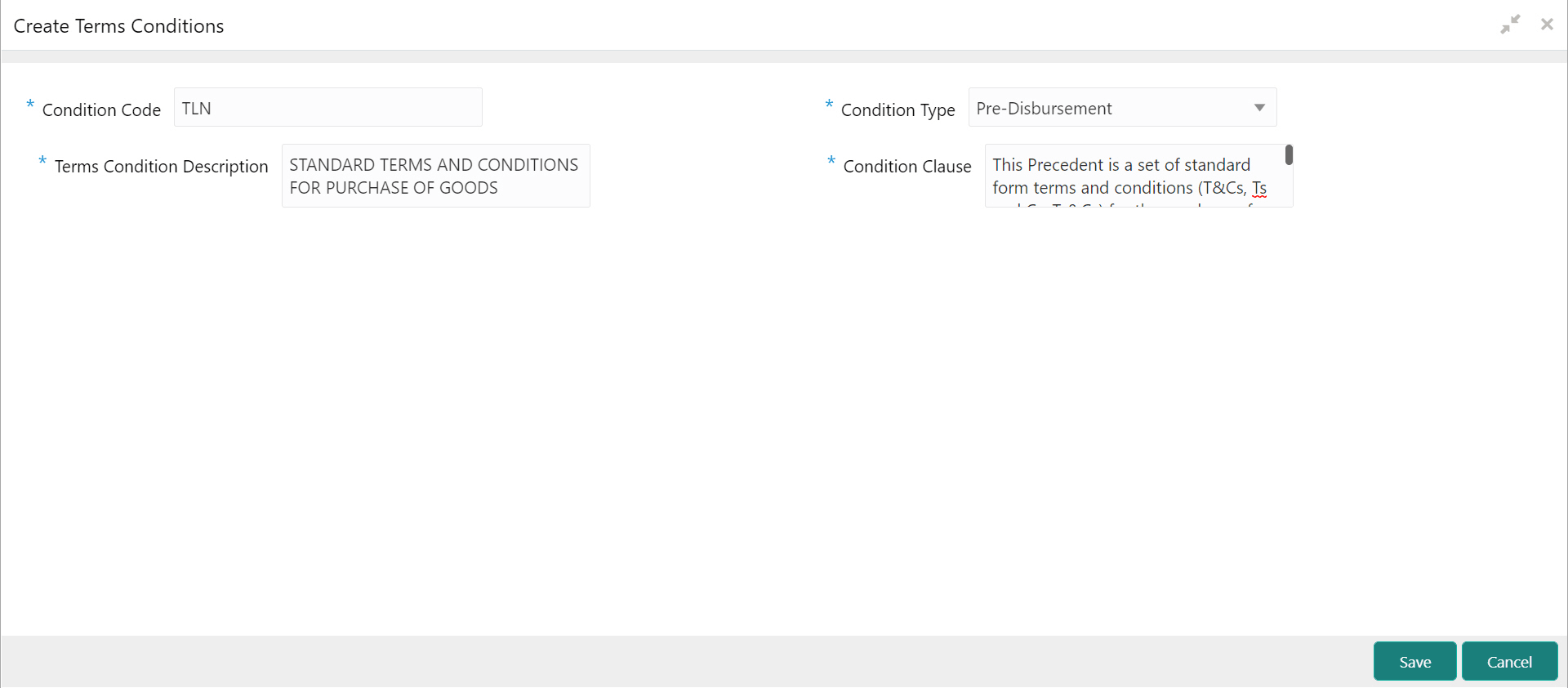
    Figure 11-1 Create Terms and Conditions


  3. Specify the terms and conditions details based on description in the following table.

    Table 11-1 Create Terms and Conditions - Field Description

    Field Description
    Condition Code Specify a unique code for the terms and conditions. Condition code can contain up to four characters / numbers.
    Condition Type Select the Condition Type from the drop down list. The options available are Pre-disbursement and Post-disbursement.
    Terms Condition Description Type a brief description about the terms and conditions.
    Condition Clause Type the complete terms and conditions.
  4. Click Save.