3.9 Configure Party / Child Party
- Right click on the party / child party icon and click Configure.The
following window appears:
Figure 3-9 Party Details
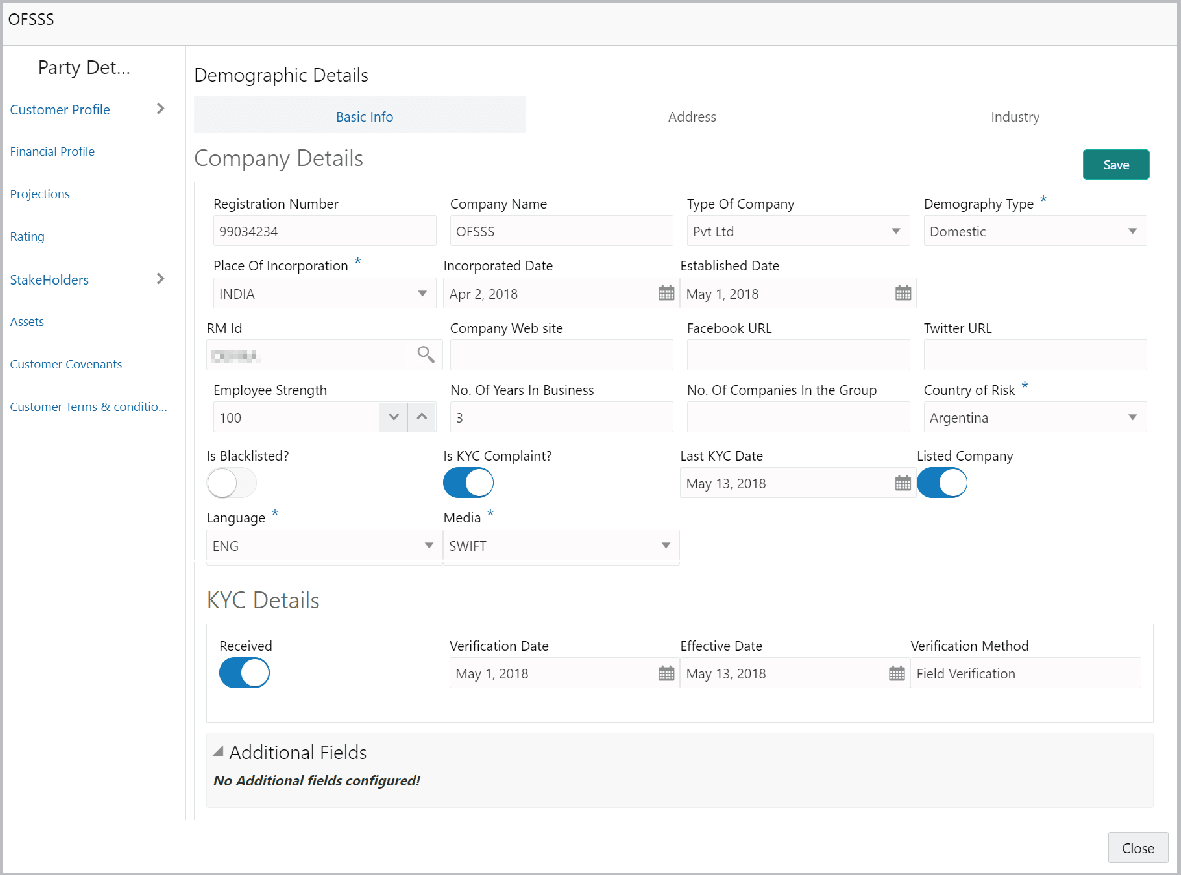
Customer Profile
Table 3-4 Customer Profile
Fields Description Company Details Enter or select the following details in the corresponding fields: - Registration Number
- Company Name
- Type Of Company
- Geographical Spread
- Place Of Incorporation
- Incorporated Date
- Established Date
- RM Id
- Company Website
- Facebook URL
- Twitter URL
- Employee Strength
- No. Of Years In Business
- No. Of Companies in the Group
- Country of Risk
Is Blacklisted? Enable the Is Blacklisted?option, if the company is blacklisted. Is KYC Compliant? Enable the Is KYC Compliant? option, if the company is KYC Compliant. Last KYC Date Click the calendar icon and select the Last KYC Date. Listed Company Enable the Listed Company switch, if the company is listed. Language Select the Language from the drop-down list. Media Select the Media for transactions from the drop-down list. KYC Details
Table 3-5 KYC Details
Fields Description Received Enable the Received option, if KYC verification details are received for the customer. Verification Date and Effective Date Click the calendar icon and select the KYC Verification Date and Effective Date. Verification Method Enter the KYC Verification Method. For example: Field verification. Save Click Save. - To add the company address details, click the Address tab and then click
the Add icon.The Address Details window is displayed.
Figure 3-10 Address Details
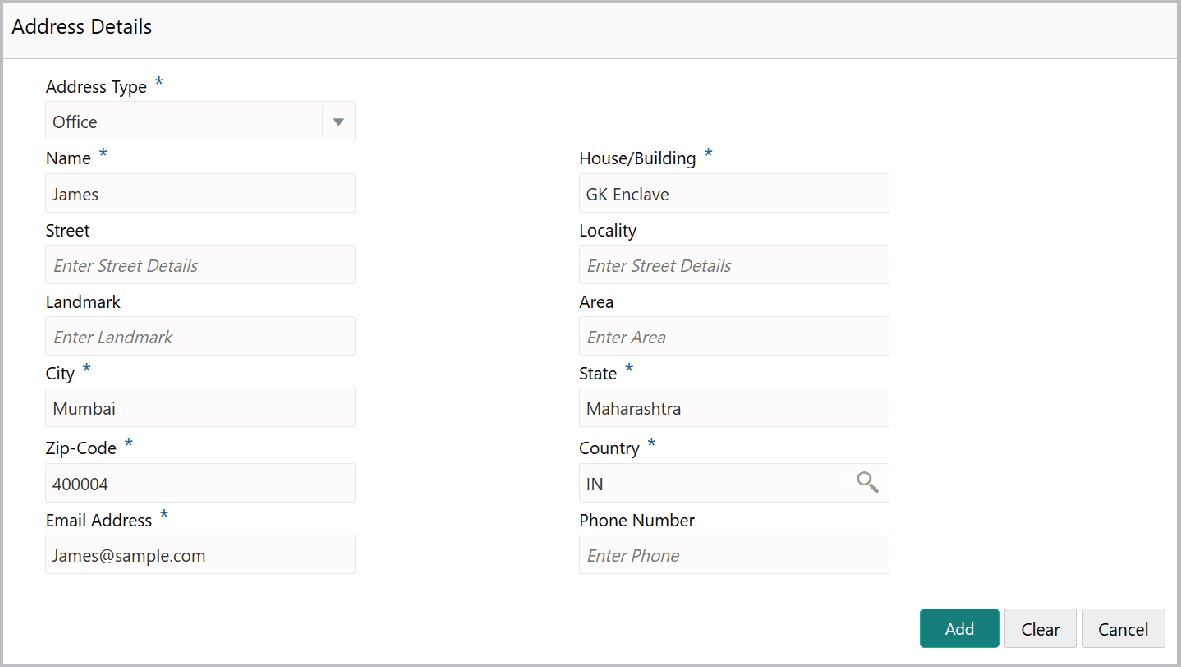
For field level information refer the below table.
Table 3-6 Address Details
Fields Description Address Details Enter or select the following details in the corresponding fields: - Address Type
- Name of the contact person
- House/Building name
- Street
- Locality
- Landmark
- Area
- City
- State
- Zip-Code
- Country
- Email Address
- Phone Number
Add Click Add. Address details are added. Industry To add the industry details, click the Industry tab and select the required details. Note: To Edit, Delete or View the added Basic Info, Address, and Industry. click the Hamburger icon in the required list item and select the required option.
Customer Profile To view the party’s business details, click the Customer Profile in menu and select Business sub-menu.
Parent topic: Proposal Initiation