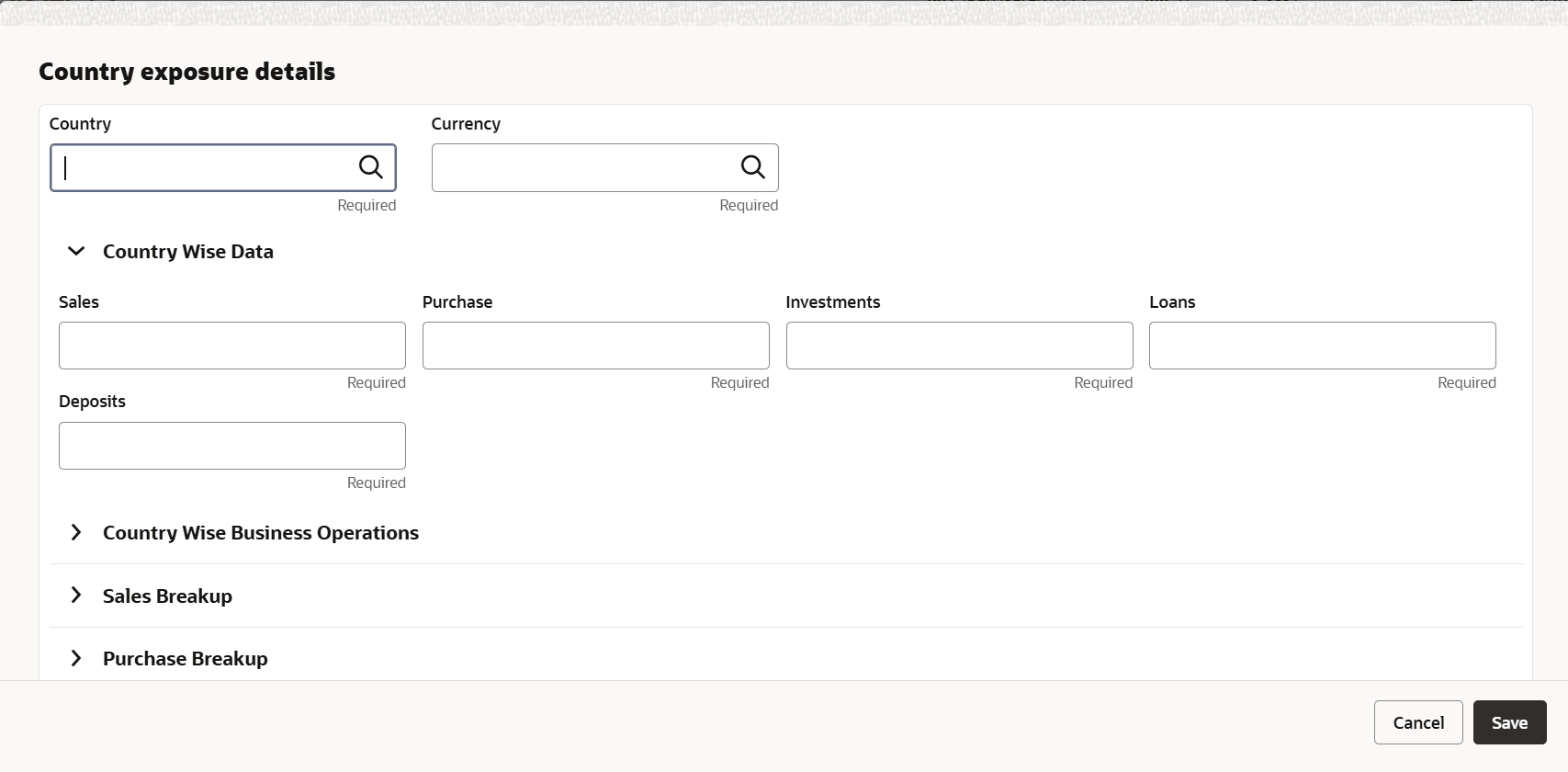
3.17 Exposures To add the exposure details of the entity, click Exposures in the left menu. The Country Exposure and Currency Exposure sub-menus are displayed. Click Country exposure and then click the Add icon.The Country Dependency Details window is displayed. Figure 3-33 Country Dependency DetailsDescription of "Figure 3-33 Country Dependency Details" Search and select the Country and its Currency. For field level information refer the below table. Table 3-14 Country Wise Data Fields Description Sales Specify the amount of Sales recorded in the selected country. Purchase Specify the amount of Purchase made from the selected country. Investments Specify the amount of Investments made in the selected country. Loans Specify the amount of Loans received from the selected country. Deposits Specify the amount of Deposits made in the selected country. Parent topic: Proposal Initiation