4.1 Release Request
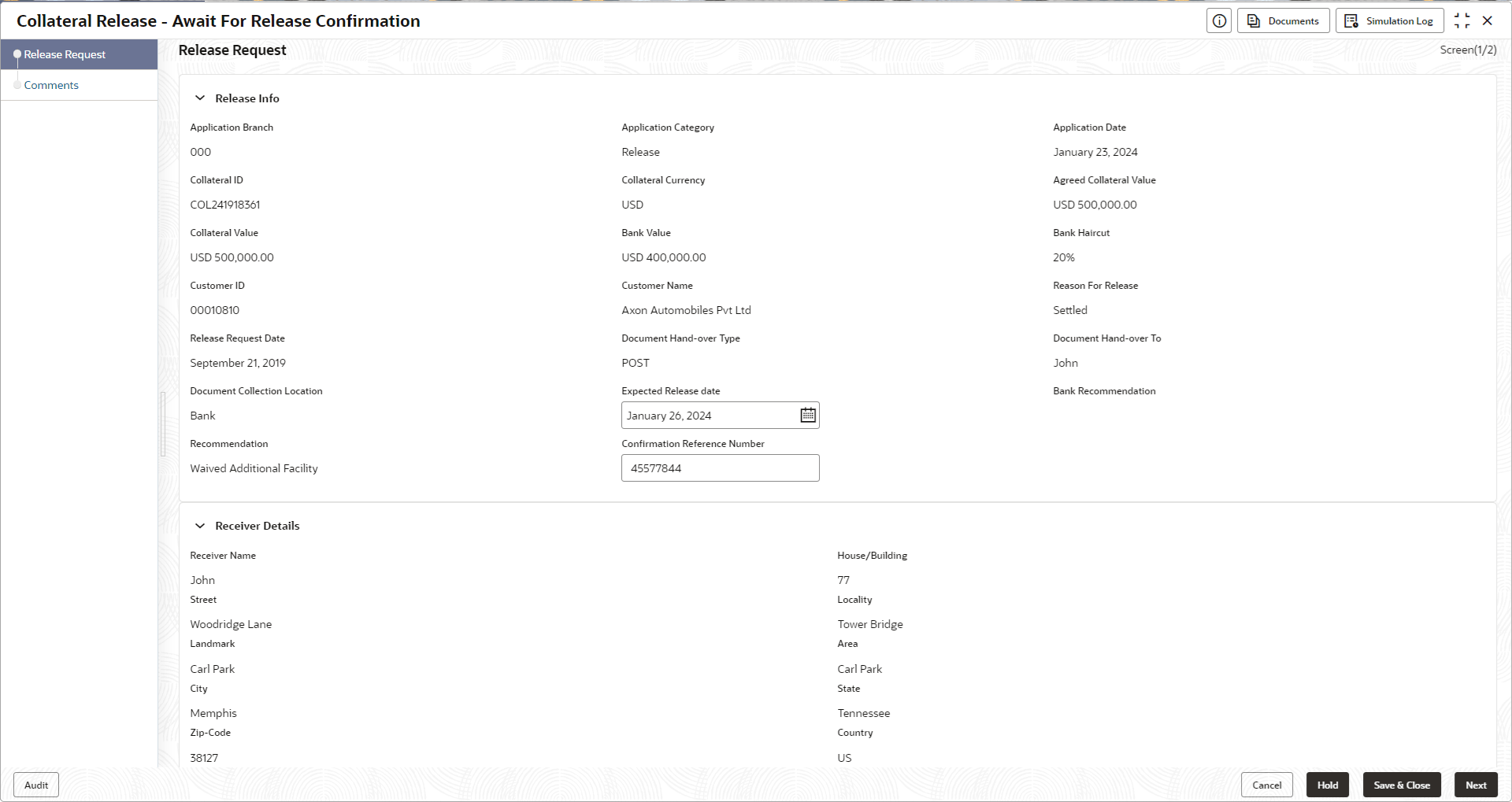
This topic provides the systematic instructions on the Release Request data segment in the Await for Release Confirmation stage.
This data segment displays the release request details captured in the
Collateral Release Request stage for reference.
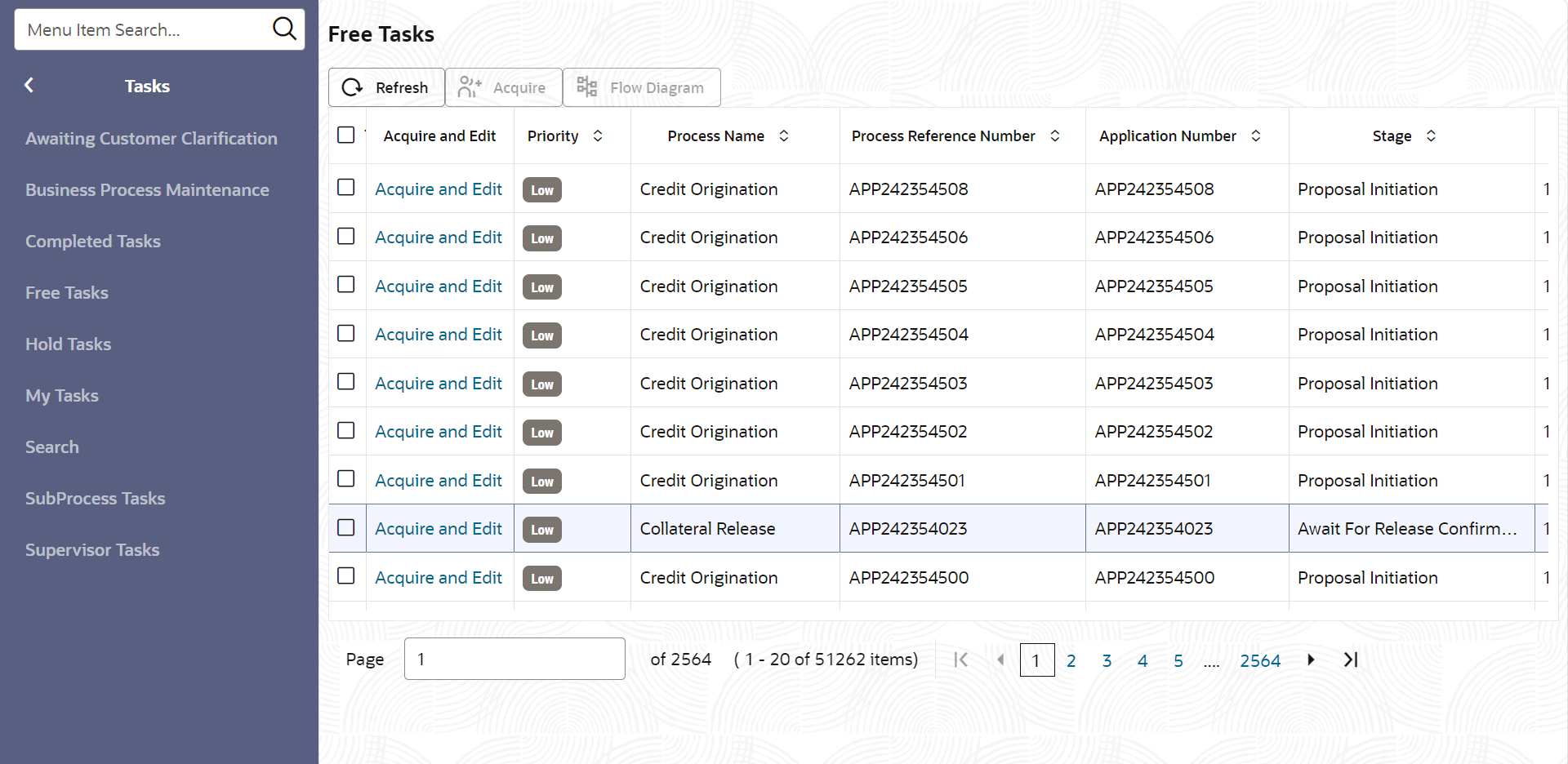
- From Home screen, click Tasks.
Under Tasks, click Free
Tasks.The Free Tasks screen is displayed.
- Click Acquire & Edit, the required Await for Release
Confirmation task.The Await for Release Confirmation - Release Request screen displays.
Figure 4-2 Await for Release Confirmation - Release Request