8.2 Document Retrieval
This topic provides systematic instructions about Information on the Document Retrieval data segment in the Document Retrieval stage.
This data segment allows to capture the document retrieval status of the
collateral.
Click Next in the Document
Retrieval - Release Request screen, the Document Retrieval data segment is
displayed.
Figure 8-3 Document Retrieval - Document Retrieval
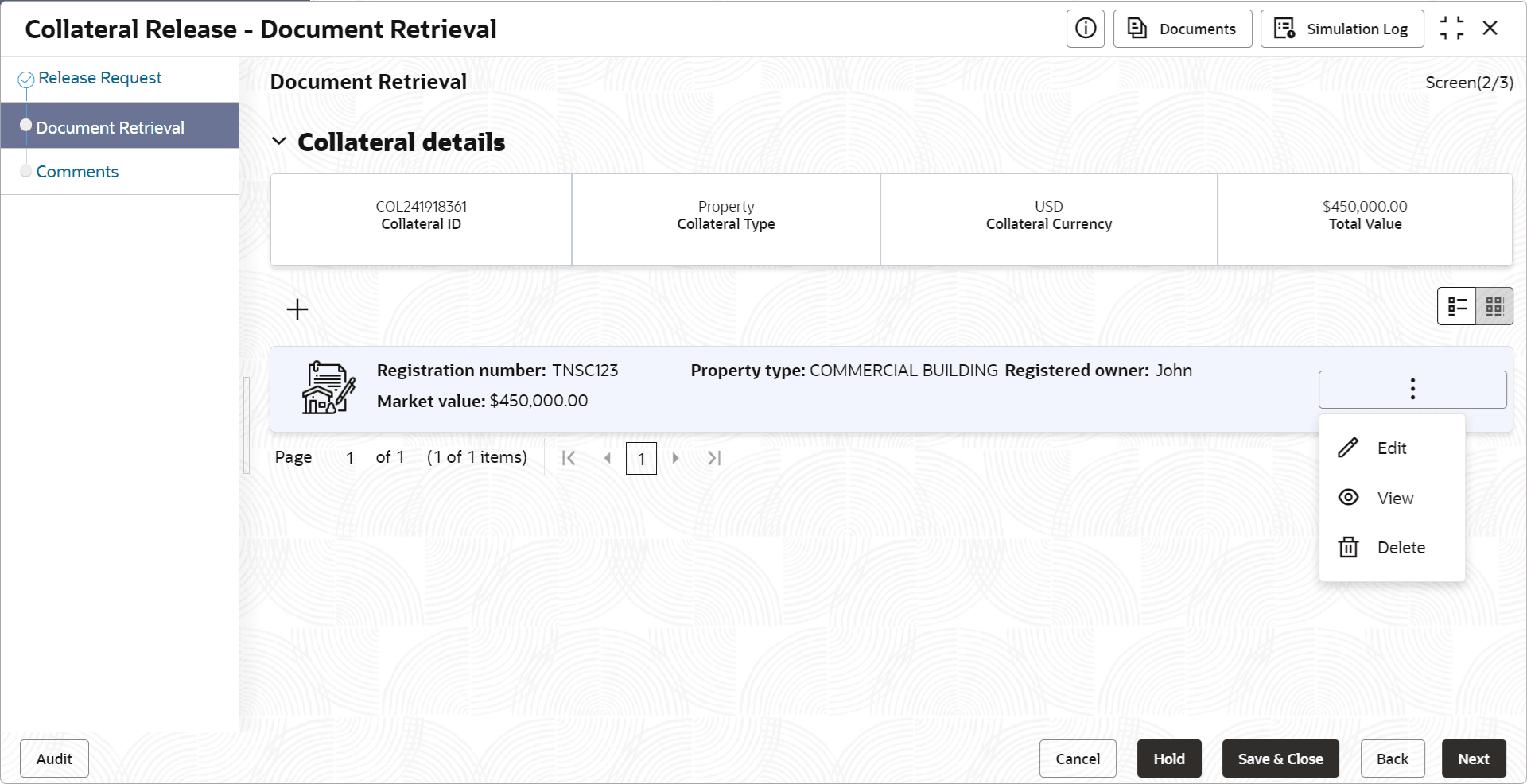
- Click the action icon in the collateral record and select
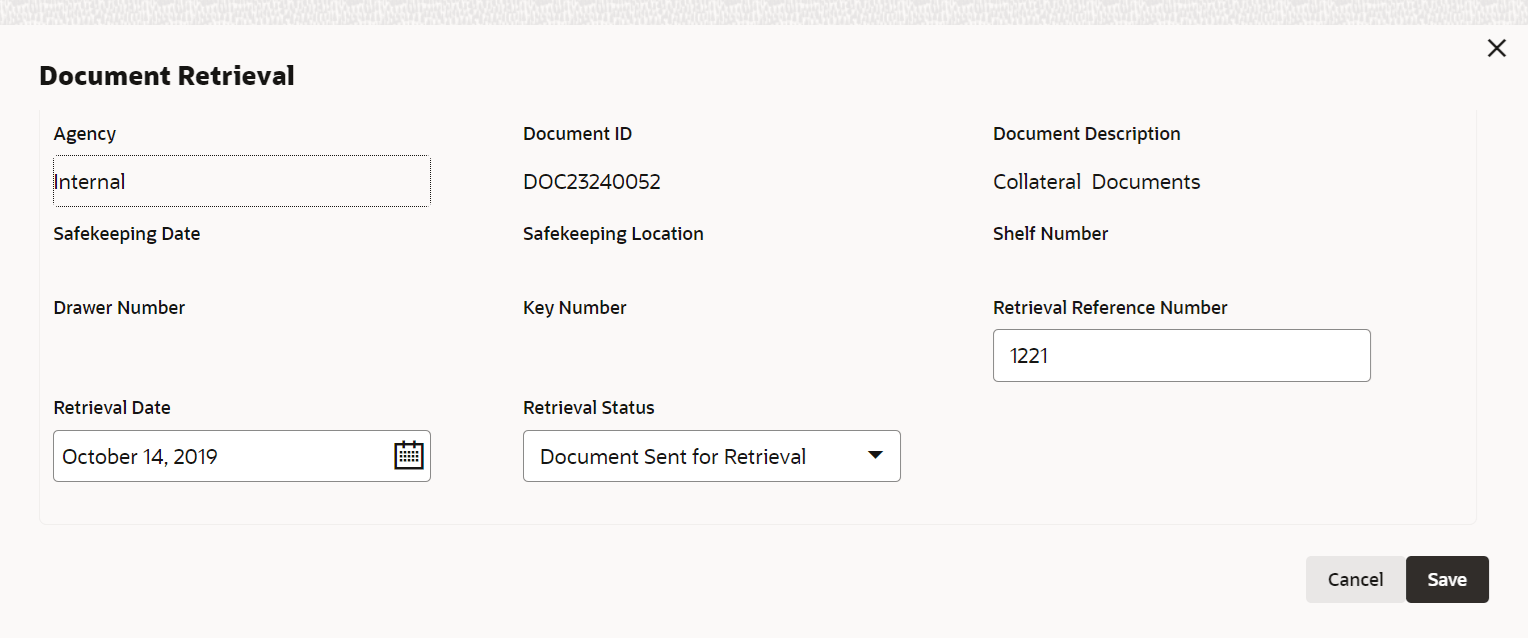
Edit.The Document Retrieval screen with the following collateral safekeeping details is displayed.
- Agency
- Document ID
- Document Description
- Safekeeping Date
- Safekeeping Location
- Shelf Number
- Drawer Number
- Key Number