5.1 Summary
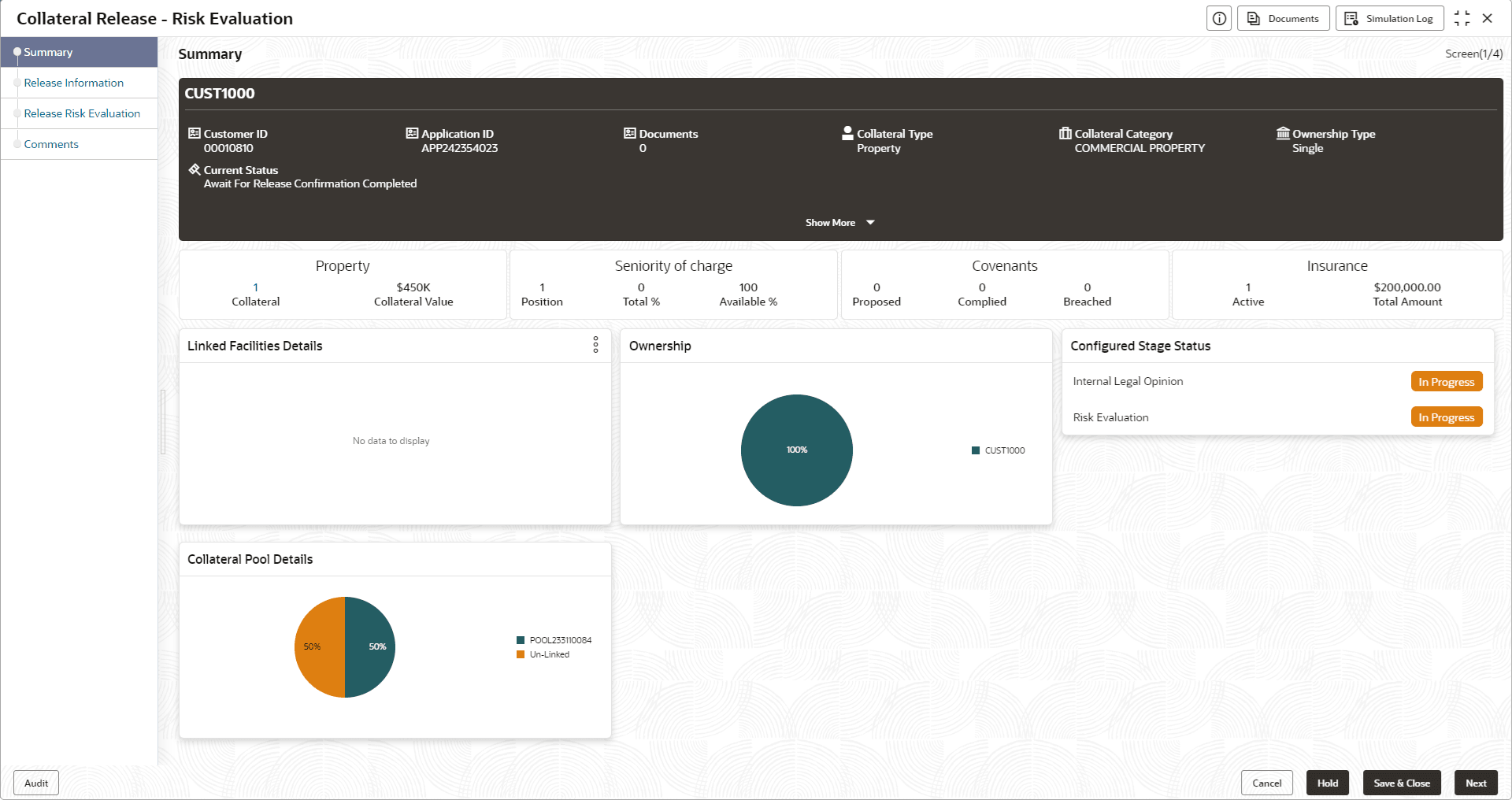
Information about the Summary data segment in the Risk Evaluation stage.
In the Summary data segment, the following collateral details captured
as part of Collateral Perfection or Review process are displayed.
- Basic Information
- Collateral Type (Property) Details
- Linked Facilities Details
- Ownership
- Seniority of Charge
- Covenants
- Insurance
- Configured Stage Status
Note:
The Configured Stage Status is updated based on the status of parallel tasks generated in the system.
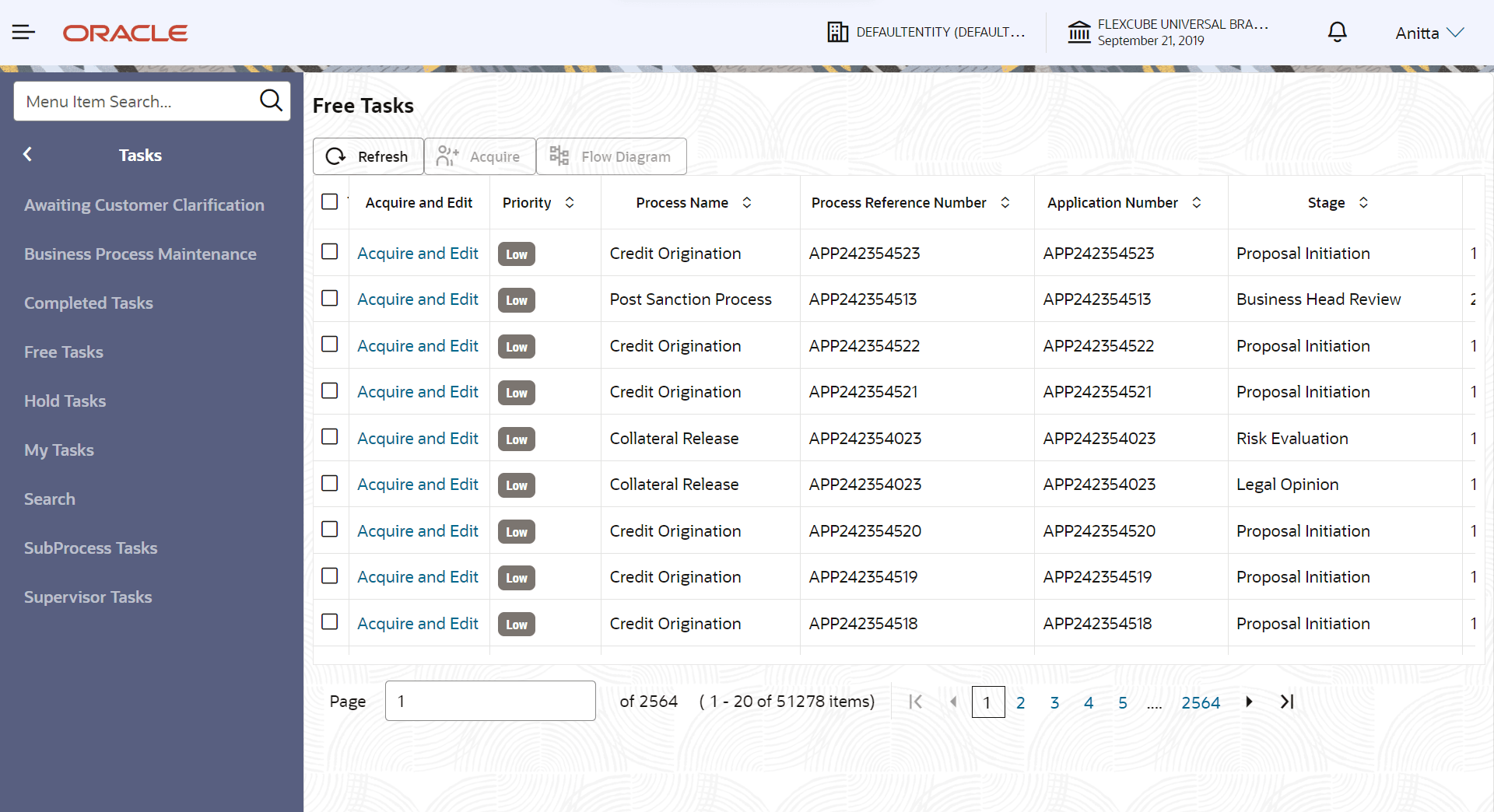
- To launch the Risk Evaluation - Summary screen, navigate to Tasks >
Free Tasks from the left menu.The Free Tasks screen is displayed.
- Click Acquire & Edit in the required Risk Evaluation
task.The Risk Evaluation - Summary screen is displayed.