3.8 Financial Profile
Information on the Financial Profile tile in Credit 360 interface.
The Financial Profile tile displays financial information of the customer for last five years based on the financial documents uploaded in Credit Proposal processes such as Credit Proposal Initiation Process.
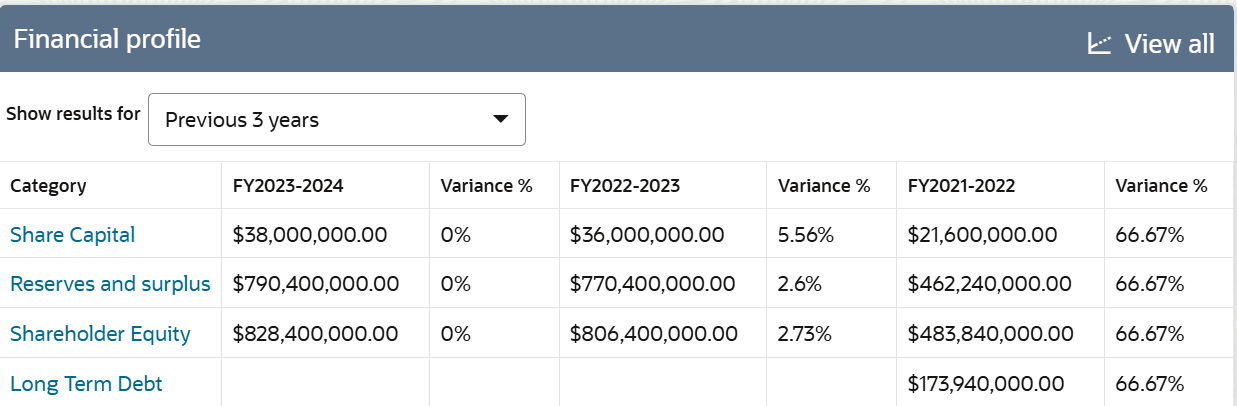
By default, financial information is displayed for last three years.
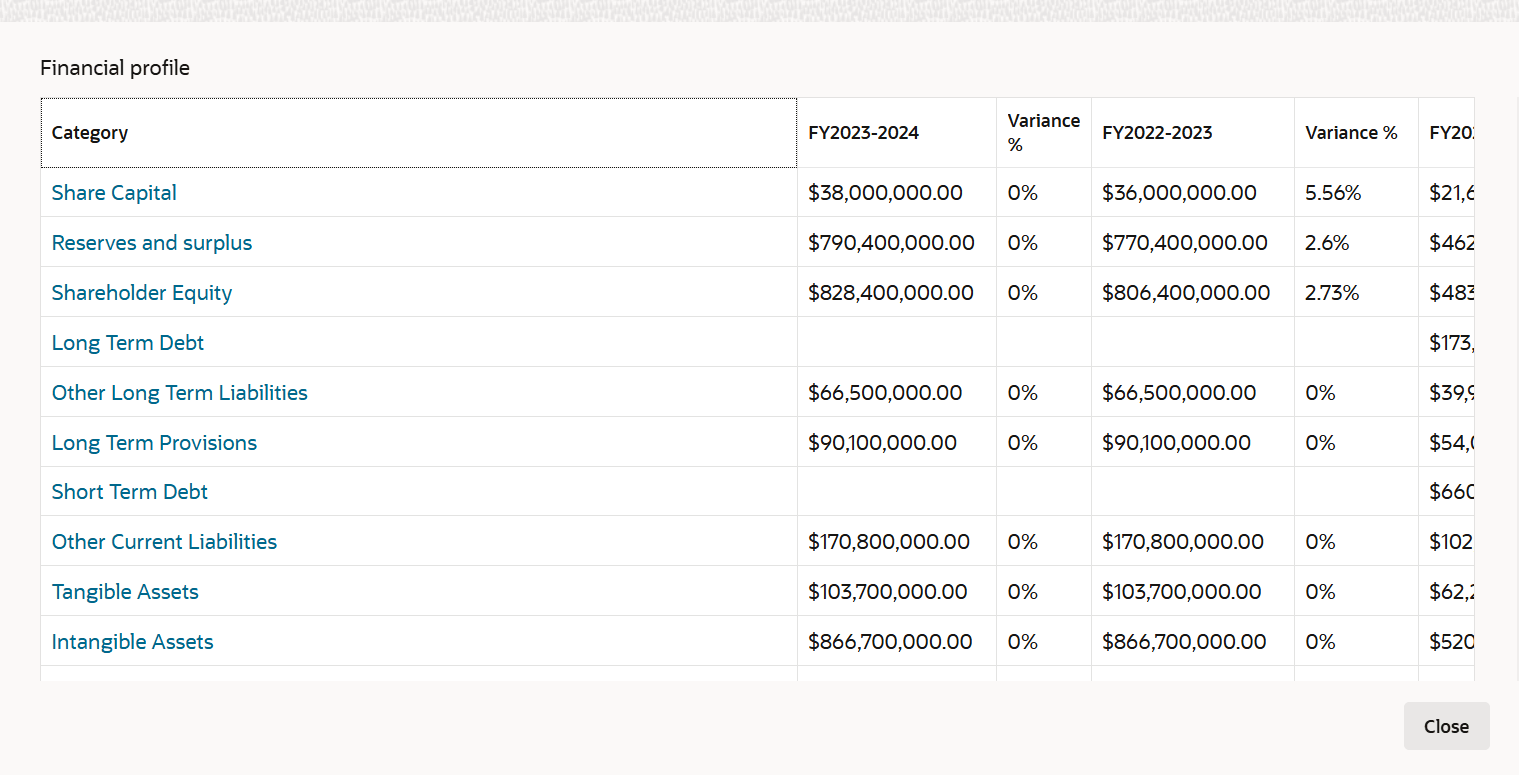
- To expand the Financial Profile, click View
all.The Financial Profile window is displayed as shown below:
Figure 3-28 Financial Profile - Expanded View