3.6 Import/Export Business Process
This topic provides systematic instructions about business process Improvements.
In Oracle Banking Credit Facilities Process Management maintains field configuration for all the data-segments in stage level for all the processes. Each data-segment will have n number of field configurations and a huge amount of data to be maintained. It is a tedious task to replicate the same field configuration in different environment having the same version of Oracle Banking Credit Facilities Process Management. This is addressed in this Business Process Import/Export.
- From Home screen, select Credit Facilities. Under Credit Facilities, select Maintenance.
- Under Maintenance, select Business Process. Under Business Process, click Business Process Definition.
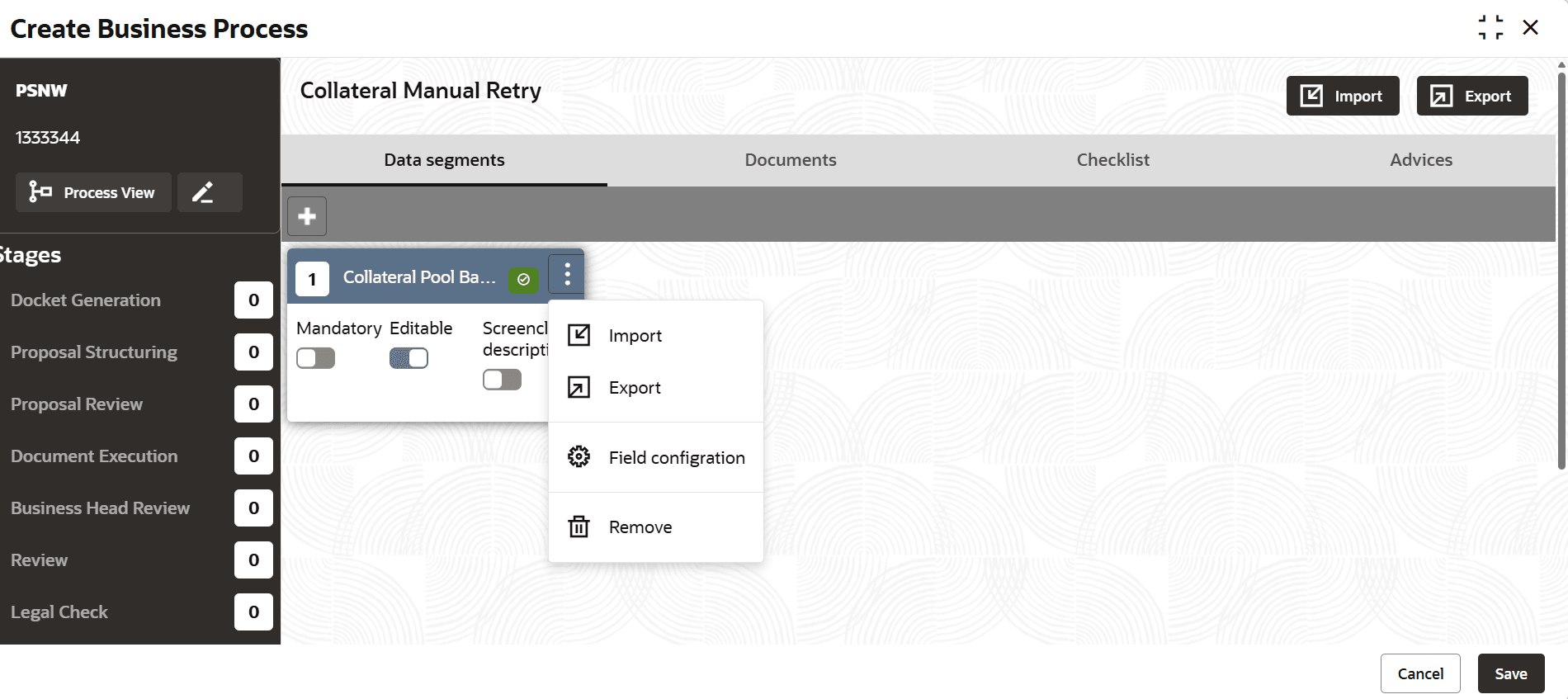
- Select Import/Export options at the stage level in the Business Process Definition screen.
- Added Import/Export functionality at both the stage and data-segment levels.
- Select or deselect the data segments within the stage to be exported.
- . Click the Export button to download the field
configuration of the selected data segment in JSON
format
- Import the JSON file into any environment.

Parent topic: Business Process