7.1 Create Financial Ratio Benchmark
This topic provides systematic instructions about the procedure to create financial ratio benchmark record.
The Create Financial Ratio Benchmark screen provides an option to define new benchmark for a financial value.
- From Home screen, select Credit Facilities. Under Credit Facilities, select Maintenance.
- Under Maintenance, select Financial Ratio Benchmark.
Under Financial Ratio Benchmark, select Create Financial Ratio
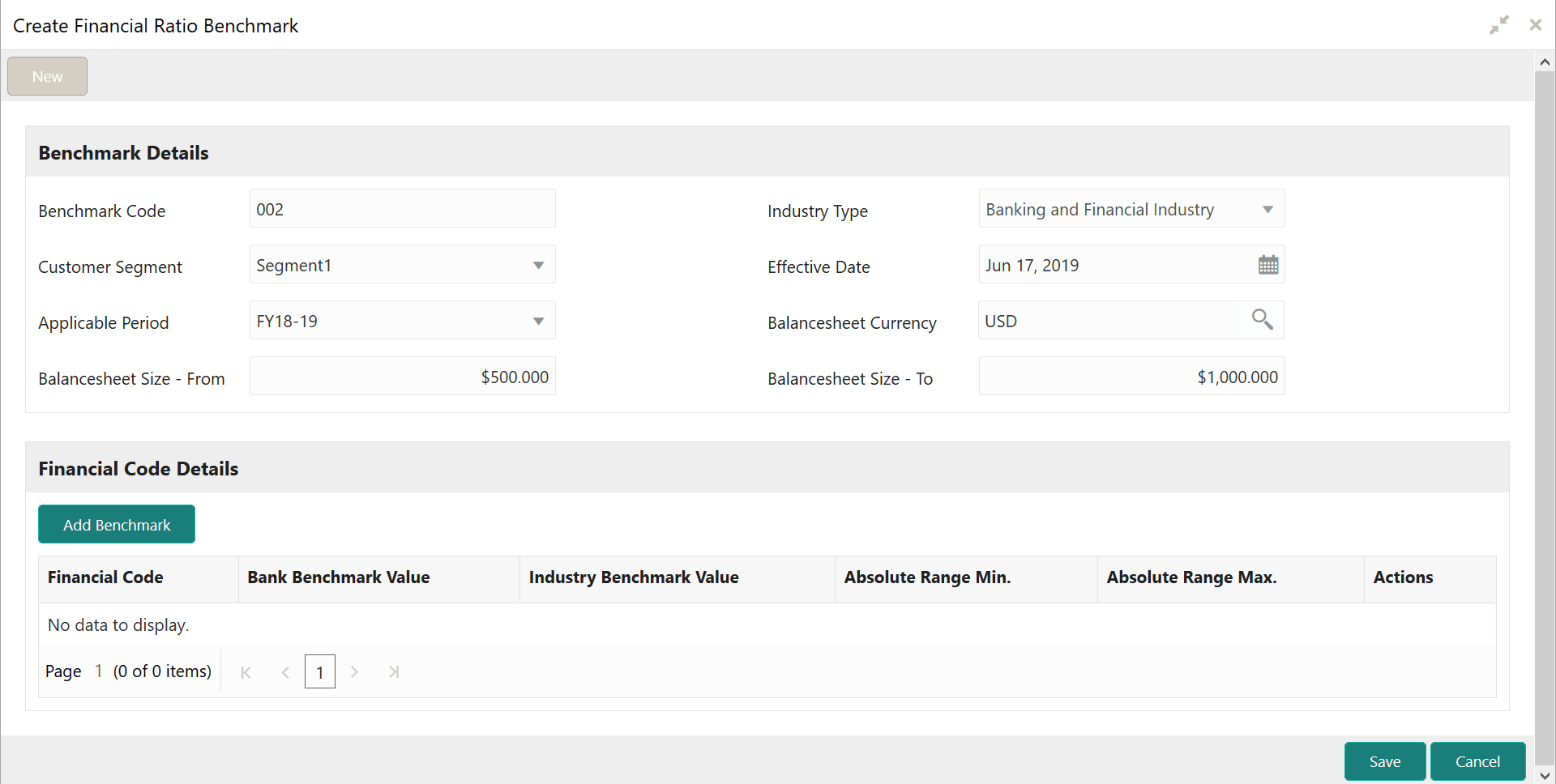
Benchmark.The Create Financial Ratio Benchmark screen is displayed.
Figure 7-1 Create Financial Ratio Benchmark
- Provide or select the benchmark details based on description in the following
table.
Table 7-1 Create Financial Ratio Benchmark - Field Description
Field Description Benchmark Code Specify a unique code for the benchmark to be defined. Industry Type Specify the type of industry for which the benchmark is to be defined. Customer Segment Select the customer segment from the drop down list. Effective Date Click the calendar icon and select the effective date for benchmark. Applicable Period Select the financial year for which the Benchmark is applicable from the drop downlist. Balancesheet Currency Search and select the balance sheet currency. Balancesheet Size -From Specify the minimum balance sheet size for defining benchmark. Balancesheet Size -To Specify the maximum balance sheet size for defining benchmark. - Click Add Benchmark in the Financial Code Details
section.New row for specifying the financial code details is created as shown below.
Figure 7-2 Create Financial Ratio Benchmark - Financial Code Details
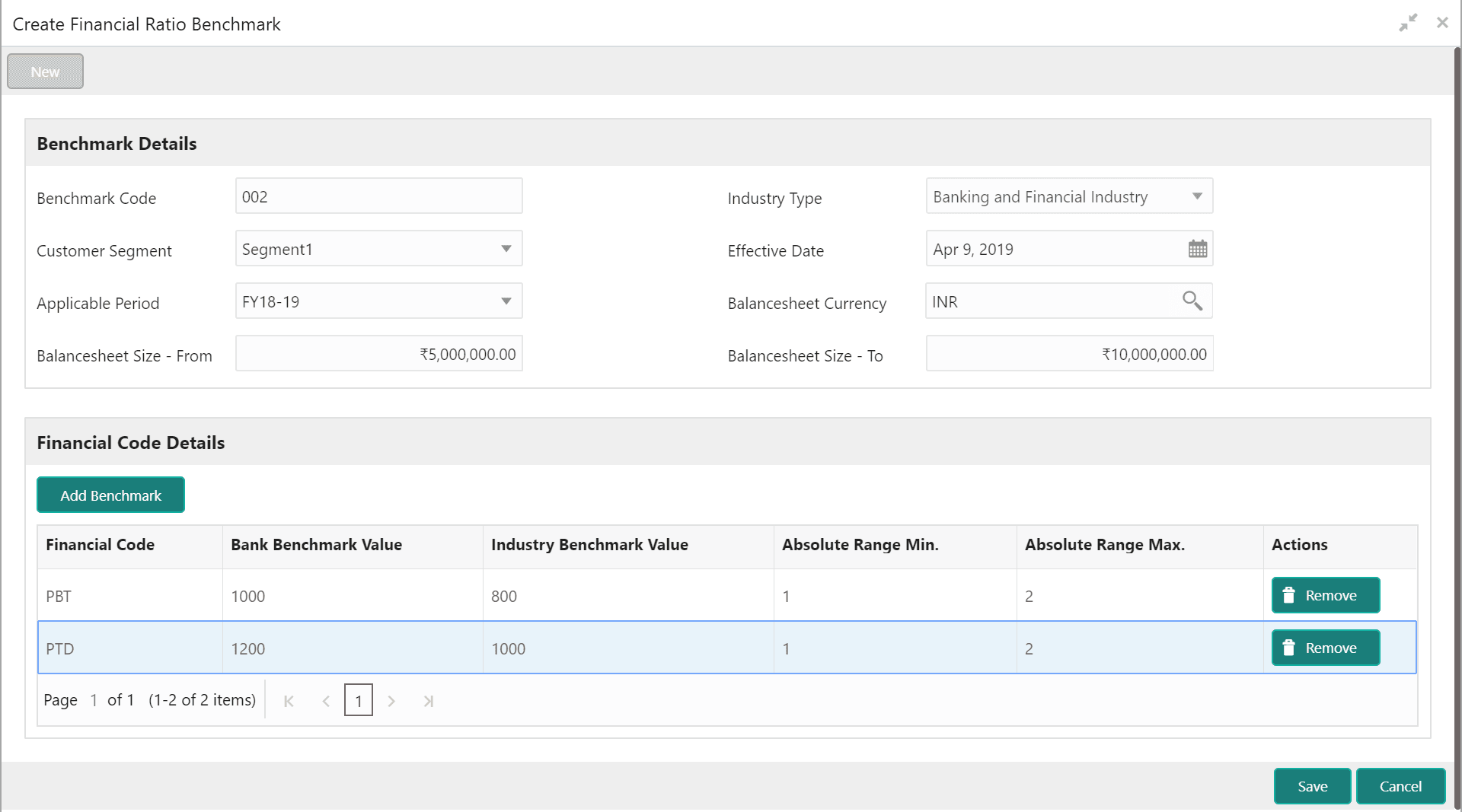
- Select or specify the financial code details based on description in the
following table.
Table 7-2 Create Financial Ratio Benchmark - Financial Code Details - Field Description
Field Description Financial Code Select the financial code from the list of codes maintained in Financial Code Maintenance screen. Bank Benchmark Value Specify the bank’s benchmark value for a particular financial range. Industry Benchmark Value Specify the industry benchmark value for a particular financial range. Absolute Range Min. Specify the minimum financial value for defining financial range. Absolute Range Max. Specify the maximum financial value for defining financial range. - To remove the financial code entry, click Remove in the Actions column.
- To create Financial Ratio Benchmark, click Save.The Financial Ratio Benchmark will be created upon authorization.
Parent topic: Financial Ratio Benchmark

