3.10 Fungibility
This topic provides systematic instructions about Fungibility.
- Click Next in the previous data segment to proceed with
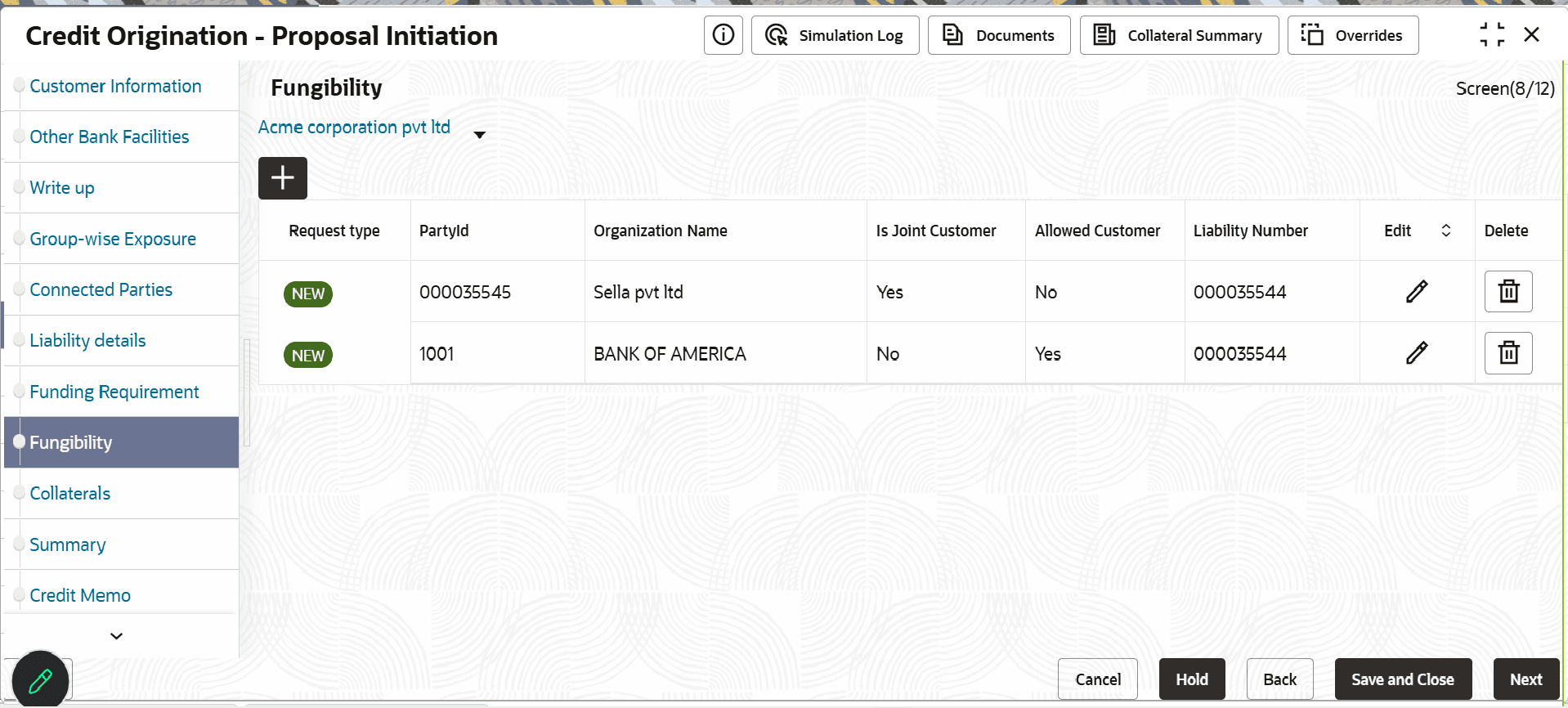
the next data segment, after successfully capturing the data.The Fungibility screen displays.
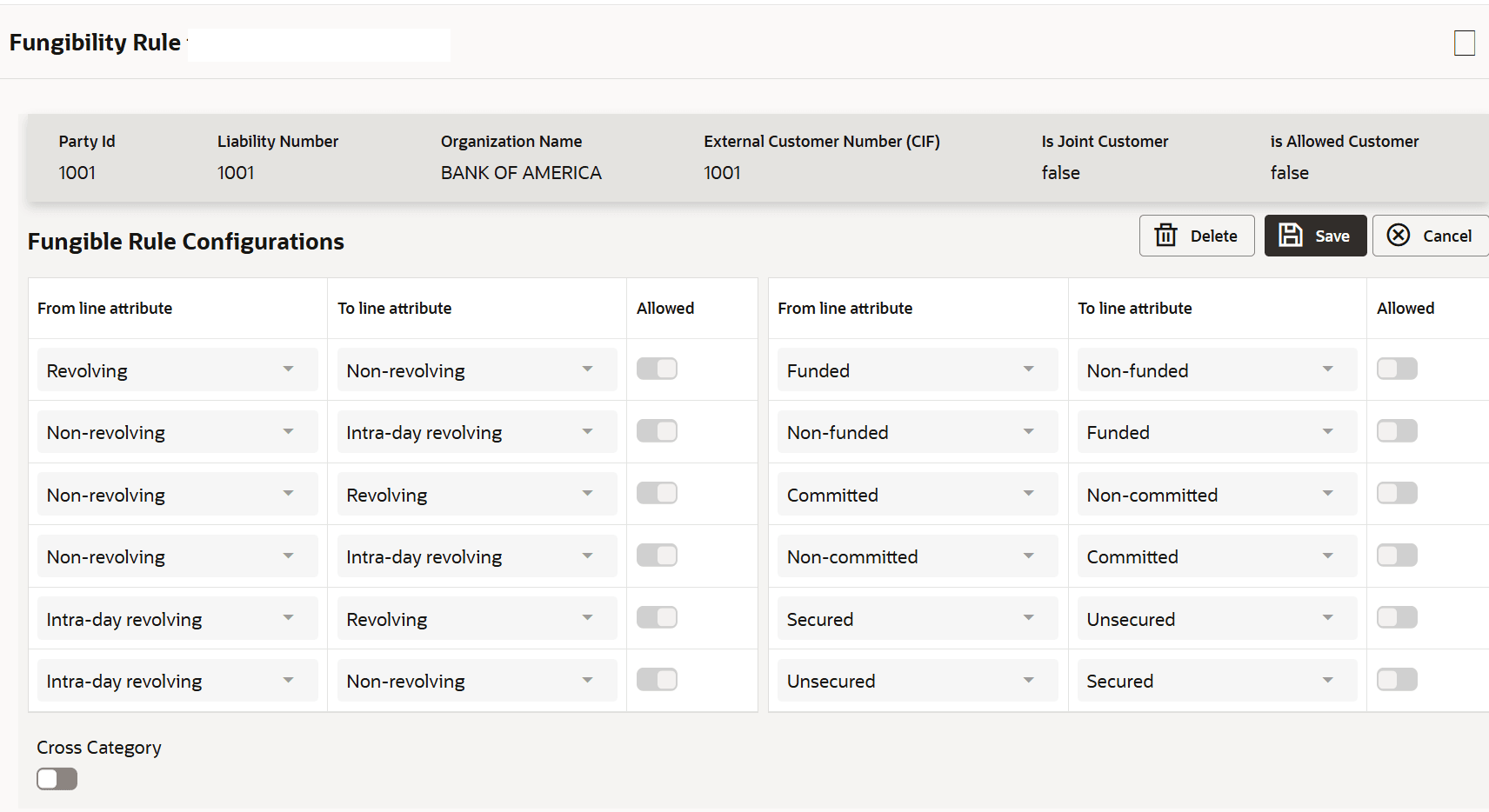
- Click Add Icon.The Fungibility Rule screen displays.
Fungible Rules Maintenance is maintained as a separate data segment for each process flow. Rules are defined using key attributes to determine eligibility for fungibility.
Rules are maintained against a selected customer from the Customer LOV. The Customer LOV displays the party selected in the breadcrumb, along with its joint parties and allowed customers. Users can select a customer from the LOV and define fungible rules accordingly.
Key Attributes for Rule Maintenance: Fungibility rules are configured based on the following key attributes- Revolving to Non-revolving
- Revolving to Intra-day revolving
- Non-revolving to Revolving
- Non-revolving to Intra-day revolving
- Intra-day revolving to Revolving
- Intra-day revolving to Non-revolving
- Funded to Non-funded
- Non-funded to Funded
- Comitted to Non-committed
- Non-committed to Comitted
- Secured to Unsecured
- Unsecured to Secured
- Cross Category Allowed
When the configured conditions are satisfied, the respective line becomes eligible to transfer the fungible amount during the utilization process in Enterprise Limits and Collateral Management.
Parent topic: Proposal Initiation