2.1 Collateral Substitution Initiation
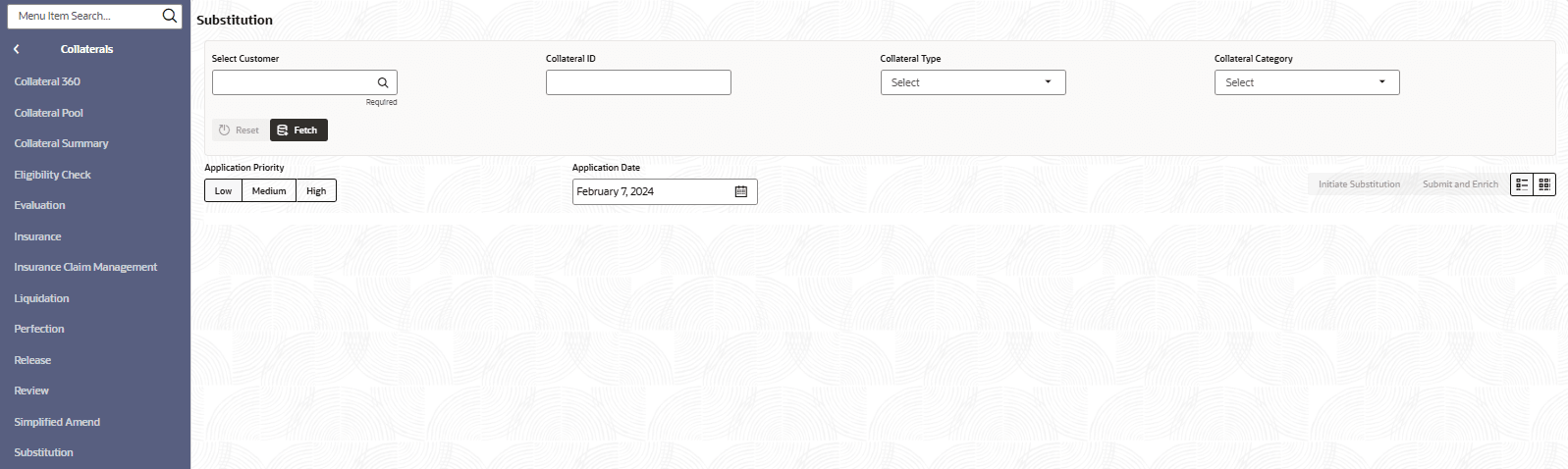
This topic provides information on collateral substitution initiation. It allows users to initiate requests for substituting collateral to maintain loan security and compliance.
- From Homescreen, click
Collateral. Under Collateral,
click Substitution.The Substitution screen displays.For more information on fields, refer to the field description table.
Note:
The fields marked as Required are mandatory.Table 2-1 Simplified Substitution - Field and Description
Field Description Select Customer Click  icon to select the customer.
Collateral ID Specify the collateral ID. Collateral Type Select the collateral type from the drop-down list. The available options are: - Account Receivables
- Account Contracts
- Aircraft
- Bill Of Exchange
- Bond
- Cash Collaterals
- Commercial Paper
- Commodity
- Corporate Deposits
- Crop
- Fund
- Guarantee
- Insurance
- Inventory
- Machine
- Miscellaneous
- Other Bank Deposits
- PDC
- Perishable
- Precious Metals
- Promissory Note
- Property
- Ship
- Vehicle
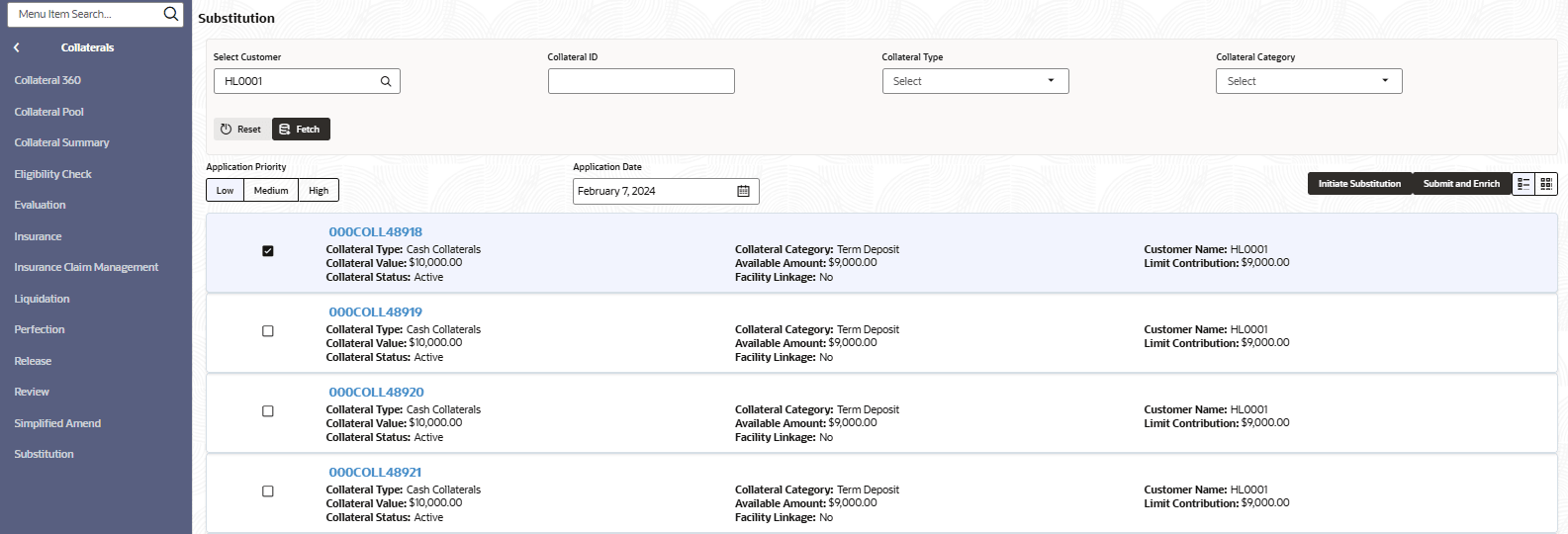
Collateral Category Select the collateral category from the drop-down list. - Click Fetch.The Collateral Details screen displays. For more information on fields, refer to the field description table.
Table 2-2 Collateral Details - Field and Description
Field Description Collateral ID Display the collateral ID. Collateral Type Display the collateral type. Collateral Category Further classifies the collateral type for reporting and tracking purposes. Customer Name Name of the customer to whom the collateral is linked. Collateral Value Total value assigned to the collateral item. Available Amount Amount of the collateral value currently available for use. Limit Contribution Indicates the portion of the collateral contributing towards the customer’s credit limit. Collateral Status Display the current status of the collateral. Facility Linkage Indicates whether the collateral is linked to a specific facility.
Parent topic: Collateral Substitution Request