6 Borrowing Base Summary
This topic provides systematic instructions about borrowing base summary.
- On Homescreen, select Borrowing
Base. Under Borrowing Base, select Borrowing Base
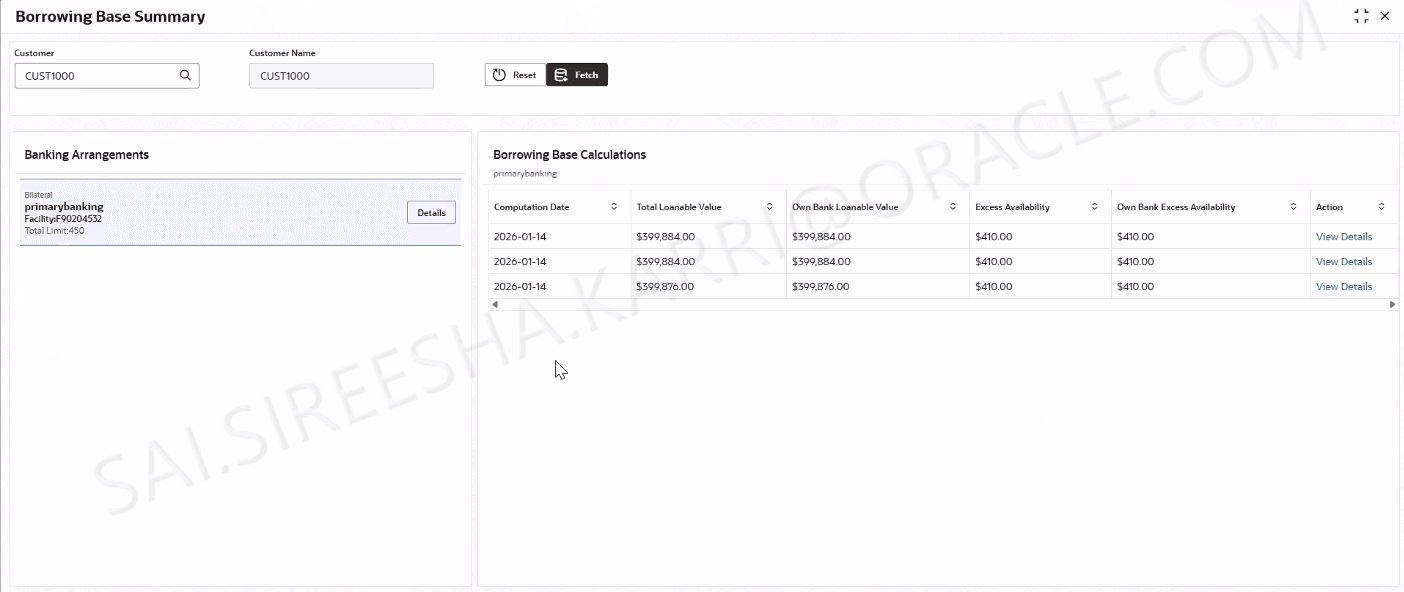
Summary.The Borrowing Base Summary screen displays.For more information on fields, refer to the field description table below.
Table 6-1 Borrowing Base Summary
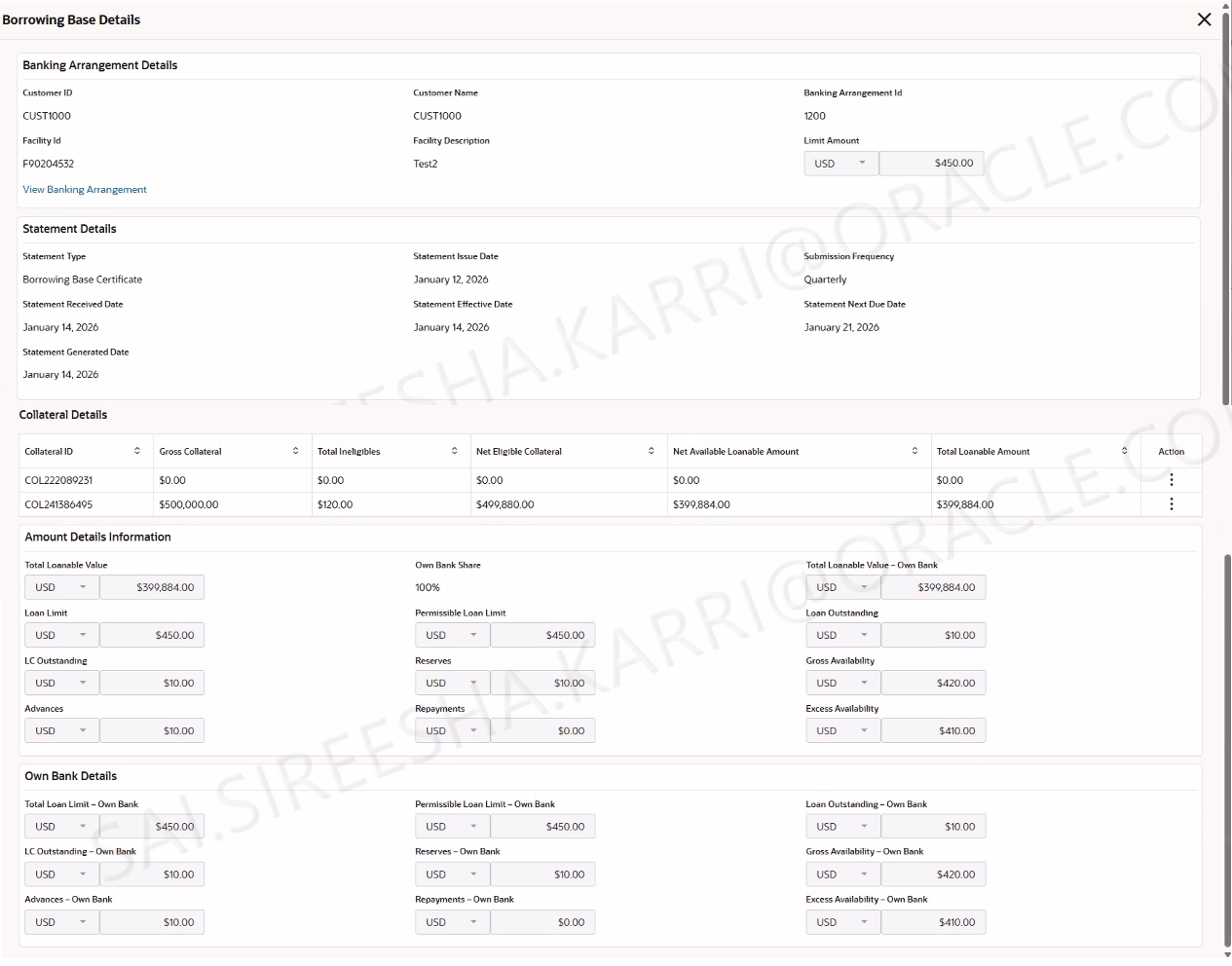
Field Description Customer Click search to fetch the customer details. Customer Name Displays the customer name. Banking Arrangements Displays the banking arrangements details. Borrowing Base Calculation This section displays the borrowing base calculation. Computation Date Displays the computation date. Total Lonable Value Displays the total lonable value. Own Bank Lonable Value Displays the own bank lonable value. Excess Availability Displays the excess availability. Own Bank Excess Availability Displays the own bank excess availability. - Click View Details to view the borrowing base
details.The Borrowing Base Details screen displays.